

How To Open A TON Wallet On Binance Quick Guide
How to open a TON wallet on Binance:
TON (The Open Network) has become one of the promising blockchain systems due to its speed, decentralization, and integration with popular services such as Binance. This guide will walk you through the process of creating a TON wallet on the Binance platform, allowing users to manage their TON tokens safely and conveniently. With integration with Binance Web3 Wallet and support for external wallets such as Tonkeeper, users can easily connect their wallets and transfer assets to decentralized platforms.
How to open a TON wallet on Binance
TON (The Open Network) is a decentralized blockchain originally developed by Telegram, now supported by a community of developers. Its architecture supports high scalability and fast transactions. And this makes it perfect for everyday transactions and decentralized applications (DApps).
Users can choose from different types of cryptowallets to work with TON:
-
Hot wallets (software), such as Tonkeeper, provide convenient access to assets and support staking, token exchange, and integration with DApps.
-
Cold wallets (hardware) provide secure long-term storage, such as Ledger.
-
Multi-network wallets, such as Trust Wallet, support not only TON but also other blockchains, allowing you to manage different cryptocurrencies in one application.
The TON wallet to be linked with Binance is a hot wallet. It is a software solution integrated into the Binance platform that allows users to easily manage their TON assets directly through the Binance Web3 Wallet. This wallet provides access to assets in the TON network without the need to enter seed phrases, thanks to the use of security technologies such as Multi-Party Computation (MPC).
How to create a TON Wallet on Binance: a step-by-step guide
Step 1. Log in to your Binance account . Start by logging into your Binance account via the mobile app. Make sure your account is verified, as creating a Web3 wallet requires a verified account.
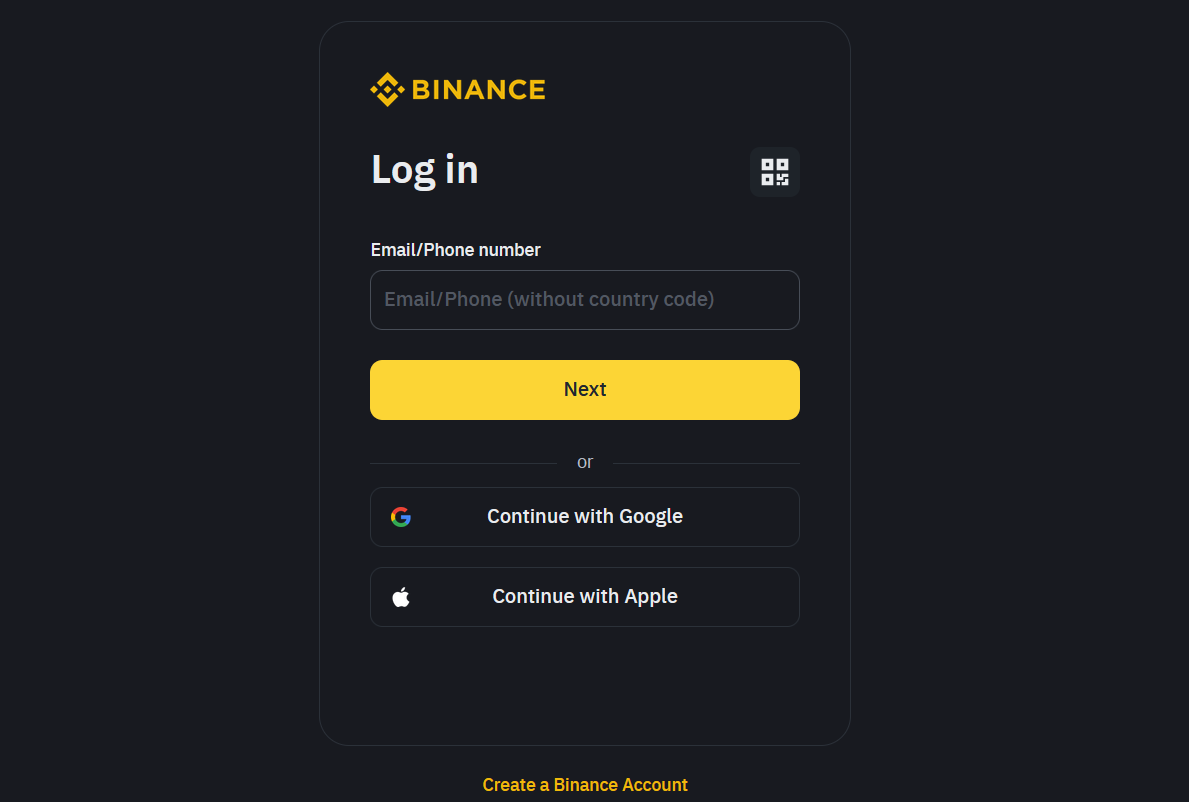
Binance log in
Step 2. Go to the Wallet section and select Binance Web3 Wallet. Once logged in, go to the Wallet section and find the Web3 Wallet tab.

Binance wallet
Step 3. Click on it and select the option to import your TON wallet. Please note that Binance does not have an in-bult TON-specific wallet, so you can create a TON wallet through other platforms and link it to your Binance account.

Binance import wallet
Step 4. Enter the seed phrase of the wallet you want to import. Click [Import] and your wallet will be added.

Binance adding a seed phrase
Security tips for using Binance Web3 Wallet
-
MPC Technology in Binance Web3 Wallet. In the future, you will not need to enter seed phrases, as Binance Web3 Wallet uses Multi-Party Computation (MPC) technology. This allows you to manage your assets securely without having to remember and store private keys. MPC divides your private keys into three parts, which are stored in different places: one part is stored on your device, one in the cloud (Google Drive or iCloud), and the third is protected by Binance. Access to the wallet is possible with two of the three parts, which increases security and reduces the risk of losing assets.
-
Storing key parts of the private key. We recommend that you regularly create backups of your wallet and store them in safe places. To protect the part stored in the cloud, set a strong password to encrypt the data. Remember that if you lose your device or configure cloud storage incorrectly, it will be impossible to restore access to your wallet.
-
Long-term storage of TON tokens. For long-term storage of tokens, it is best to use hardware wallets. Hardware wallets, such as Ledger, store private keys offline, making them less vulnerable to hacking or phishing attacks. It is also important to monitor the physical security of the device and avoid connecting it to unsafe computers.
Create wallet on Tonkeeper or similar platforms and link it to your account
Instead of just sticking with Binance’s wallet, consider exploring other TON wallets like Tonkeeper or WalletBot, which work seamlessly with Binance. These third-party options can give you extra control, better security, and more versatility for using your TON beyond just holding it on the platform. This approach can also simplify future steps, like staking or using dApps, where you’ll need a bit more freedom in managing your funds.
Another thing that most newcomers miss is keeping a close eye on transaction fees when setting up your wallet. TON’s network fees can vary a lot, and while Binance helps with this, manually adjusting fees based on network traffic could save you money. By checking activity or setting alerts for low-fee times, you’ll avoid overpaying during busy trading periods—giving you more value from your wallet without the unnecessary extra costs.

Conclusion
Opening a TON wallet on Binance is a simple and convenient process that provides a high level of security thanks to the use of MPC technology. This wallet does not require storing private keys in one place, which reduces the risk of losing funds. At the same time, users can easily interact with decentralized applications and manage their assets. For long-term storage of assets, we recommend using hardware wallets such as Ledger, which will further protect your tokens from threats. Considering all these aspects, Binance Web3 Wallet is a reliable solution for managing TON tokens.
FAQs
What are the alternatives for safer storage of TON tokens?
For long-term storage of tokens, it is recommended to use hardware wallets, as they store private keys offline, which significantly reduces the risk of hacks and online threats. Such devices allow you to have full control over your assets, avoiding dependence on online services and centralized platforms.
What is the best way to organize backups of key parts of the wallet?
Backups are best done in several stages: one part of the key can be stored on the device, the other - in encrypted form in the cloud. You can also create a physical copy on paper and store it in a safe place, for example, in a bank safe deposit box, to minimize the risk of loss.
How to avoid interactions with fraudulent dApps when using the TON wallet?
Before connecting to any dApp, be sure to check its reputation: read reviews, check ratings and reviews on independent platforms. Also, try to use only proven and popular platforms for interaction with decentralized applications.
Are there any risks when staking TON and how to minimize them?
The main risk of staking is blocking funds for a long period. To minimize it, study the terms and period of blocking tokens before participating in the program. It is also important to consider market volatility: the cost of tokens may change during the blocking period, which will affect the final income.
Related Articles




Team that worked on the article

Igor is an experienced finance professional with expertise across various domains, including banking, financial analysis, trading, marketing, and business development. Over the course of his career spanning more than 18 years, he has acquired a diverse skill set that encompasses a wide range of responsibilities. As an author at Traders Union, he leverages his extensive knowledge and experience to create valuable content for the trading community.

Chinmay Soni is a financial analyst with more than 5 years of experience in working with stocks, Forex, derivatives, and other assets. As a founder of a boutique research firm and an active researcher, he covers various industries and fields, providing insights backed by statistical data. He is also an educator in the field of finance and technology.
As an author for Traders Union, he contributes his deep analytical insights on various topics, taking into account various aspects.


