Alpari MT4 Review - How to Download and Set Up?


Editorial Note: While we adhere to strict Editorial Integrity, this post may contain references to products from our partners. Here's an explanation for How We Make Money. None of the data and information on this webpage constitutes investment advice according to our Disclaimer.
MetaTrader 4 (MT4) remains one of the world's most popular Forex trading platforms, valued for its intuitive interface, advanced charting capabilities, and support for automated trading through Expert Advisors (EAs). Alpari offers MT4 across multiple account types, giving traders access to Forex and CFD markets via desktop, web, and mobile versions.
This article reviews the main features of Alpari MT4, explains how to download and install the platform, and walks you through the key settings and customization options to help you get started with trading more efficiently.
Alpari MT4 Review


Alpari offers MetaTrader 4 (MT4) across multiple trading account types, providing access to Forex and CFD markets through one of the industry's most established trading platforms. MT4 is available as a desktop application, a web-based platform, and a mobile app, allowing traders to manage their positions from virtually any device.The platform supports one-click trading, multiple order types, interactive charts, technical indicators, custom templates, and automated trading through Expert Advisors (EAs). Traders can also install additional indicators and trading tools from the MetaTrader Marketplace to further customize their trading experience.
MT4 Mobile
The MT4 mobile app is available for both Android and iOS devices, enabling traders to monitor markets and execute trades while on the move. The application supports real-time price quotes, interactive charts, multiple order types, technical indicators, and push notifications, allowing users to stay connected to the markets wherever they are.
MT4 Web
MT4 WebTrader delivers the core functionality of the desktop platform directly through a web browser without requiring software installation. Traders can access their accounts from virtually any computer while using interactive charts, technical analysis tools, multiple timeframes, and the same trading environment available on the desktop version.
MT4 Desktop
The desktop version of MT4 offers the platform's full functionality for traders who require advanced analytical and trading tools. It includes customizable charts, multiple timeframes, built-in technical indicators, analytical objects, and support for automated trading through Expert Advisors (EAs). Traders can also install thousands of free and paid custom indicators, scripts, and trading robots from the MetaTrader ecosystem, while built-in encryption helps ensure secure communication between the trading terminal and Alpari's servers.
Alpari MT4 Advantages
One of the main advantages of trading with Alpari is access to MetaTrader 4 alongside the broker's broader trading conditions, including multiple account types, spreads from 0.0 pips, and access to Forex and CFD markets. MT4 also supports automated trading, custom indicators, mobile access, and web trading, which makes it suitable for different trading styles.
Alpari also offers a Rewards programme for eligible live account holders. Traders can earn Tier points and Reward points based on trading activity, progress through different status levels, and redeem Reward points for cash or trading funds. Programme terms, eligibility, and reward rates may vary depending on account type and region.
In addition, Alpari periodically runs promotions and trading contests. Since these offers change over time, traders should check the current promotions section on the official website before relying on any specific bonus, cashback, or contest conditions.
How to Download Alpari MT4 for Free?
Downloading MetaTrader 4 from Alpari takes just a few steps:
Visit the official Alpari website and click Register to create a new account or Log In if you already have one.
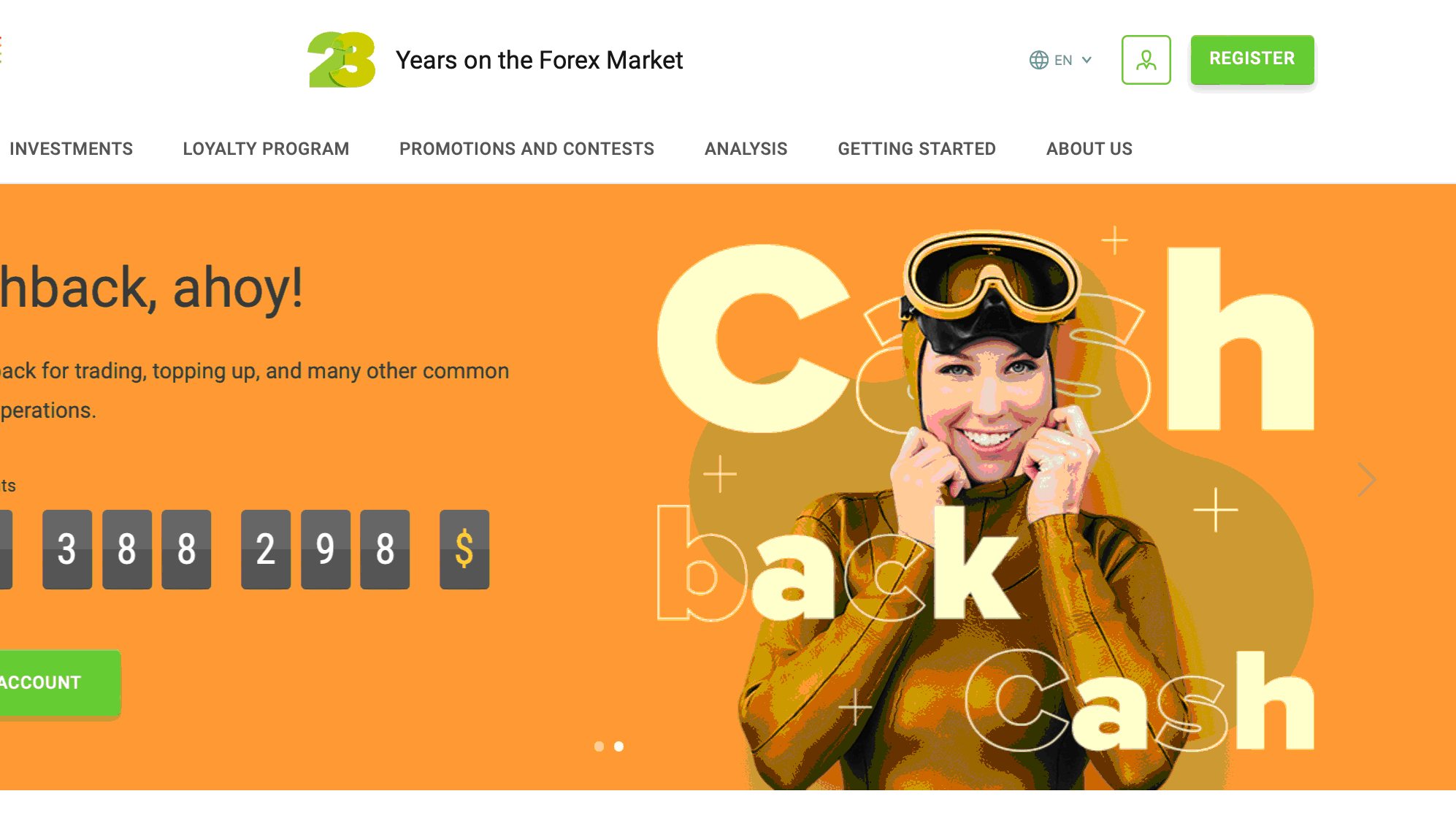
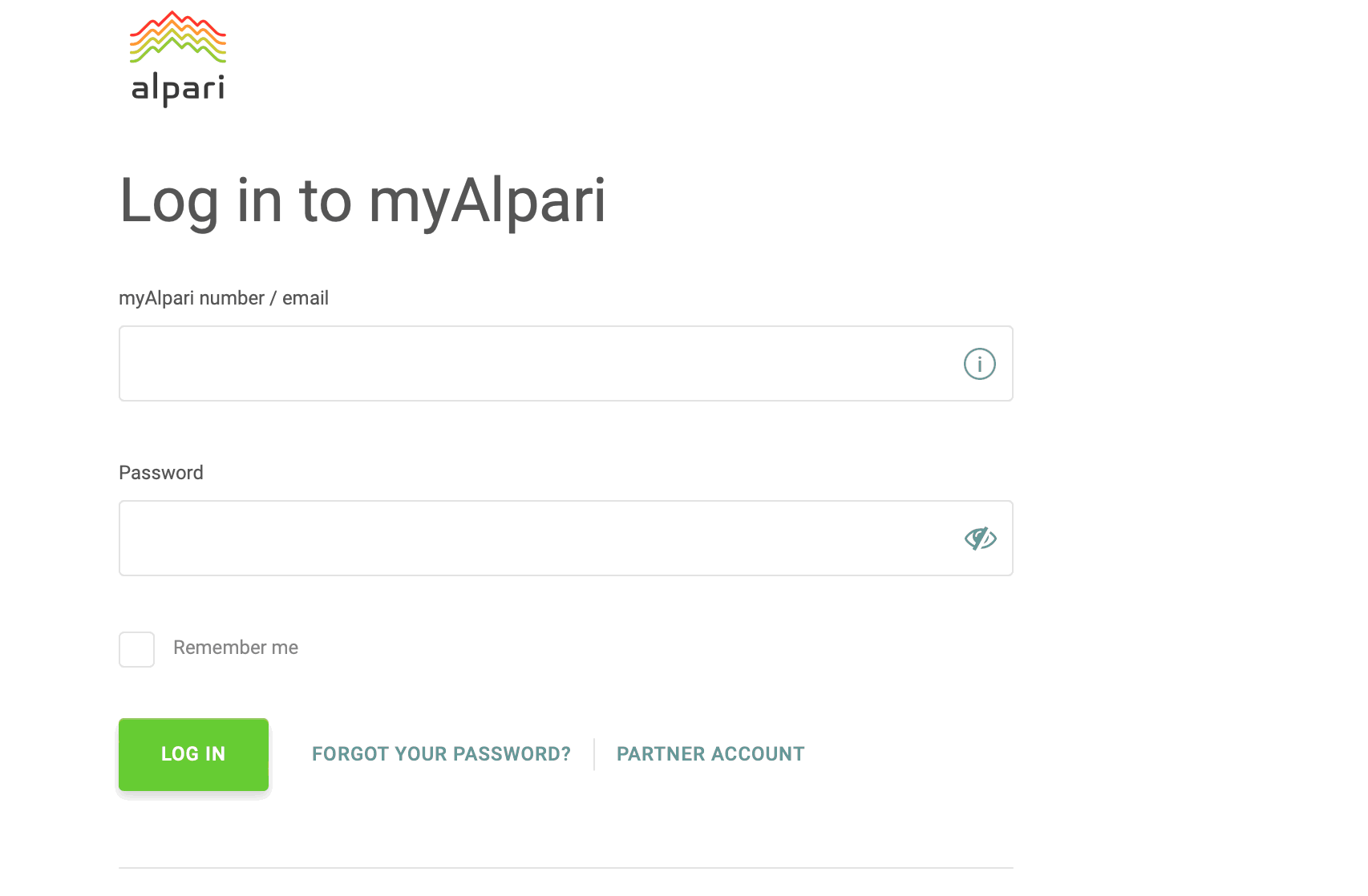
Sign in to your myAlpari client area using your account credentials.
Open the Trading Platforms section and select MetaTrader 4 (MT4) for your operating system or mobile device. Download the installation file (or follow the link to the App Store or Google Play for mobile devices), install the platform, and sign in using your MT4 account credentials.
How to Set Up MT4 From Alpari
After installing MT4, launch the platform and log in using the trading account credentials provided by Alpari. Once connected to the trading server, you can customize the platform to suit your trading preferences.
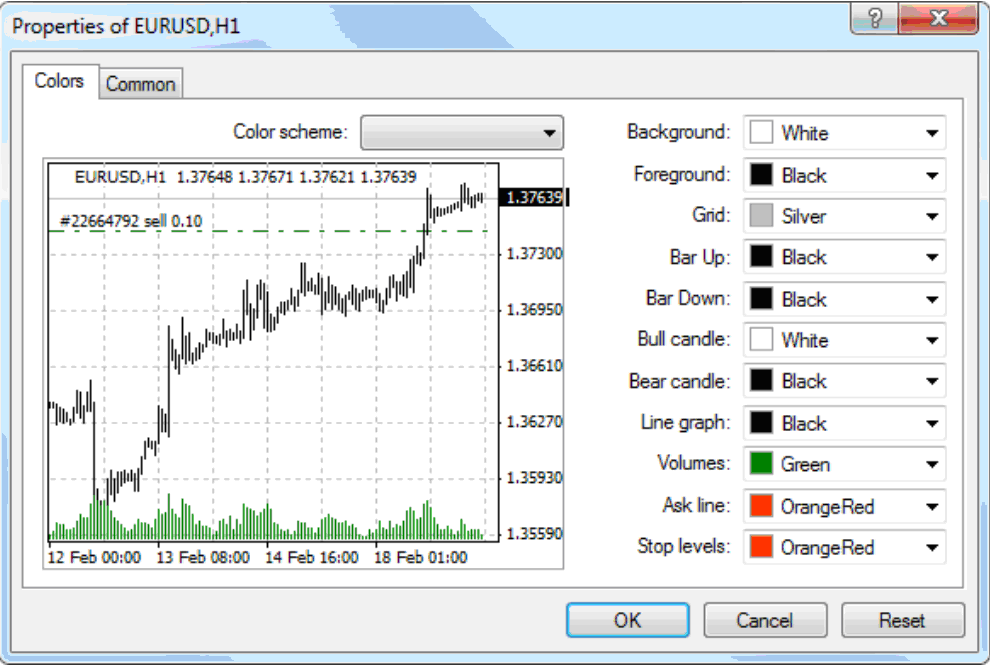
To personalize your charts, right-click on any chart and select Properties. Here, you can modify chart colors, grid settings, and other visual elements.
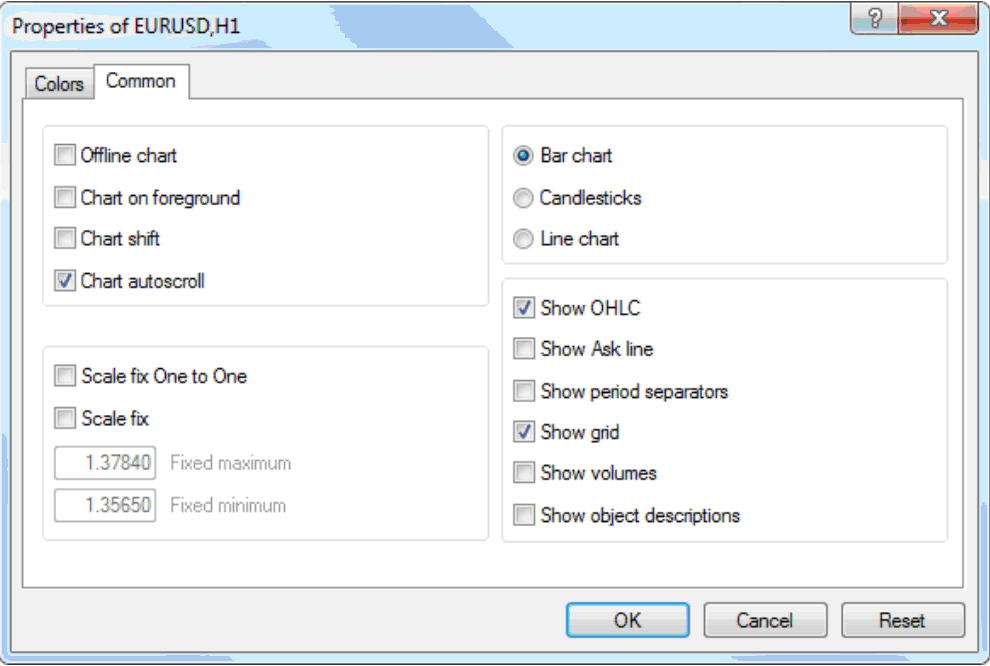
The Common tab also allows you to adjust chart type and display options. Once you've finished customizing the chart, click OK to apply your changes.
To save time, you can save your preferred chart settings as a template. Select Template from the toolbar, click Save, and assign a name to your template. You can then apply it to any new chart without repeating the customization process.
Finally, review the instruments displayed in the Market Watch window. If some trading symbols are missing, right-click inside the window and select Show All to display every instrument available for your account.
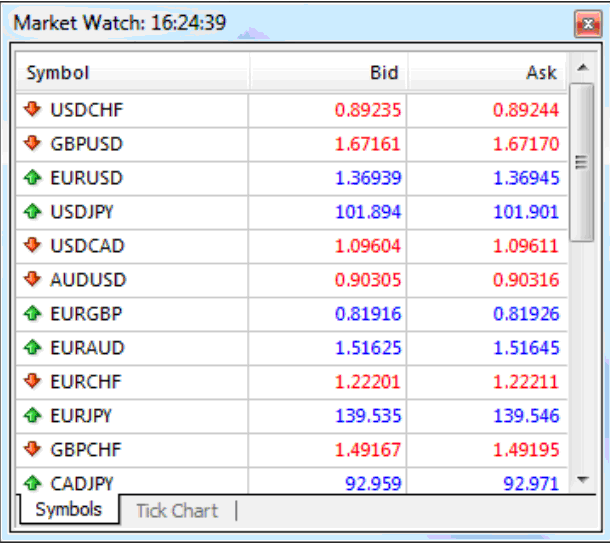
This version keeps all the useful information but removes repetitive explanations and improves the flow. It also reflects how most traders actually configure MT4 after installation.
Alpari Passive Income Options
Alpari offers PAMM accounts for clients who want exposure to Forex trading without managing positions independently. With this model, investors allocate funds to a selected PAMM manager, while the manager makes trading decisions and receives a performance-based fee if the account generates profit.
To help investors compare managers, Alpari provides PAMM account ratings with information such as profitability, trading history, risk level, and account performance over time. Investors can review these statistics before choosing a manager and may reallocate funds if the selected strategy no longer matches their expectations.
Although PAMM investing does not require active trading, it still carries market risk. Investors should review a manager's track record, drawdowns, strategy, and fee structure carefully before committing capital.
MT4 remains a strong choice for systematic traders

Although MetaTrader 5 has become increasingly popular, MT4 continues to be one of the most widely used trading platforms thanks to its stability, extensive ecosystem, and support for Expert Advisors (EAs). For traders who rely on algorithmic strategies or custom indicators, MT4 still provides everything needed to build and automate a disciplined trading approach.
One advantage of using MT4 with Alpari is the flexibility to access the same trading account from desktop, web, and mobile devices. However, I recommend performing detailed chart analysis and strategy development on the desktop version, while reserving the mobile app primarily for monitoring positions and managing trades when away from your computer.
Finally, remember that the platform itself does not determine trading success. Spending time customizing charts, creating templates, organizing Market Watch, and learning the platform's built-in tools can significantly improve efficiency and help reduce execution errors over the long term.
Conclusion
MetaTrader 4 is one of the most reliable and widely supported trading platforms available to Forex and CFD traders. Through Alpari, traders can access MT4 across desktop, web, and mobile devices while benefiting from advanced charting tools, automated trading through Expert Advisors, and extensive customization options.
Whether you are opening your first trading account or migrating from another broker, taking the time to configure MT4 properly can improve your overall trading experience. Features such as templates, custom indicators, and Market Watch customization help streamline daily trading, while Alpari's PAMM investment service provides an alternative for investors seeking passive market exposure.
FAQs
Can I use MetaTrader 4 and MetaTrader 5 with the same Alpari account?
No. MT4 and MT5 use different trading servers and account types. If you want to use both platforms, you'll need to open separate trading accounts that support each platform.
What is a trailing stop?
With a trailing stop, your stop loss will follow the price movement which, in turn, maximizes your profits and minimizes your losses.
Does Alpari MT4 support one-click trading?
Yes. MT4 includes one-click trading, allowing traders to open and close positions directly from charts or the Market Watch window. The feature can be enabled from the platform settings.
Can I transfer my MT4 indicators and templates to another computer?
Yes. MT4 allows you to copy custom indicators, Expert Advisors, templates, and profiles to another installation by transferring the corresponding files from the platform's data folder.
Related Articles
Team that worked on the article
Bruce Powers is an expert trader and technical analyst with over 20 years of experience in Forex, commodities, ETFs, cryptocurrencies and other assets. He is an active trader, technical and fundamental analyst, media commentator, educator and a writer.
Olga Shendetskaya has been a part of the Traders Union team as an author, editor and proofreader since 2017. Since 2020, Shendetskaya has been the assistant chief editor of the website of Traders Union, an international association of traders.
Mirjan Hipolito is a journalist and news editor at Traders Union. She is an expert crypto writer with five years of experience in the financial markets.
-
 Afghanistan
-
 Albania
-
 Algeria
-
 Angola
-
 Argentina
-
 Armenia
-
 Australia
-
 Austria
-
 Azerbaijan
-
 Bahamas
-
 Bahrain
-
 Bangladesh
-
 Belarus
-
 Belgium
-
 Bolivia
-
 Botswana
-
 Brazil
-
 Brunei
-
 Bulgaria
-
 Cambodia
-
 Cameroon
-
 Canada
-
 Chile
Chile
-
 China
China
-
 Colombia
-
 Congo
Congo
-
 Costa Rica
-
 Cote d'Ivoire
-
 Croatia
-
 Cuba
Cuba
-
 Cyprus
-
 Czechia
-
 DR Congo
-
 Denmark
-
 Dominican Republic
-
 Ecuador
-
 Egypt
Egypt
-
 El Salvador
-
 Estonia
-
 Eswatini
-
 Ethiopia
-
 Finland
-
 France
-
 Georgia
-
 Germany
-
 Ghana
Ghana
-
 Greece
-
 Haiti
Haiti
-
 Hong Kong
-
 Hungary
-
 India
India
-
 Indonesia
-
 Iran, Islamic republic
-
 Iraq
Iraq
-
 Ireland
-
 Israel
-
 Italy
Italy
-
 Jamaica
-
 Japan
Japan
-
 Jordan
-
 Kazakhstan
-
 Kenya
Kenya
-
 Korea
Korea
-
 Kuwait
-
 Kyrgyzstan
-
 Laos
Laos
-
 Latvia
-
 Lebanon
-
 Lesotho
-
 Libya
Libya
-
 Lithuania
-
 Luxembourg
-
 Madagascar
-
 Malaysia
-
 Malta
Malta
-
 Mauritius
-
 Mexico
-
 Moldova
-
 Mongolia
-
 Montenegro
-
 Morocco
-
 Mozambique
-
 Myanmar
-
 Namibia
-
 Nepal
Nepal
-
 Netherlands
-
 New Zealand
-
 Nigeria
-
 North Macedonia
-
 Norway
-
 Oman
Oman
-
 Pakistan
-
 Palestine
-
 Panama
-
 Papua New Guinea
-
 Paraguay
-
 Peru
Peru
-
 Philippines
-
 Poland
-
 Portugal
-
 Puerto Rico
-
 Qatar
Qatar
-
 Reunion
-
 Romania
-
 Rwanda
-
 Saudi Arabia
-
 Serbia
-
 Singapore
-
 Slovakia
-
 Slovenia
-
 Somalia
-
 South Africa
-
 Spain
Spain
-
 Sri Lanka
-
 Sweden
-
 Switzerland
-
 Syria
Syria
-
 Taiwan
-
 Tajikistan
-
 Tanzania
-
 Thailand
-
 Trinidad and Tobago
-
 Tunisia
-
 Turkey
-
 UAE
UAE
-
 Uganda
-
 Ukraine
-
 United Kingdom
-
United States
-
 Uruguay
-
 Uzbekistan
-
 Venezuela
-
 Vietnam
-
 Yemen
Yemen
-
 Zambia
-
 Zimbabwe
- Forex
- Crypto