
How To Download Binarium For PC, IPhone And Android?

Editorial Note: While we adhere to strict Editorial Integrity, this post may contain references to products from our partners. Here's an explanation for How We Make Money. None of the data and information on this webpage constitutes investment advice according to our Disclaimer.
How to download Binarium for PC:
- Visit the official website of Bluestacks or MEmu Play and install the software on your PC.
- Once the download is complete, install it and search for Binarium.
- The moment you find it clicks on the install button.
- Once installed, run the app to set it up on your PC.
Working since 2012, Binarium is known to have acomprehensive set of features and offering that both novice and experienced traders require. Although a financial authority does not regulate Binarium, it still ticks all the usual boxes, whether it's about the types of accounts it provides, the mobile offering, enchanting bonuses, or a strict privacy policy with SSL certification. You can easily download the Binarium app for your PC, android and iPhone from Google Play Store and App Store.
So, if you're looking for a broker who provides you with an all-around experience explaining how to download the Binarium trading app, whether you're an iOS, Android, or Windows user, then you must shortlist Binarium.
Let’s review the Binariun download options for PC, Android, and iPhone to help clarify the process for readers.
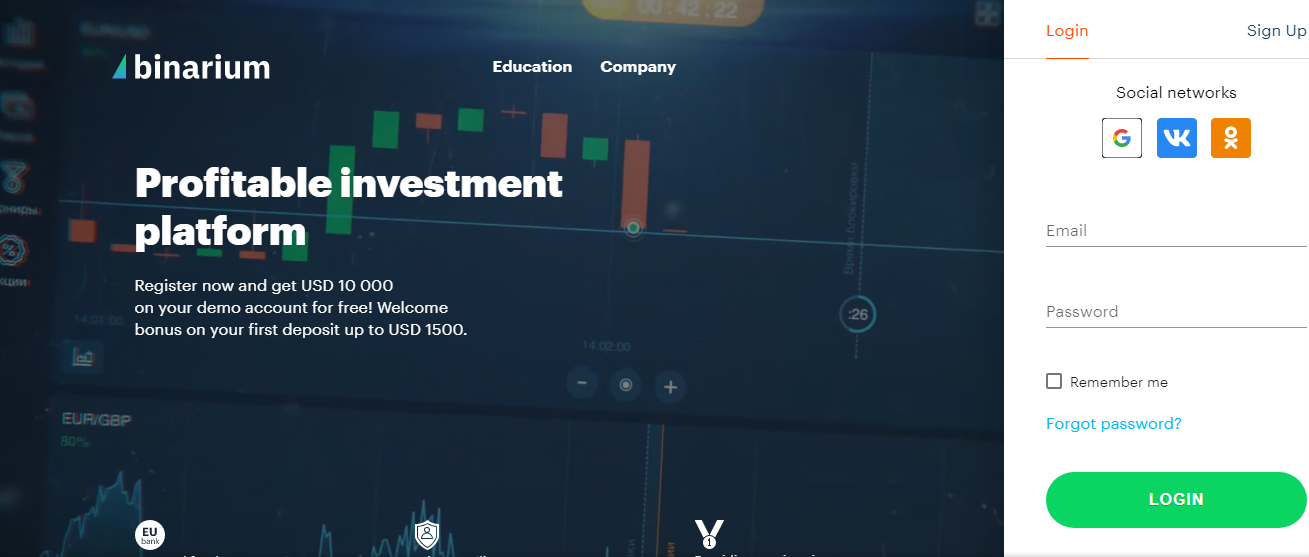
Binarium download for PC

For some reason, if the official version of the Binarium desktop app is not available, here are two methods through which you can download the Binarium app for PC:
Binarium app download for PC through blue stacks emulator
Start by downloading the Bluestacks software if you need to download it for your Windows 7/8/10.
The installation process for Bluestacks five software is quite easy.
Once installed, open your emulator.
Initially, it may take some time to open, but once it's done, you can see the emulator's home screen displayed on your desktop.
Now you have to search Google play store in the blue stack emulator.
Click on the icon to open it.
Now search for Binarium.
The moment you find it clicks on the install button.
Once the installation process is finished, you can find the app on the installed list in the blue stack.
Binarium app download for PC through MEmu play
The first step is to download the MEmu Play on your PC.
Once the download part is done, install it and search for the term Binarium.
The moment you find it clicks on the install button.
Once the installation is finished, you can find the app on the home screen of the MEmu Play emulator.
Steps to download Binarium for mobile devices
Well, the steps for the Binarium app download are the same for iOS (app store) and Android (play store); the only difference is the place from where it gets downloaded.
So without further ado, let's dive into the steps:
Binarium for Android
To begin with, if you're an Android user, head on to the play store app, and search for the term "Binarium" and click on the install button to proceed further.
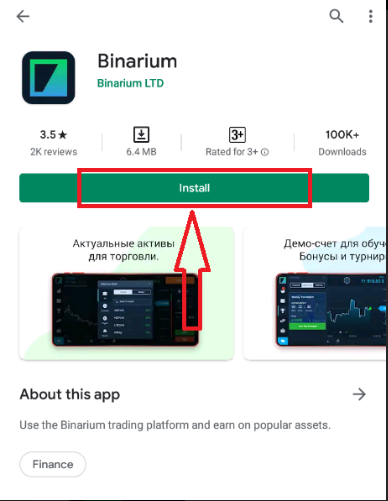
Once the installation is complete, head on to the app where you'll see two options in front of your screen: the create account for free and the login.
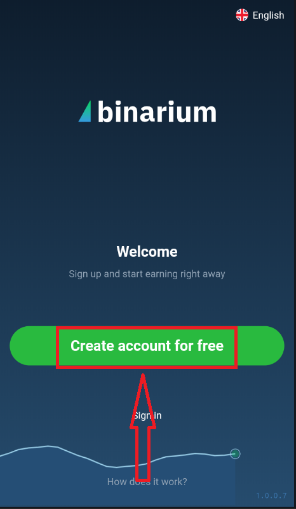
If you're a new user, click on the first option and furnish basic details like your e-mail address, password, and currency.
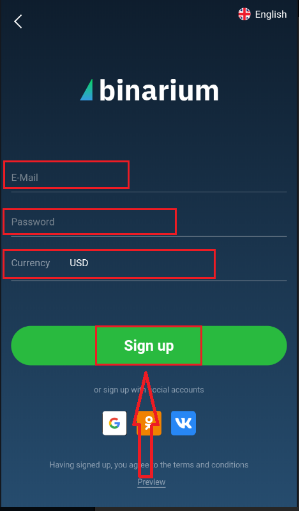
After clicking the sign-up option, you'll be asked if you are not a robot and then redirected to a new section where you've to fill some space to get a free bonus.
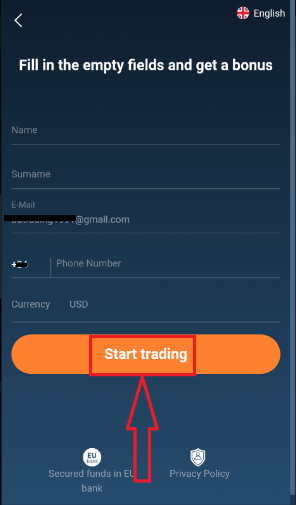
Once you've mentioned the details click on the start trading button to get yourself registered.
When you register, your demo account will be filled with $10,000, where you can practice your skills and experience real trading.
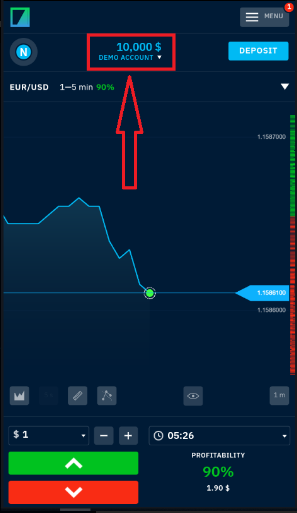
On the right side of your screen, you'll see a menu option which is loaded with eight different options.
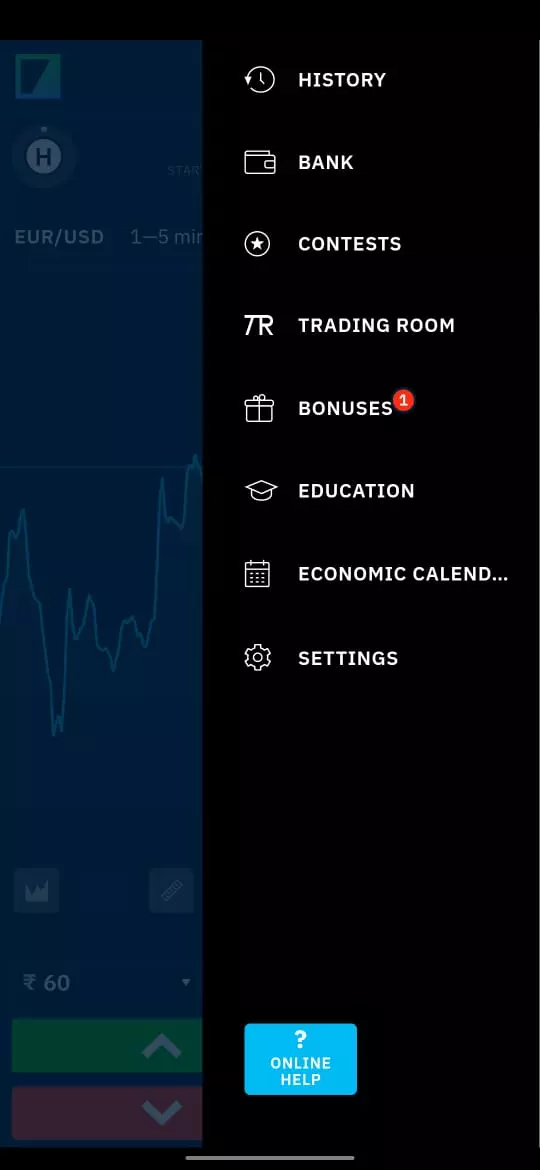
On the left side, you can see your name's initials, which takes you to eight different options.
Binarium for iOS
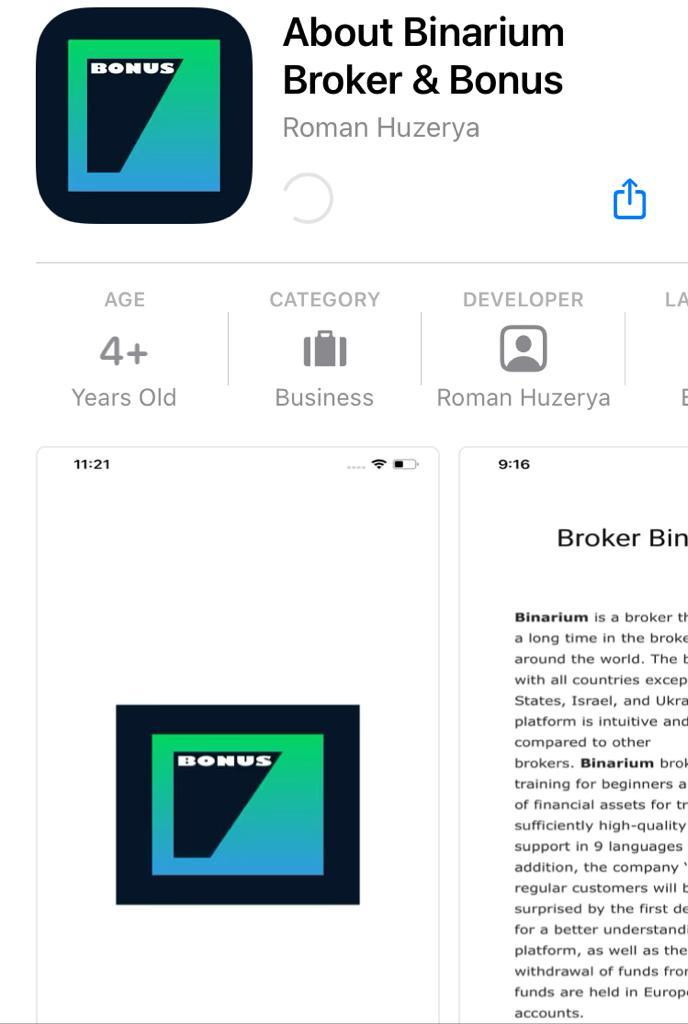
If you're an iOS user, head on to the app store, where all the processes will be the same as described for Android.
Binarium app review
The table below compares Binarium with other binary options brokers to show how the platform performs in practice. It highlights areas such as platform availability and demo access, helping readers assess its overall usability.
| Binarium | CloseOption | Capitalcore | Nadex | Pocket Option | QUOTEX | |
|---|---|---|---|---|---|---|
|
Foundation year |
2012 | 2013 | 2019 | 2009 | 2017 | 2019 |
|
Regulation and safety |
4.20 | 1.10 | 4.30 | 1.40 | 1.20 | 1.30 |
|
Mobile trading |
Yes | Yes | Yes | Yes | Yes | Yes |
|
Demo |
Yes | Yes | Yes | Yes | Yes | Yes |
|
iOS |
Yes | Yes | Yes | Yes | Yes | Yes |
|
Android |
Yes | Yes | Yes | Yes | Yes | Yes |
|
Customer support |
7.70 | 4.20 | 5.30 | 8.60 | 8.40 | 8.40 |
|
Open an account |
Go to broker Your capital is at risk. |
Go to broker Your capital is at risk. |
Go to broker Your capital is at risk.
|
Study review | Go to broker Your capital is at risk. |
Go to broker Your capital is at risk. |
Investors at Binarium can now access its global trading platform while they're on their mobile devices.
And this trading platform is always pushing itself towards excellence and evolution.So rather than spending your precious hours on the Binarium desktop app, say hello to the functionality that traders get access to through this app.
Furthermore, Binarium download is compatible with both iOS and Android devices.
And as far as its features are concerned, then:
This trading app provides a user interface in 13 different languages.
If there's any slight shift in market movements, this Binarium download lets you track it.
Investors can have peace of mind; why? Because this app ensures instant execution of trades.
Regarding its plan, Binarium Download provides five different graphical tools to its investors for drawing different support.
Besides graphical tools, Binarium gives access to a demo account with a motive to help newbies get real-life trading experience.
This trading app also provides its clients free educational resources, the latest news, and Youtube videos to enhance their trading knowledge.
Use demo access before trading real funds

From my perspective, the main advantage of the Binarium app is accessibility. Traders can quickly install the platform on mobile devices or run it on a PC through an emulator, which makes it easy to monitor markets and manage trades from almost anywhere. However, convenience should not replace careful evaluation of the platform and its trading conditions.
I recommend starting with the demo account before committing real funds. The high virtual balance allows traders to understand how the interface works, test strategies, and become familiar with binary options trading without financial risk. This step is particularly important for beginners, as binary options are high-risk instruments where disciplined practice often matters more than speed of execution.
Conclusion
Downloading the Binarium app is a straightforward process across PC, Android, and iOS devices. By using Android emulators such as Bluestacks or MEmu Play, traders can also access the platform on desktop computers even when a native PC application is not available.
The platform offers a range of tools designed to support both new and experienced traders, including demo trading, charting tools, indicators, and educational materials. At the same time, traders should remember that binary options involve significant risk and require a clear strategy and careful risk management. Using the demo environment and gradually building experience can help users better understand how the platform works before trading with real capital.
FAQs
What are the main features of the Binarium Trading app?
The Binarium Trading app is packed with numerous features, such as:
Investors get access to live price quotes.
A search bar to locate any instrument.
Investors get to view trade history.
Access to 12 different indicators and four types of charts.
Provides information about promos and contests.
Which operating systems support the Binarium Trading app?
The Binarium Trading app supports the following:
Windows 7/8/10.
iOS.
Android.
Linux.
What authentication methods are available in the Binarium Trading app?
The Binarium app uses a two-factor authentication method to log into the account. Earlier, it was only developed for VISA for secure online payment, but now it has also been adopted by MasterCard, AmEx, Mir, and JCB International.
Are there alternative ways to access Binarium Trading besides the mobile app?
Besides the Binarium app, users can also log in to the trading platform using the desktop version. And this broker offers multiple ways to access this trading platform, for instance:
Traders can log in through Google or Facebook.
Related Articles
Team that worked on the article
Upendra Goswami is a full-time digital content creator, marketer, and active investor. As a creator, he loves writing about online trading, blockchain, cryptocurrency, and stock trading.

Dr. BJ Johnson is a PhD in English Language and an editor with over 15 years of experience. He earned his degree in English Language in the U.S and the UK.
-
 Afghanistan
-
 Albania
-
 Algeria
-
 Angola
-
 Argentina
-
 Armenia
-
 Australia
-
 Austria
-
 Azerbaijan
-
 Bahamas
-
 Bahrain
-
 Bangladesh
-
 Belarus
-
 Belgium
-
 Bolivia
-
 Botswana
-
 Brazil
-
 Brunei
-
 Bulgaria
-
 Cambodia
-
 Cameroon
-
 Canada
-
 Chile
Chile
-
 China
China
-
 Colombia
-
 Congo
Congo
-
 Costa Rica
-
 Cote d'Ivoire
-
 Croatia
-
 Cuba
Cuba
-
 Cyprus
-
 Czechia
-
 DR Congo
-
 Denmark
-
 Dominican Republic
-
 Ecuador
-
 Egypt
Egypt
-
 El Salvador
-
 Estonia
-
 Eswatini
-
 Ethiopia
-
 Finland
-
 France
-
 Georgia
-
 Germany
-
 Ghana
Ghana
-
 Greece
-
 Haiti
Haiti
-
 Hong Kong
-
 Hungary
-
 India
India
-
 Indonesia
-
 Iran, Islamic republic
-
 Iraq
Iraq
-
 Ireland
-
 Israel
-
 Italy
Italy
-
 Jamaica
-
 Japan
Japan
-
 Jordan
-
 Kazakhstan
-
 Kenya
Kenya
-
 Korea
Korea
-
 Kuwait
-
 Kyrgyzstan
-
 Laos
Laos
-
 Latvia
-
 Lebanon
-
 Lesotho
-
 Libya
Libya
-
 Lithuania
-
 Luxembourg
-
 Madagascar
-
 Malaysia
-
 Malta
Malta
-
 Mauritius
-
 Mexico
-
 Moldova
-
 Mongolia
-
 Montenegro
-
 Morocco
-
 Mozambique
-
 Myanmar
-
 Namibia
-
 Nepal
Nepal
-
 Netherlands
-
 New Zealand
-
 Nigeria
-
 North Macedonia
-
 Norway
-
 Oman
Oman
-
 Pakistan
-
 Palestine
-
 Panama
-
 Papua New Guinea
-
 Paraguay
-
 Peru
Peru
-
 Philippines
-
 Poland
-
 Portugal
-
 Puerto Rico
-
 Qatar
Qatar
-
 Reunion
-
 Romania
-
 Rwanda
-
 Saudi Arabia
-
 Serbia
-
 Singapore
-
 Slovakia
-
 Slovenia
-
 Somalia
-
 South Africa
-
 Spain
Spain
-
 Sri Lanka
-
 Sweden
-
 Switzerland
-
 Syria
Syria
-
 Taiwan
-
 Tajikistan
-
 Tanzania
-
 Thailand
-
 Trinidad and Tobago
-
 Tunisia
-
 Turkey
-
 UAE
UAE
-
 Uganda
-
 Ukraine
-
 United Kingdom
-
United States
-
 Uruguay
-
 Uzbekistan
-
 Venezuela
-
 Vietnam
-
 Yemen
Yemen
-
 Zambia
-
 Zimbabwe
- Forex
- Crypto












