Binarium Mobile App: Main Features And Functionality

Editorial Note: While we adhere to strict Editorial Integrity, this post may contain references to products from our partners. Here's an explanation for How We Make Money. None of the data and information on this webpage constitutes investment advice according to our Disclaimer.
To download and set up A Binarium mobile app you need to:
- Open Google Play Store or App Store and search for the Binarium app;
- Download the Binarium mobile app on your smartphone;
- Log in Binarium credentials or sign up as a new user and create an account on the mobile app.
Mobile trading has become an increasingly important part of the online investing and trading landscape, with a growing number of traders preferring to access financial markets through smartphones and tablets. In response to this trend, many online brokers and binary options platforms, including Binarium, have developed mobile applications that allow users to trade and manage their accounts on the go.
This review examines the Binarium mobile app, its key features, functionality, and overall user experience. The article also explores how the platform performs on mobile devices and what traders can expect when using the app for binary options trading.
Binarium, an offshore-registered binary options broker , launched its mobile application for Android and iOS in 2019. Through the app, users can access a range of markets, including currencies, cryptocurrencies, commodities and indices, and place trades directly from their mobile devices.
How to download and set up a Binarium app


Binarium mobile app, available for iOS and Android, has made it easier for traders to connect with the world of trading from anywhere, simply through their smartphones. The steps to download the Binarium app are as follows:
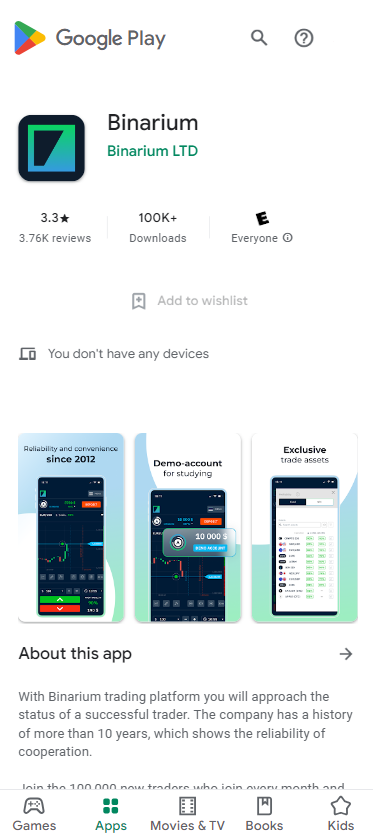
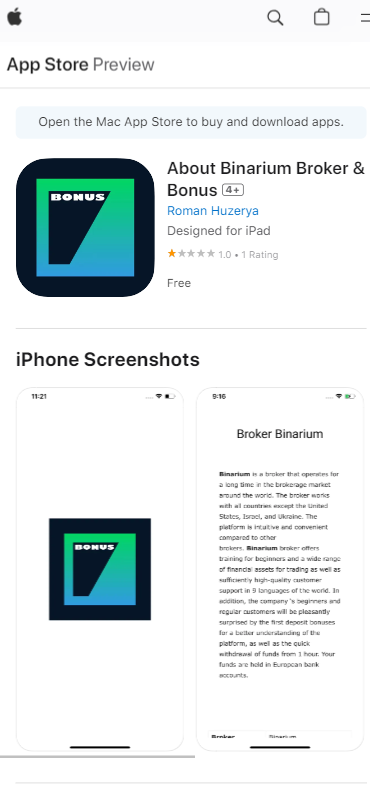
Open Google Play Store or App Store on your preferred device, and search for the Binarium app;
Click on download or install to get the Binarium mobile app on your smartphone;
once you have downloaded the app, log in with your existing Binarium credentials, or if you are new to the platform, sign up as a new user and create an account on the mobile app
Binarium account has 2FA (two-factor authentication), where users have a secondary identification besides their password, which adds a security layer to the account.
After successfully logging in to the Binarium account, click on settings, then the security tab.Next, click on the Two-Factor Authentication Option, where new users can set up 2FA while linking their phone number, where they will receive a code during each login attempt.
Main features of Binarium mobile app
The Binarium mobile app is compatible with iOS and Android devices.
The mobile application download is available for free.
The Binarium mobile app gives access to educational resources and trading functionality.
This app allows traders to keep track of slight market movements and reflects fluctuations in real time.
Additional features of the Binarium app
The Binarium mobile app offers a live chat support option, which helps with instant query resolution.
The mobile application allows the trader to receive push notifications on essential trading updates and keep them updated with real-time data.
Pros and cons of Binarium mobile app
- Pros
- Cons
- Binarium mobile app makes it easier for trader to access their account conveniently;
- Binarium mobile app has recorded 100k+ Android downloads;
- The mobile app offers instant answers to queries, allowing traders to trade without any technical or trading-related confusion;
- Binarium mobile app also allows an easy-account opening process;
- Binarium app accepts deposits in EUR, USD, UAH and RUB.
- Binarium mobile app is only available in English;
- Deposits in the Binarium account are reflected after a few hours.
Note: Customers and users of the Binarium app are not very satisfied with the performance and have mentioned queries related to delays in deposits, withdrawals, and the account creation process. However, Binarium customer executives have resolved all the queries. Still, the app is only rated 3.3 stars on Google Play Store and 1 -Star on App Store, which reflects an unsatisfactory experience and limited downloads.
Pay attention to user experience, not just available features

When evaluating a trading app, I usually look beyond the feature list and pay close attention to how the platform performs in everyday use. Real-time quotes, push notifications, educational resources, and two-factor authentication are useful additions, but they only deliver value if the application remains stable and responsive during actual trading sessions.
Before committing funds to any mobile trading platform, I recommend reviewing user feedback, testing the app with a demo account if available, and assessing the quality of customer support. Ratings, withdrawal experiences, and platform reliability can often reveal as much about the overall user experience as the broker's marketing materials.
Conclusion
The Binarium mobile app provides traders with access to binary options trading through Android and iOS devices, offering features such as real-time market monitoring, educational materials, push notifications, live chat support, and two-factor authentication. The app also supports trading in currencies, cryptocurrencies, commodities, and indices, allowing users to manage their accounts directly from mobile devices.
While the application offers convenience and a relatively straightforward setup process, user reviews indicate mixed experiences regarding platform performance, deposits, withdrawals, and account management. As with any trading platform, prospective users should carefully evaluate the app's functionality, security features, and customer feedback before deciding whether it meets their trading needs.
FAQs
Is the app user-friendly?
The Binarium mobile app offers a user-friendly interface, allowing users to access the sections with a few clicks easily.
Is customer service available?
Binarium mobile app has an online chat, call message and telegram bot options, which help with instant query resolution for the traders.
Is the account setup process straightforward?
Yes, the Binarium app offers easy login, signup and setup processes with two-factor authentication on the mobile application.
Can I invest in cryptocurrencies using this software?
Using the Binarium app, traders can invest in currencies, cryptocurrencies, indices and commodities.
Related Articles
Team that worked on the article
Upendra Goswami is a full-time digital content creator, marketer, and active investor. As a creator, he loves writing about online trading, blockchain, cryptocurrency, and stock trading.

Dr. BJ Johnson is a PhD in English Language and an editor with over 15 years of experience. He earned his degree in English Language in the U.S and the UK.
-
 Afghanistan
-
 Albania
-
 Algeria
-
 Angola
-
 Argentina
-
 Armenia
-
 Australia
-
 Austria
-
 Azerbaijan
-
 Bahamas
-
 Bahrain
-
 Bangladesh
-
 Belarus
-
 Belgium
-
 Bolivia
-
 Botswana
-
 Brazil
-
 Brunei
-
 Bulgaria
-
 Cambodia
-
 Cameroon
-
 Canada
-
 Chile
Chile
-
 China
China
-
 Colombia
-
 Congo
Congo
-
 Costa Rica
-
 Cote d'Ivoire
-
 Croatia
-
 Cuba
Cuba
-
 Cyprus
-
 Czechia
-
 DR Congo
-
 Denmark
-
 Dominican Republic
-
 Ecuador
-
 Egypt
Egypt
-
 El Salvador
-
 Estonia
-
 Eswatini
-
 Ethiopia
-
 Finland
-
 France
-
 Georgia
-
 Germany
-
 Ghana
Ghana
-
 Greece
-
 Haiti
Haiti
-
 Hong Kong
-
 Hungary
-
 India
India
-
 Indonesia
-
 Iran, Islamic republic
-
 Iraq
Iraq
-
 Ireland
-
 Israel
-
 Italy
Italy
-
 Jamaica
-
 Japan
Japan
-
 Jordan
-
 Kazakhstan
-
 Kenya
Kenya
-
 Korea
Korea
-
 Kuwait
-
 Kyrgyzstan
-
 Laos
Laos
-
 Latvia
-
 Lebanon
-
 Lesotho
-
 Libya
Libya
-
 Lithuania
-
 Luxembourg
-
 Madagascar
-
 Malaysia
-
 Malta
Malta
-
 Mauritius
-
 Mexico
-
 Moldova
-
 Mongolia
-
 Montenegro
-
 Morocco
-
 Mozambique
-
 Myanmar
-
 Namibia
-
 Nepal
Nepal
-
 Netherlands
-
 New Zealand
-
 Nigeria
-
 North Macedonia
-
 Norway
-
 Oman
Oman
-
 Pakistan
-
 Palestine
-
 Panama
-
 Papua New Guinea
-
 Paraguay
-
 Peru
Peru
-
 Philippines
-
 Poland
-
 Portugal
-
 Puerto Rico
-
 Qatar
Qatar
-
 Reunion
-
 Romania
-
 Rwanda
-
 Saudi Arabia
-
 Serbia
-
 Singapore
-
 Slovakia
-
 Slovenia
-
 Somalia
-
 South Africa
-
 Spain
Spain
-
 Sri Lanka
-
 Sweden
-
 Switzerland
-
 Syria
Syria
-
 Taiwan
-
 Tajikistan
-
 Tanzania
-
 Thailand
-
 Trinidad and Tobago
-
 Tunisia
-
 Turkey
-
 UAE
UAE
-
 Uganda
-
 Ukraine
-
 United Kingdom
-
United States
-
 Uruguay
-
 Uzbekistan
-
 Venezuela
-
 Vietnam
-
 Yemen
Yemen
-
 Zambia
-
 Zimbabwe
- Forex
- Crypto