Everything About IC.com Accounts – Overview


Editorial Note: While we adhere to strict Editorial Integrity, this post may contain references to products from our partners. Here's an explanation for How We Make Money. None of the data and information on this webpage constitutes investment advice according to our Disclaimer.
Standard account – no commission, spreads from 0.6 pips. Ideal for traders who prefer costs included in the spread without separate commission charges.
Raw Spread account – spreads from 0.0 pips with a $3.5 per lot commission. Suitable for scalpers and traders seeking the tightest possible spreads, even with commission applied.
cTrader Raw account – spreads from 0.0 pips with a $3.0 per lot commission. Designed for cTrader platform users, offering minimal trading costs.
Swap-Free – available for all account types, removing swap charges to comply with Islamic trading principles.
Launched in 2007, IC.com has grown into a top-tier global Forex and CFD broker. By June 2023, the broker was processing more than $1.39 trillion in trading volume each month and serving over 200,000 active clients. Traders can choose from IC.com' different account types, including Standard, Raw Spread, and cTrader, each of which supports Islamic (swap-free) options. All accounts offer up to 1:500 leverage, access to over 60 currency pairs, and the ability to trade indices, commodities, bonds, futures, and cryptocurrencies.
IC.com broker is well-known for offering consistently tight spreads: EUR/USD averages just 0.1 pips, and raw spreads can start from 0.0 pips on accounts with commission. IC.com aggregates liquidity from up to 25 institutional providers to ensure optimal pricing. Whether you prefer using MetaTrader or cTrader, the infrastructure supports both manual and automated strategies. For those looking to test strategies risk-free, IC.com' demo account provides a realistic trading environment using live market conditions and pricing. Meanwhile, professionals seeking direct market access often turn to IC.com' ECN account, which connects them with deep liquidity for faster execution and lower latency.
IC.com account types
IC.com offers a broad selection of account options to meet the needs of both new and seasoned traders. With more than 200,000 active users and a monthly trading volume exceeding $1.3 trillion, the broker provides flexible access through three main live accounts, along with Islamic versions. Your choice of an IC.com' trading account will depend on your trading approach, strategy, and platform preferences.
Standard IC.com account
Designed with simplicity in mind, the IC.com' standard account is particularly appealing to beginners or traders with smaller volumes. It features spreads starting from 0.6 pips and charges no trading commissions. Supporting both MetaTrader 4 and MetaTrader 5, this account only requires a $200 deposit to get started. Many users new to the platform begin here due to its user-friendly setup. It works well for manual and semi-automated trading, especially for those who prefer ease of use over tighter spreads.
IC.com Raw Spread account
Aimed at more experienced users, the Raw Spread account offers institutional-grade pricing with spreads as low as 0.0 pips, and a commission of $3.5 per lot per side on MetaTrader. What sets this account apart is that it closely resembles an IC.com' ECN account, routing orders to over 25 liquidity providers. This ensures low latency and fast execution, making it an excellent fit for scalpers and high-frequency traders. Like all live accounts, the required minimum deposit remains $200.
IC.com cTrader account
This version of the Raw Spread model is offered through the cTrader platform. It charges $3.0 per lot per side, while also maintaining spreads from 0.0 pips. Known for its flexibility and advanced features, the IC.com' cTrader account is favored by algorithmic traders who benefit from C# coding support, level-II pricing, and custom order types. It’s often used by professionals who need advanced tools and more control over execution. All the features are accessible with the same $200 deposit as the other accounts.
IC.com Islamic accounts
Swap-free trading is available via the Islamic option, offered across all the account formats: Standard, Raw Spread, and cTrader. This solution is ideal for traders who follow Islamic finance principles, as it removes overnight interest or riba. Instead, some instruments may incur a flat fee after a couple of nights. These IC.com' different account types, including Islamic versions, maintain the same minimum deposit and execution quality, ensuring Sharia-compliant access without sacrificing performance.
Additional account options
IC.com supports multiple use cases through its tailored offerings. For those who want to test the platform before going live, the IC.com' demo account provides a risk-free environment to explore features and practice strategies. Meanwhile, institutional clients or firms may find value in the IC.com' business account, which offers more robust management tools and dedicated support.
Does IC.com have a cent account?
The broker currently does not provide cent-based trading accounts, instead focusing on standardised models.
Account registration and funding
Creating an account is straightforward, and the IC.com' account registration process typically takes just a few minutes. Traders must verify their identity and choose from available account types. Each of IC.com' account types and minimum deposit options are designed with clarity in mind, as the $200 threshold applies across the board. For users exploring funded account programs externally, it’s important to note that while IC.com supports various funding methods, an IC.com' funded account is not directly provided by the broker itself.
IC.com' raw spread vs standard account
When comparing the IC.com' raw spread vs standard account, the main difference lies in trading costs and strategy alignment. The Raw Spread account is better suited for active traders who need ultra-tight spreads and institutional execution, while the Standard account offers more simplicity and no commissions, making it more beginner-friendly. Both maintain identical access to platforms and tools, letting traders choose based on their cost structure and trading style.
IC.com account types comparison
Choosing the right IC.com trading account depends on your strategy, platform preference, and cost structure. Whether you prioritize zero commissions, raw spreads, or advanced execution tools, IC.com offers consistent conditions across all accounts, each with an IC.com minimum deposit $200, access to 60+ currency pairs, and institutional-grade liquidity. The table below highlights the key differences.
| Account Type | Platform | Spreads | Commission | Minimum Deposit | Swap-free |
|---|---|---|---|---|---|
| Standard | MT4, MT5 | From ~0.6 | None | $200 | No |
| Raw Spread (MT4/MT5) | MT4, MT5 | From 0.0 | $3.5 per lot | $200 | No |
| cTrader Raw Spread | cTrader | From 0.0 | $3.0 per lot | $200 | No |
| Islamic (Raw/Standard) | MT4, MT5, cTrader | 0.0–0.6 | Same as base account | $200 | Yes |
Before getting started, it’s helpful to understand that IC.com' account types and minimum deposit requirements are consistent across all platforms. No matter which type of account you choose, whether Raw Spread or Standard, the minimum deposit remains fixed at $200.
IC.com account requirements and documents
To open a live account in IC.com, you’ll need to go through a verification process that follows international KYC (Know Your Customer) and AML (Anti-Money Laundering) guidelines. These checks help protect your trading activity and secure your funds. Submitting the correct documents is a key step during IC.com' account registration, and your application won’t proceed unless all requirements are met.
Photo & ID Card
You must provide a clear, valid government-issued photo ID, such as:
passport (preferred);
national identity card;
driver’s license (in some jurisdictions).
The ID must show your full name, date of birth, photo, and expiration date. Ensure the image is high-resolution and not cropped or obstructed. If the file format is unreadable or data is unclear, your application may be delayed or return an IC.com’ invalid account error, requiring re-submission.
Proof of address
Acceptable documents include:
a utility bill;
bank statement;
government-issued residence document.
These documents must be issued within the last 90 days and clearly display your full name and residential address. PO boxes are not accepted. To successfully create an IC.com account, this document must match the details entered during registration.
How to open an IC.com account?
Opening a live account at IC.com is straightforward and can be completed within minutes.
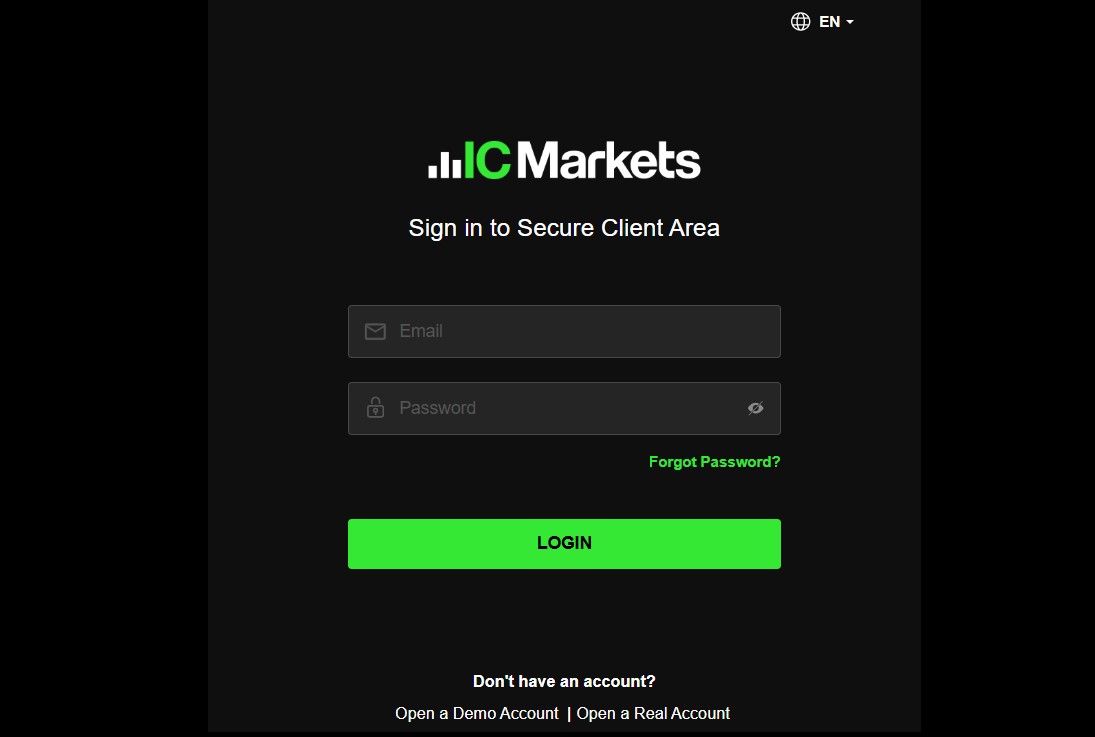
Step 1: Completing your personal information
Provide your full name, contact information, and residency details.
Step 2: Completing your IC.com live account profile
This step is also required if you're aiming to qualify for IC.com' funded account using third-party capital or external investment.
Step 3: Choose your trading platform
Select between MT4, MT5, or cTrader depending on your trading strategy and platform preference. Each of these platforms is available under different account options, including IC.com' standard account, which many beginner and intermediate traders prefer.
Step 4: Uploading your documents to verify your IC.com account
To unlock full access and begin trading, you’ll need to verify your identity. Without completing this verification, your live account in IC.com will remain limited in functionality.
Step 5: Go For verification pending
Once your documents are submitted, IC.com will review them. After approval, your account becomes fully active and ready for trading.
IC.com account deletion algorithm
If you're finished with trading or simply want to close your account, here's how to delete an IC.com account properly:
Close all active positions.
Cancel any pending orders.
Withdraw your entire account balance.
Reach out to support your request.
Wait for final confirmation from the IC.com team.
What happens when you close IC.com account
Closing your account is a serious step and should be taken carefully, especially if you’re managing multiple portfolios or planning to return later. Before requesting closure, it's important to take the proper precautions to avoid complications. If you're unsure about how to close an IC.com account, the following steps will help guide you through the process.
Close open positions and cancel orders
Make sure every open trade is settled and no pending orders remain. This is especially critical for users trading under IC.com' professional account, which typically involves higher leverage and more market exposure.
Keep copies of documents and account history
Download your statements, trading records, and any tax documents beforehand. These may be important if you plan to apply later for a business-tier service or need them for compliance purposes. Remember, historical access is disabled once the account is fully closed.
Withdraw remaining funds
IC.com does not support cent accounts, so all funds are stored and withdrawn in standard currency denominations. Be sure to fully empty your account balance before closure to prevent the need for delayed fund recovery through manual support.
Update contact information
If you might return to the platform or plan to use the same email in the future, it's smart to update your profile. This small step can simplify re-verification should you decide to reopen a IC.com' funded account later.
Seek clarification from IC.com
Before shutting down an account with customized settings, like a IC.com professional account that may have modified margin rules or bonuses, contact customer service to clear up any remaining conditions. This ensures everything is properly closed and avoids issues with future applications or linked accounts.
Can I reopen an IC.com account I closed?
Yes, you can reopen your account, assuming it wasn’t permanently disabled for compliance or security issues. If you’re wondering about reopening after inactivity or voluntary closure, here’s what to do:
Use the same email address linked to your original account.
Reach out to customer service and request reactivation, ideally with your old account ID.
If necessary, upload updated KYC documents to meet the latest requirements.
Once these steps are completed, your account can be restored quickly. This is especially useful for those returning to trading or planning to transition into a higher-tier product, such as a IC.com' funded account, or later qualify for a professional-level service. Be cautious, though, an IC.com’ invalid account can’t be reopened and will require starting from scratch if flagged for violations.
Plan your account like you plan your trades

When you set up your IC.com account, do not just focus on getting verified. Match your account type to where you want your trading to be in six months. If you expect to switch from swing trading to scalping, open both a Standard and a Raw Spread account right away. Keep each funded with the minimum deposit so they stay active, and try both MT5 and cTrader early. This way, you are not stuck waiting for approval when you are ready to shift styles.
If you ever close or change your account, do it like a trader who plans ahead. Save your full trade history, hold on to your ID documents, and pull out your funds using the fastest method you have already tested. Make sure all positions are closed and no orders are pending before asking for closure. A clean exit now means you can come back without delays, ready to trade the moment you log in.
Conclusion
In many cases, the broker will guide you through a streamlined IC.com account registration process that allows access to previously used platforms and account types, including Standard, Raw Spread, and cTrader. However, if your account was deleted for inactivity and your documents have expired, you may be asked to complete the verification steps again.
FAQs
How many accounts can I have with IC.com?
You may open up to 10 active accounts across different types and platforms.
Are inactive accounts blocked?
Yes. For example, an IC.com demo account becomes inactive after 30 days of no login activity.
What should I do before archiving or closing an account?
Withdraw all funds, download your trade history, and inform customer support, a standard IC.com account deletion algorithm.
Can you use a demo account at IC.com?
Absolutely. The IC.com demo account gives full access to trading tools and real pricing without risking real capital.
Related Articles
Team that worked on the article
Viktoras Karapetjanc is a seasoned financial trader, market analyst, and content creator with over 20 years of expertise in Forex, cryptocurrency, and stock markets. As a contributor to the Traders Union website, he provides in-depth analysis, data-driven strategies, and educational content to empower traders of all levels.
One of the most widely respected and quoted currency experts, Marc Chandler has been analyzing and advising on the global capital markets for more than 30 years. Throughout his career on Wall Street, Chandler has advised private businesses, hedge funds and asset managers on navigating the foreign exchange market.
Chinmay Soni is a financial analyst with more than 5 years of experience in working with stocks, Forex, derivatives, and other assets. As a founder of a boutique research firm and an active researcher, he covers various industries and fields, providing insights backed by statistical data.

-
 Afghanistan
-
 Albania
-
 Algeria
-
 Angola
-
 Argentina
-
 Armenia
-
 Australia
-
 Austria
-
 Azerbaijan
-
 Bahamas
-
 Bahrain
-
 Bangladesh
-
 Belarus
-
 Belgium
-
 Bolivia
-
 Botswana
-
 Brazil
-
 Brunei
-
 Bulgaria
-
 Cambodia
-
 Cameroon
-
 Canada
-
 Chile
Chile
-
 China
China
-
 Colombia
-
 Congo
Congo
-
 Costa Rica
-
 Cote d'Ivoire
-
 Croatia
-
 Cuba
Cuba
-
 Cyprus
-
 Czechia
-
 DR Congo
-
 Denmark
-
 Dominican Republic
-
 Ecuador
-
 Egypt
Egypt
-
 El Salvador
-
 Estonia
-
 Eswatini
-
 Ethiopia
-
 Finland
-
 France
-
 Georgia
-
 Germany
-
 Ghana
Ghana
-
 Greece
-
 Haiti
Haiti
-
 Hong Kong
-
 Hungary
-
 India
India
-
 Indonesia
-
 Iran, Islamic republic
-
 Iraq
Iraq
-
 Ireland
-
 Israel
-
 Italy
Italy
-
 Jamaica
-
 Japan
Japan
-
 Jordan
-
 Kazakhstan
-
 Kenya
Kenya
-
 Korea
Korea
-
 Kuwait
-
 Kyrgyzstan
-
 Laos
Laos
-
 Latvia
-
 Lebanon
-
 Lesotho
-
 Libya
Libya
-
 Lithuania
-
 Luxembourg
-
 Madagascar
-
 Malaysia
-
 Malta
Malta
-
 Mauritius
-
 Mexico
-
 Moldova
-
 Mongolia
-
 Montenegro
-
 Morocco
-
 Mozambique
-
 Myanmar
-
 Namibia
-
 Nepal
Nepal
-
 Netherlands
-
 New Zealand
-
 Nigeria
-
 North Macedonia
-
 Norway
-
 Oman
Oman
-
 Pakistan
-
 Palestine
-
 Panama
-
 Papua New Guinea
-
 Paraguay
-
 Peru
Peru
-
 Philippines
-
 Poland
-
 Portugal
-
 Puerto Rico
-
 Qatar
Qatar
-
 Reunion
-
 Romania
-
 Rwanda
-
 Saudi Arabia
-
 Serbia
-
 Singapore
-
 Slovakia
-
 Slovenia
-
 Somalia
-
 South Africa
-
 Spain
Spain
-
 Sri Lanka
-
 Sweden
-
 Switzerland
-
 Syria
Syria
-
 Taiwan
-
 Tajikistan
-
 Tanzania
-
 Thailand
-
 Trinidad and Tobago
-
 Tunisia
-
 Turkey
-
 UAE
UAE
-
 Uganda
-
 Ukraine
-
 United Kingdom
-
United States
-
 Uruguay
-
 Uzbekistan
-
 Venezuela
-
 Vietnam
-
 Yemen
Yemen
-
 Zambia
-
 Zimbabwe
- Forex
- Crypto