
Beam AI Review – Everything You Need To Know


Editorial Note: While we adhere to strict Editorial Integrity, this post may contain references to products from our partners. Here's an explanation for How We Make Money. None of the data and information on this webpage constitutes investment advice according to our Disclaimer.
Beam AI is an AI-powered tool that automates tasks, analyzes data, and enhances business efficiency. Here are the key details:
Automation capabilities. Streamlines workflows with AI-driven automation.
Data analysis tools. Provides real-time insights and predictions.
Seamless integration. Works with multiple business platforms.
User-friendly interface. Designed for easy navigation and setup.
Advanced AI models. Uses machine learning for smart decision-making.
Business optimization. Helps improve productivity and efficiency.
AI is changing how businesses work, and Beam AI is one tool helping companies stay ahead. Whether you need to automate tasks, sort through large amounts of data, or make faster decisions, Beam AI is built to make things easier.
This review looks at what Beam AI can do, how to install it, and where it’s most useful. We’ll also see how it stacks up against other AI tools and share practical tips to help you decide if it’s a good fit for you.
What is Beam AI?
Beam AI is a smart tool that helps businesses automate tasks and make sense of data. It uses AI to simplify work, making it easier to organize information, handle repetitive tasks, and make better decisions.
It's built for professionals and businesses who want to use AI without needing technical expertise. The simple design allows users to automate processes, spot trends, and improve decision-making without complicated setups.
Companies use Beam AI for everything from marketing and customer support to finance and operations, making it a flexible tool for different industries.

How does Beam AI work?
Beam AI isn’t just about automating tasks — it actually learns how your business works and improves over time. Unlike simple automation tools that follow fixed rules, Beam AI watches how you handle tasks, picks up on patterns, and tweaks its approach if something isn’t working. This means you don’t have to keep updating it manually; it adjusts on its own to help things run smoother.
Another big advantage is how well Beam AI connects with different systems. Instead of just working with one tool, it links up with your CRM, accounting software, marketing apps, and customer service platforms all at once. This way, different parts of your business can share information instantly, cutting out delays and making sure everything runs in sync.
Key features of Beam AI
Below are some key features of Beam AI:
Intelligent automation
Beam AI takes care of routine tasks like scheduling, data entry, and customer support so teams can focus on bigger priorities. It helps reduce mistakes and cuts down the time spent on manual work.
By organizing workflows better, businesses can respond faster and get more done. Instead of being stuck on repetitive tasks, employees can put their energy into more important projects while Beam AI handles the background work.

Data analysis & insights
Beam AI quickly sorts through huge amounts of data, spotting useful patterns and trends that might be easy to miss. It gets smarter over time, learning from past results to offer better insights.
With up-to-the-minute reports, businesses can make smarter decisions based on real facts, not just guesses. Whether adjusting sales plans or tracking market changes, Beam AI helps businesses stay ahead with clear, practical insights.
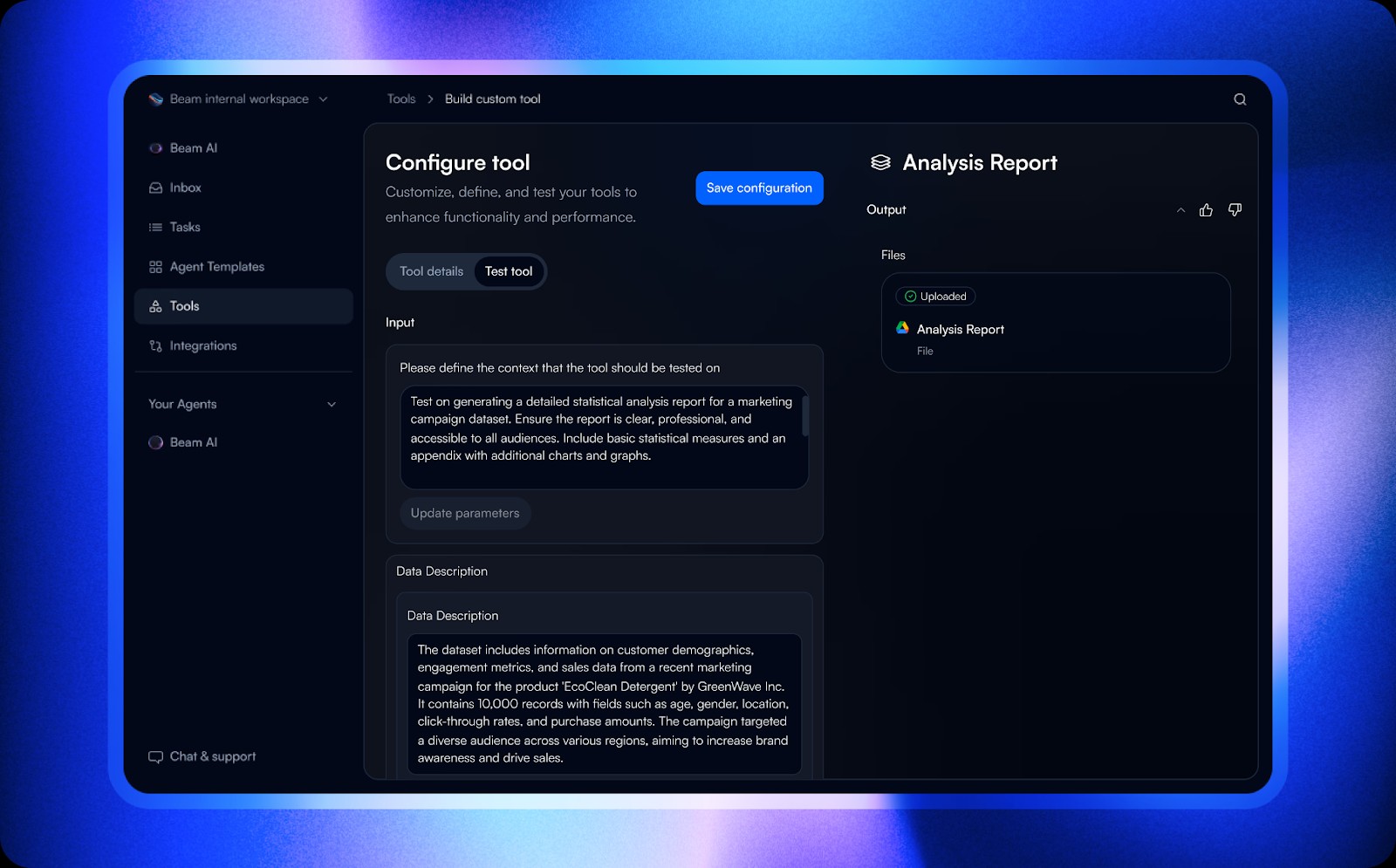
Seamless integrations
Beam AI connects smoothly with CRMs, cloud apps, and business tools, so companies don’t have to overhaul their existing systems. It fits into your workflow without disrupting daily operations.
Instead of manually moving data between platforms, Beam AI takes care of the heavy lifting. Businesses can keep using their favorite tools while letting automation handle the repetitive tasks, saving time and reducing errors.
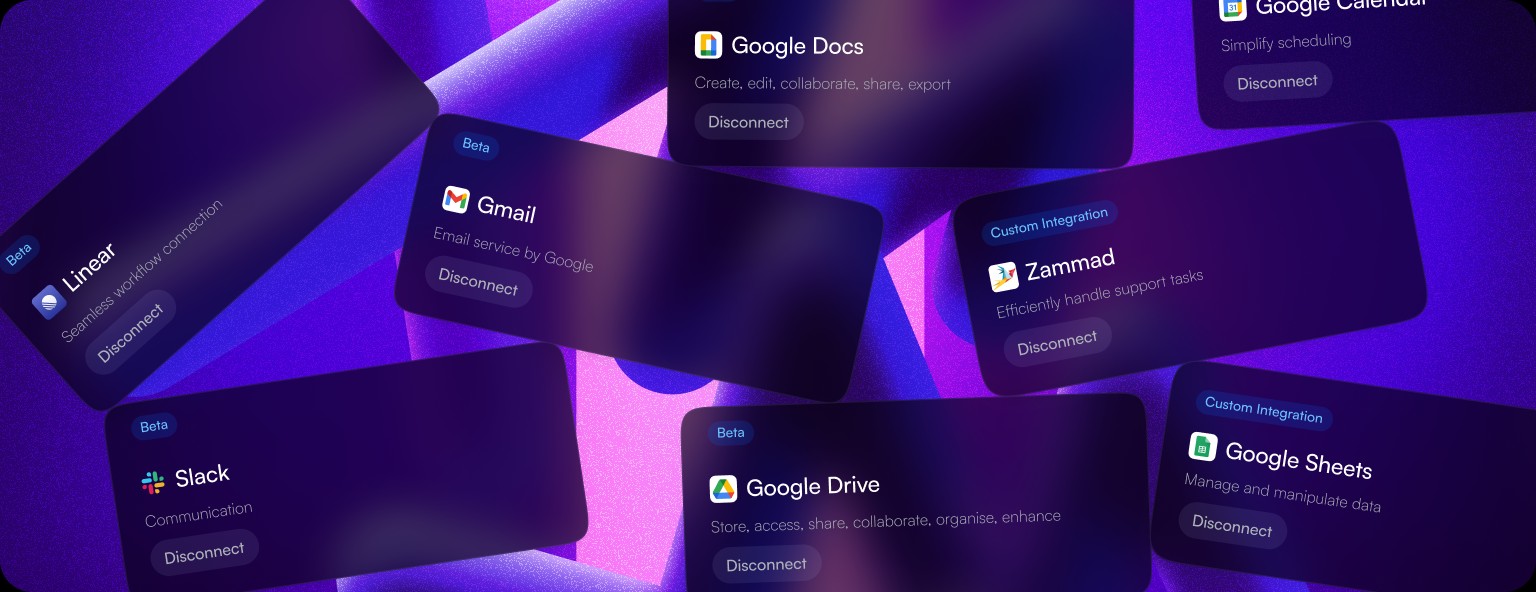
Predictive analytics
By looking at past trends, Beam AI helps businesses predict what’s coming next so they can plan ahead instead of scrambling to fix problems later.
Whether it’s spotting shifts in customer preferences or managing inventory more efficiently, Beam AI gives businesses a heads-up. This makes it easier to adjust strategies, cut waste, and stay competitive.
Customizable AI agents
Every business works differently, and Beam AI lets users fine-tune it to fit their needs. You can set up custom workflows, adjust settings, and tweak reports so the AI delivers exactly what you need.
Whether it’s handling customer messages, sorting through data, or managing daily tasks, Beam AI gives you control while making things run smoother. You can adjust its features to match your workflow without losing oversight.

How to install Beam AI
Here’s how to install Beam AI:
Step 1: Download the software
Go to Beam AI’s website and download the version that works for your device. Follow the on-screen steps to install it quickly.
Step 2: Set up an account
After installation, create an account using your email or sign in with an existing business account. This step ensures that your preferences and data are securely stored.
Step 3: Configure integrations
Easily connect Beam AI to your favorite business tools, like customer management or cloud apps, to simplify tasks and organize data.
Step 4: Customize AI settings
Tweak the settings to match your business needs. Set up automated tasks, decide how data is handled, and control who gets access to different features to keep everything running smoothly.
How to use Beam AI

Beam AI can be a game-changer, but to truly make the most of it, you need to go beyond the basics. Here’s a step-by-step guide.
Start with a small, high-impact task. Don’t try to automate everything at once. Pick a repetitive task that eats up time daily — maybe sorting customer inquiries or pulling reports. Testing with a small task helps you see immediate benefits without overwhelming your workflow.
Teach Beam AI your style. AI works best when it understands your preferences. Instead of relying on default settings, tweak response styles, data categorization, and automation rules to match how you or your team actually work.
Use “if-then” conditions for smarter automation. Instead of setting simple commands, create layered automation using “if-then” logic. For example, “If an email contains a pricing request, then categorize it as “Sales Inquiry” and forward it to John.” This makes AI-driven workflows more precise.
Let it fail, then fine-tune. No AI is perfect right away. Run Beam AI in a test phase before full implementation, and closely monitor errors. If it categorizes tasks incorrectly or makes irrelevant suggestions, tweak the training inputs instead of giving up on automation.
Integrate it with tools you already use. Beam AI shines when it connects with existing platforms like CRMs, spreadsheets, or project management tools. Make sure you’re linking it with software your team already relies on so you’re not creating extra work instead of saving time.
Monitor decision patterns and adjust permissions. AI can be helpful, but it shouldn’t have unlimited control. Regularly check what decisions it’s making — especially if it’s handling customer interactions or financial data. Adjust permissions so that humans stay in control where necessary.
Use real-world data to train it. Instead of feeding Beam AI generic datasets, train it using real scenarios from your business. Upload past customer interactions, transaction records, or project notes to help it provide insights that actually match your industry’s needs.
Beam AI examples & real-world applications
Beam AI is making a significant impact in industries that rely on real-time decision-making. One of its most powerful applications is in automated fraud detection. Traditional fraud systems rely on preset rules, but Beam AI analyzes transaction patterns dynamically, adapting to new threats instantly. For example, in e-commerce, it doesn’t just flag unusual purchases — it learns from buyer behavior, vendor reputation, and even time-based activity to prevent false positives. This means fewer blocked legitimate transactions and a stronger defense against actual fraudsters.
Another game-changing application is predictive supply chain optimization. Instead of simply reacting to delays, Beam AI identifies potential disruptions before they happen. In logistics, it monitors traffic patterns, weather changes, and vendor reliability in real time to suggest alternate shipping routes or stock adjustments. For businesses, this reduces waste, prevents bottlenecks, and ensures smoother operations — especially for companies dealing with perishable goods or just-in-time inventory systems.
One of the most overlooked but valuable applications is AI-driven employee productivity enhancement. Beam AI doesn’t just automate repetitive tasks; it customizes workflow recommendations based on each employee’s habits and strengths. Imagine a customer support team where AI suggests optimal response strategies based on the sentiment and urgency of messages — leading to faster resolutions and happier clients. In creative industries, it can assist in brainstorming by analyzing past successful campaigns and proposing fresh content ideas that align with proven engagement trends.
Beam AI vs. other AI agent platforms
Unlike many AI tools that need advanced coding skills, Beam AI is easy to use and efficient. It works smoothly with other tools and processes data quickly and accurately, making it a great option for businesses looking to streamline their operations.
Its ability to help businesses predict trends and automate tasks puts it in direct competition with platforms like ChatGPT-based agents and robotic process automation tools. Beam AI is built to be simple without losing power, making it a complete AI tool for businesses of all sizes.
If you're looking to invest in AI-focused stocks and cryptocurrencies, some brokers offer AI tokens and other investment options. Here's a breakdown of their features.
The future of Beam AI
Beam AI isn’t just about automating tasks — it’s becoming smarter, learning from how you use it. Instead of following the same routines, it will start recognizing patterns in your work and suggest better ways to get things done. The more you interact with it, the better it gets. If you only use it for basic automation, you’re missing out on its true potential. Give it useful data, adjust how it works, and it will grow into a tool that saves time in ways you didn’t expect.
Most people don’t realize AI can be personalized. Future versions of Beam AI could feel more like a helpful teammate than just another software program. Imagine an assistant that knows how you like to work and sets up tasks automatically. Instead of constantly tweaking settings, the AI will suggest the best way to approach a project. If you start fine-tuning your AI experience now — by providing clear feedback and adjusting small details — you’ll have a major advantage when it becomes even more intuitive.
Soon, Beam AI won’t just follow instructions; it will make smart choices on its own. Right now, it still needs a lot of input, but future updates will help it make real-time decisions based on live data. Instead of just thinking of AI as a way to automate simple tasks, start treating it like a business partner that helps you stay ahead of changes in your industry. The people who embrace this shift early will be the ones leading the way when AI becomes an even bigger game-changer.
Is Beam AI worth it?
Most AI tools just follow instructions, but Beam AI actually learns from the way you work. Instead of running on fixed commands, it picks up on your habits and adjusts over time. If your job involves analyzing data or managing workflows, this means Beam AI starts predicting what you need before you even ask — saving you time and effort.
A lot of businesses struggle when new tech doesn’t work smoothly with their current systems. That’s where Beam AI really shines — it doesn’t just plug into apps like Slack or Trello, it actually connects them. Instead of manually jumping between tools, Beam AI keeps everything in sync so you’re not constantly fixing gaps.
Worried about AI messing things up? Beam AI does more than just automate — it helps you stay on top of things. If you forget to follow up on an email or update a spreadsheet, it steps in before you even notice. Unlike tools that follow strict rules, Beam AI can adjust when things change, making it feel more like an extra set of hands than a robot following a script.
Speeding up Beam AI with custom workflows and smarter model updates

Most people don’t realize that Beam AI lets you customize how it processes data behind the scenes, cutting down wait times and making everything run faster. Instead of sticking with the default settings, try adjusting how different parts of your workflow handle data — this keeps things running smoothly even when you're working with big projects. A simple but powerful trick? Store commonly used data in memory so the system doesn’t have to keep recalculating it every time you run a task. This one change alone can speed things up dramatically.
Here’s another game-changer: Instead of just feeding your model raw data and hoping for the best, you can blend different data points together to make predictions more accurate. This makes AI-generated results way more reliable, especially if you're working with images or text. If you’re training a model, don’t start over from scratch every time — make small, gradual updates instead. This helps your AI keep learning without getting stuck in patterns that make it less accurate over time.
Conclusion
Beam AI helps businesses save time by automating tasks, making sense of data, and simplifying everyday work. It’s designed to be easy to use while still offering smart insights that help businesses stay ahead. Whether you're running a small shop or managing a big company, Beam AI takes care of the repetitive work so you can focus on what really matters.
FAQs
What industries benefit from Beam AI?
Beam AI is used in industries such as marketing, finance, customer service, and e-commerce for automation, predictive analytics, and operational efficiency.
Does Beam AI require coding skills?
No, Beam AI is designed for non-technical users with an intuitive interface. It allows automation and data analysis without coding. Seamless integrations make it easy to use.
Can Beam AI be customized for specific business needs?
Yes, Beam AI offers flexible customization for automation workflows and data insights. Users can adjust AI settings to fit their goals. This ensures alignment with unique business requirements.
What are the system requirements for Beam AI?
Beam AI runs on modern operating systems and cloud platforms. It requires an internet connection for real-time processing. No additional hardware is needed for basic use.
Editors' Top Picks and Insights






Related Articles
Team that worked on the article
Alamin Morshed is a contributor at Traders Union. He specializes in writing articles for businesses that want to improve their Google search rankings to compete with their competition.
Chinmay Soni is a financial analyst with more than 5 years of experience in working with stocks, Forex, derivatives, and other assets. As a founder of a boutique research firm and an active researcher, he covers various industries and fields, providing insights backed by statistical data.
Mirjan Hipolito is a journalist and news editor at Traders Union. She is an expert crypto writer with five years of experience in the financial markets.
Xetra is a German Stock Exchange trading system that the Frankfurt Stock Exchange operates. Deutsche Börse is the parent company of the Frankfurt Stock Exchange.
CFD is a contract between an investor/trader and seller that demonstrates that the trader will need to pay the price difference between the current value of the asset and its value at the time of contract to the seller.
FOMO in trading refers to the fear that traders or investors experience when they worry about missing out on a potentially profitable trading opportunity in the financial markets.
Index in trading is the measure of the performance of a group of stocks, which can include the assets and securities in it.
Cryptocurrency is a type of digital or virtual currency that relies on cryptography for security. Unlike traditional currencies issued by governments (fiat currencies), cryptocurrencies operate on decentralized networks, typically based on blockchain technology.

-
 Afghanistan
-
 Albania
-
 Algeria
-
 Angola
-
 Argentina
-
 Armenia
-
 Australia
-
 Austria
-
 Azerbaijan
-
 Bahamas
-
 Bahrain
-
 Bangladesh
-
 Belarus
-
 Belgium
-
 Bolivia
-
 Botswana
-
 Brazil
-
 Brunei
-
 Bulgaria
-
 Cambodia
-
 Cameroon
-
 Canada
-
 Chile
Chile
-
 China
China
-
 Colombia
-
 Congo
Congo
-
 Costa Rica
-
 Cote d'Ivoire
-
 Croatia
-
 Cuba
Cuba
-
 Cyprus
-
 Czechia
-
 DR Congo
-
 Denmark
-
 Dominican Republic
-
 Ecuador
-
 Egypt
Egypt
-
 El Salvador
-
 Estonia
-
 Eswatini
-
 Ethiopia
-
 Finland
-
 France
-
 Georgia
-
 Germany
-
 Ghana
Ghana
-
 Greece
-
 Haiti
Haiti
-
 Hong Kong
-
 Hungary
-
 India
India
-
 Indonesia
-
 Iran, Islamic republic
-
 Iraq
Iraq
-
 Ireland
-
 Israel
-
 Italy
Italy
-
 Jamaica
-
 Japan
Japan
-
 Jordan
-
 Kazakhstan
-
 Kenya
Kenya
-
 Korea
Korea
-
 Kuwait
-
 Kyrgyzstan
-
 Laos
Laos
-
 Latvia
-
 Lebanon
-
 Lesotho
-
 Libya
Libya
-
 Lithuania
-
 Luxembourg
-
 Madagascar
-
 Malaysia
-
 Malta
Malta
-
 Mauritius
-
 Mexico
-
 Moldova
-
 Mongolia
-
 Montenegro
-
 Morocco
-
 Mozambique
-
 Myanmar
-
 Namibia
-
 Nepal
Nepal
-
 Netherlands
-
 New Zealand
-
 Nigeria
-
 North Macedonia
-
 Norway
-
 Oman
Oman
-
 Pakistan
-
 Palestine
-
 Panama
-
 Papua New Guinea
-
 Paraguay
-
 Peru
Peru
-
 Philippines
-
 Poland
-
 Portugal
-
 Puerto Rico
-
 Qatar
Qatar
-
 Reunion
-
 Romania
-
 Rwanda
-
 Saudi Arabia
-
 Serbia
-
 Singapore
-
 Slovakia
-
 Slovenia
-
 Somalia
-
 South Africa
-
 Spain
Spain
-
 Sri Lanka
-
 Sweden
-
 Switzerland
-
 Syria
Syria
-
 Taiwan
-
 Tajikistan
-
 Tanzania
-
 Thailand
-
 Trinidad and Tobago
-
 Tunisia
-
 Turkey
-
 UAE
UAE
-
 Uganda
-
 Ukraine
-
 United Kingdom
-
United States
-
 Uruguay
-
 Uzbekistan
-
 Venezuela
-
 Vietnam
-
 Yemen
Yemen
-
 Zambia
-
 Zimbabwe
- Forex
- Crypto












