
Best Laptops For Forex Trading: A Reliable Choice For Traders


Editorial Note: While we adhere to strict Editorial Integrity, this post may contain references to products from our partners. Here's an explanation for How We Make Money. None of the data and information on this webpage constitutes investment advice according to our Disclaimer.
Laptops for Forex trading in 2026:
MacBook Pro 14” (M4 Pro / Max) – high-end performance for heavy multitasking, market analysis, and professional trading.
Dell XPS 14 / 16 (2026) – powerful Windows laptops with OLED displays, ideal for advanced platforms and multi-screen setups.
MacBook Air 13” / 15” (M4) – lightweight, silent, and efficient – great for traders on the move.
ASUS Zenbook A16 / S14 OLED (2026) – portable laptops with OLED screens and long battery life for flexible trading.
HP EliteBook X G2i (2026) – secure business-class laptop for traders working with sensitive financial data.
In Forex success relies on identifying opportunities and taking action before market conditions change. Today’s trader requires a laptop that is as efficient and responsive as they are. Modern Forex trading laptops are designed to meet these demands, offering powerful processing for running trading software, high-quality displays for clear data visualization, and lightweight designs for easy portability.
We have evaluated the latest laptops based on key criteria: the ability to handle trading platforms smoothly, customization options to fit individual workflows, portability for working from different locations, and overall value for the features provided.
Explore the best laptop choices for Forex trading in 2026. Whether you need robust processing power for analytics or a portable solution for trading on the move, these laptops are built to give you an edge in the competitive world of currency trading.
Best trading laptops in 2026
There are several laptops created every single day and it can be overwhelming trying to narrow down on one. It can also feel pressuring given the fact that trading is already a high-stress activity where a lot is at stake. To take off some steam for you, we have compiled our ultimate list of perfect laptops that traders would enjoy.
You will also notice that most of the laptops listed here are also exceptional gaming laptops. If you are a gamer, you can simply check whether you have the required specifications.
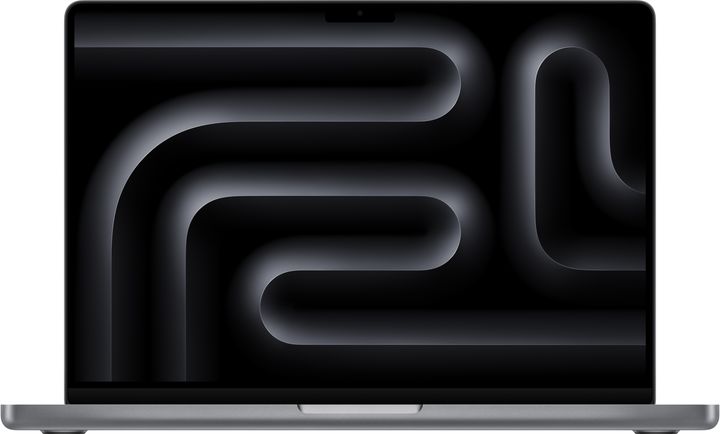
14-inch MacBook Pro (M4 Pro/Max Chip)
The 14-inch MacBook Pro with Apple’s M4 Pro or M4 Max chip sets a new standard for performance in portable trading machines. It’s designed for professionals who demand maximum power and precision in a compact format. With configurations starting at 18 GB RAM and going up to 36 GB, this model handles real-time charting platforms, trading terminals, and intensive multitasking with ease. The Liquid Retina XDR display offers top-tier brightness and contrast, ideal for analyzing intricate trading charts. Battery life remains one of the best in its class, making it perfect for traders who work on the go. The macOS ecosystem enhances security and integration, especially for those using iPads or iPhones as secondary displays. Priced from $1,999 to $2,899, depending on chip and memory, this is an elite tool built for high-stakes trading environments.
- Pros
- Cons
- Unmatched Performance: M4 Pro/Max chips deliver industry-leading speed for heavy multitasking.
- Brilliant Display: XDR screen enhances clarity for chart analysis.
- Excellent Battery Life: easily lasts a full trading day.
- macOS Ecosystem: integrates seamlessly with Apple devices.
- Silent Operation: fan efficiency keeps it cool and quiet.
- High Cost: premium pricing for high-end specs.
- Limited Ports: fewer USB-A options than some competitors.
- External Display Limits: base model still supports fewer external monitors than Windows rivals.
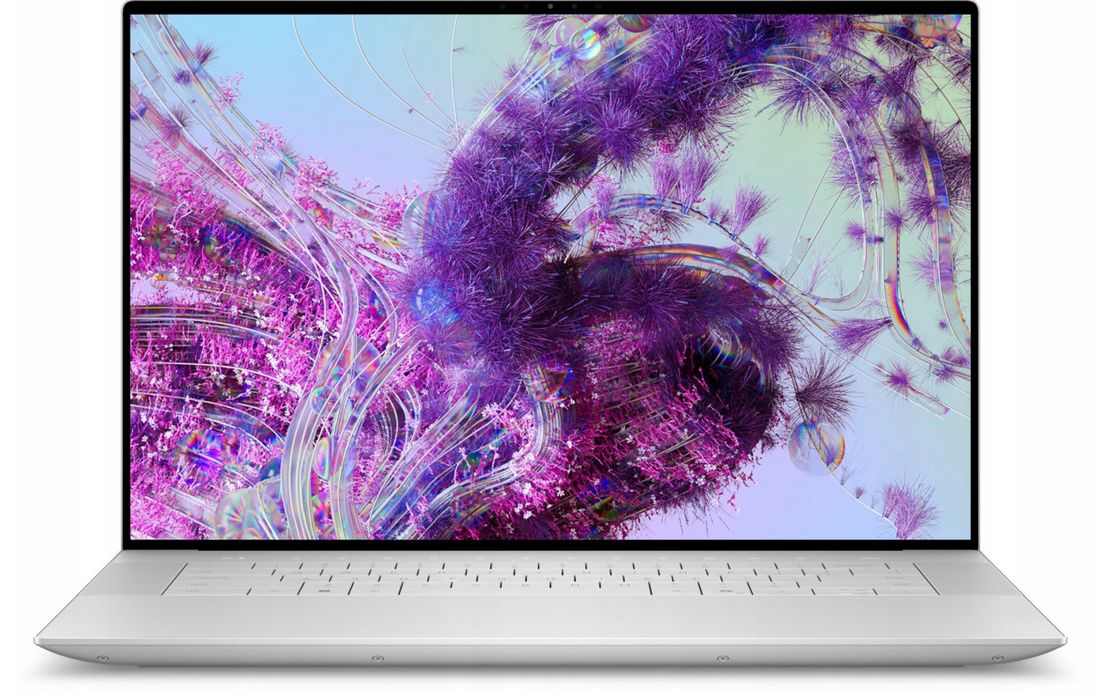
Dell XPS 14 / XPS 16 (2026 Refresh)
Dell’s 2026 refresh of the XPS line introduces the XPS 14 and XPS 16 with Intel Core Ultra processors and OLED displays. These laptops merge powerful performance with ultra-modern aesthetics - ideal for traders seeking a Windows alternative to Apple’s MacBook. They offer up to 64 GB RAM and NVIDIA RTX 4050/4060 options, perfect for running multi-screen setups, backtesting software, and trading bots. The edge-to-edge InfinityEdge OLED screen delivers sharp visuals, essential for detailed technical analysis. With prices starting around $1,699, these models are positioned as premium Windows tools for both day and swing traders.
- Pros
- Cons
- Top Windows Performance: core Ultra CPUs with dedicated GPUs.
- Premium OLED Display: high contrast and clarity for market visualization.
- Modern Design: thin bezels, aluminum chassis.
- Large RAM Options: up to 64 GB.
- Multi-monitor Friendly: supports multiple external screens with ease.
- Battery Life Varies: power-hungry components reduce unplugged usage time.
- No Touchscreen on Base Configs: touch optional only on higher models.
- Can Get Warm: intensive tasks may trigger fan noise.
13‑inch or 15‑inch MacBook Air (M4 Chip)
The 2026 MacBook Air lineup, powered by Apple’s new M4 chip, offers one of the best combinations of performance, portability, and efficiency for traders on the move. Available in 13-inch and 15-inch sizes, the fanless design keeps it silent under all workloads - perfect for quiet environments. The M4 chip provides a major leap in performance over the previous M3, enabling the Air to handle multi-tab trading setups, charting software, and even light automation tasks effortlessly. The Liquid Retina display is bright and color-accurate, great for reading small text, candlesticks, or indicators. With up to 18 hours of battery life, it’s ideal for all-day trading away from a power outlet. The Air starts at $1,099 with 8 GB RAM, but for serious Forex traders, the 16 or 24 GB versions (starting at $1,299) are strongly recommended. Lightweight, efficient, and secure, the M4 MacBook Air is one of the best ultraportables for remote and mobile trading professionals.

- Pros
- Cons
- Fanless, silent design ensures a distraction-free trading environment.
- M4 chip delivers excellent speed and responsiveness for browser-based and native apps.
- Battery life reaches 17–18 hours, one of the best among premium laptops.
- Lightweight and ultra-slim, ideal for travel or hot-desking.
- Seamless Apple ecosystem integration for dual-device workflows.
- Base model has only 8 GB RAM, which limits multitasking.
- Single external monitor support may limit multi-display setups.
- No ProMotion (120Hz) or XDR display as found on MacBook Pro models.
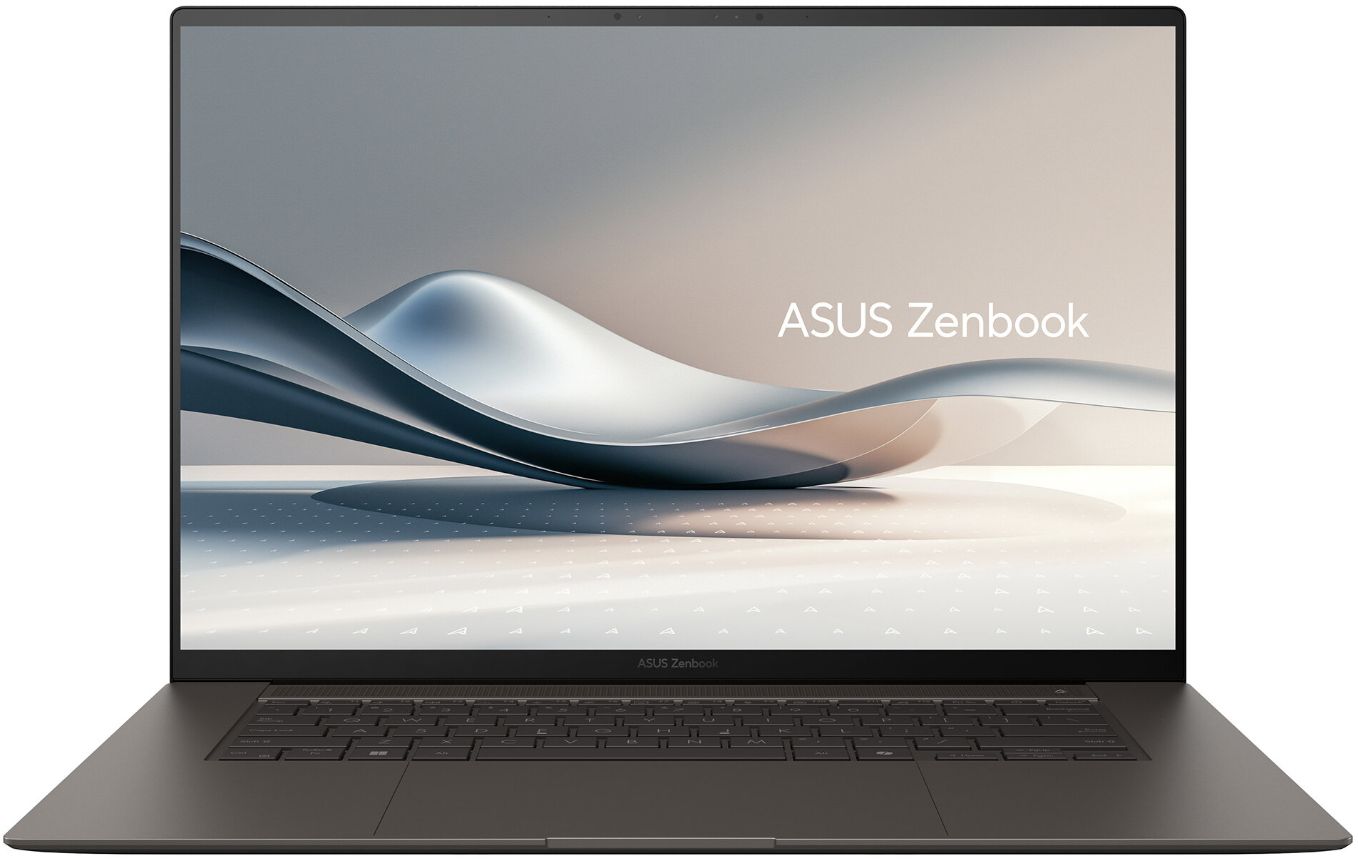
ASUS Zenbook A16 / S14 OLED (2026)
ASUS’s Zenbook A16 and the updated S14 OLED are compelling options for Windows users seeking an elegant, lightweight laptop with premium display tech. Built for 2026, these models run on Snapdragon X2 or Intel Core Ultra processors, providing solid multitasking capabilities and exceptional battery life. With up to 32 GB RAM and blazing-fast SSDs, they are well-suited to Forex trading software, charting platforms, and browser-based terminals. The standout feature is the 2.8K OLED HDR display, which delivers crisp detail and rich color - a huge advantage when studying candlestick patterns or multi-window layouts. The Zenbook’s fan system is quiet and efficient, and at under 2.7 lbs (1.2 kg), it's one of the lightest options for trading on the go. Prices start at $1,099, with mid-tier models around $1,299 offering better storage and memory configurations. It's a great blend of power, style, and mobility for intermediate and advanced traders.
- Pros
- Cons
- OLED display provides vibrant color accuracy and clarity.
- The portable and sleek design makes it travel-friendly.
- Snapdragon and Intel options cater to both battery and performance needs.
- Solid multitasking with up to 32 GB RAM.
- Affordable premium feel, with competitive pricing.
- Not suited for GPU-heavy tasks due to a lack of dedicated graphics.
- May lack ports like HDMI or Ethernet without adapters.
- Build quality, while good, may feel slightly less rigid than MacBook or XPS.
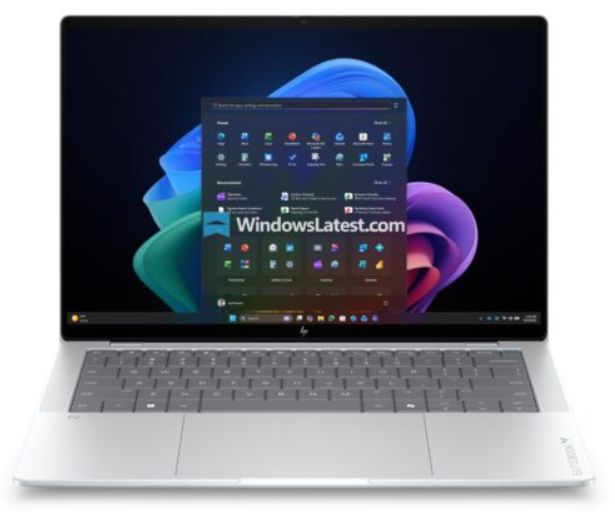
HP EliteBook X G2i (2026)
The HP EliteBook X G2i is a 2026 high-end business ultrabook tailored for professionals who require robust performance, enterprise security, and a durable build. Powered by Intel Core Ultra processors and available with up to 32 GB RAM and 1 TB SSDs, it delivers excellent performance for trading platforms, data-heavy applications, and multitasking dashboards. What sets it apart is its strong security suite, including biometric login, privacy shutters, and optional smartcard readers — ideal for those handling sensitive financial data. The 3K OLED display is sharp and color-accurate, perfect for detailed market analysis. With multiple USB-C and USB-A ports, and optional 5G support, it’s built for hybrid work and remote trading setups. The EliteBook starts at $1,799, putting it in the premium tier, but it earns that price with professional-grade features and reliability.
- Pros
- Cons
- Enterprise-level security features are ideal for sensitive trading environments.
- 3K OLED display offers exceptional clarity for financial analysis.
- Wide port selection supports multi-monitor and peripheral setups.
- Premium build with a rugged aluminum chassis.
- Quiet operation and efficient thermal control.
- Higher price tag than similarly specced consumer laptops.
- Not designed for gaming or GPU-intensive tasks.
- Bulkier than other ultraportables, though still slim by business standards.
How to choose a nice trading laptop?
Your success in trading is just as dependent on your device as it is on your skills and the platform you choose to use. So what makes a perfect laptop for traders?
How good a laptop is, is measured by its specifications. Let’s discuss the specifications that are required in a nice trading laptop.
Processor
A robust processor ensures your laptop can handle multiple trading applications simultaneously without lag. High-performance processors like the Intel Core i7 or i9, and Apple's M3 series, are recommended for their superior speed and efficiency.
You can also consider the AMD Ryzen, which is nearly as good in almost every way. The AMD Ryzen has more threads, affording it an advantage in some applications.
RAM
A laptop should have at least 8GB of RAM. The more RAM your computer has, the faster it will launch and use its trading program.
A laptop with plenty of RAM is also required for Forex trading. The recommended amount is 8GB, but this can be increased to 16GB if desired. The more RAM your computer has, the faster it can complete tasks. This is critical when running multiple apps at the same time.
Storage
A laptop with a large amount of storage is required for Forex trading. This is vital because you will need to save all of your documents, images, movies, applications, and other media. For maximum storage capacity, look for both internal and external hard drives.
As a result, any ideal trading laptop must have above-average storage space. It allows your computer to start up faster and open apps faster. Look for a 125 GB or larger SSD hard disk.
GPU
A good graphics card is required for Forex trading because you need to see your trade updates as clearly as possible. It does not have to be cutting-edge, but it should be above average. Also, make sure that your graphics card has its processor and memory card to keep up with all incoming trading data.
Look for a laptop with an AMD Radeon or NVIDIA GeForce series graphics card. Your graphics card will determine how you see the data on your screen. You'll need a lot of VRAM to handle high-resolution photographs quickly. Purchasing the NVIDIA GeForce GTX 2070 is a great decision. The RTX 30-series GPUs are also fantastic choices.
Display
When selecting a laptop for Forex trading, you must be able to see all of the data on your screen, hence good resolution is required. A laptop with Full HD resolution or higher is the best option.
Look for a monitor with at least a 1920 x 1080 resolution. This will provide the best viewing experience for all of the data you'll be dealing with. A good display is not a luxury when it comes to Forex trading. You must be able to see all of the information to process it effectively and reduce errors as much as feasible.
Screen size and design
Many traders pay particular attention to the screen size of their laptops because they are usually glued to the laptop screen for hours at a time. The larger screen size provides a more pleasant viewing experience for Forex traders, but the smaller screen size can create eye strain.
In addition to screen size, the overall design of the laptop matters. Smaller laptops are best for traders who are always on the go or those who would like to add more hours of trading to their schedules. Proper design also means that the laptop has adequate heat dissipation capabilities which will allow you to trade without overworking the device.
Battery life
Before purchasing a trading laptop, look for CPUs that are both powerful and energy efficient. If you prefer Intel, one with a "U" suffix is preferable because it consumes less power and encourages a longer battery life.
Connectivity
Make sure your laptop's wifi connection is adequate. You want one with both Bluetooth and a Wi-Fi adaptor so you can quickly connect to the internet and other devices.
802.11ax is the best Wi-Fi 6 standard for Forex trading. It offers the most dependable connection as well as the quickest speeds.
Ports
A good trading laptop should have a lot of ports. These extra ports are required for connecting additional equipment to your computers, such as external monitors and other hardware. External monitors can be connected to your device via an HDMI connector, but a USB-to-HDMI converter is also an alternative (on a USB 3.0 port). Consider purchasing a Thunderbolt connector for the fastest data transfer capacity available.
Is trading laptops under $1 500 a good idea?
A less expensive laptop is enough for trading, but models in the range of 1-1.5 k will give the best combination of price and quality. Companies can make a profit while still providing standard quality. You do not have to dig into your savings to have the perfect trading laptop.
However, be careful about getting laptops that are way below that price range, and which the sellers claim to be new.
To save, you can consider getting a refurbished laptop. Make sure that the computer is not more than five years old. Also, ensure that you are getting it from a legitimate seller so you do not get scammed. Of course, you also have to ensure that the specifications are exactly what you need them to be.
Laptop vs desktop — what should I choose for day trading?
Both the desktop and laptop have a lot to offer. It depends on what you as a trader prefer.
| Feature | Desktop | Laptop |
|---|---|---|
| Performance | Superior processing power and better cooling for handling multiple trading applications. | Good performance but limited by thermal constraints during prolonged high-intensity tasks. |
| Portability | Stationary, suitable for traders operating from a fixed location. | Highly portable, ideal for trading from various locations or while traveling. |
| Display Capabilities | Easily supports multiple monitors, providing ample screen real estate for market monitoring. | Limited to one or two external monitors, reducing visible information. |
| Cost | More cost-effective for the performance offered. | Higher cost for comparable performance. |
| Upgradability | Highly upgradable, allowing components to be replaced or enhanced over time. | Limited upgrade options; may require full replacement when outdated. |
| Setup Space | Requires a dedicated space for setup, including monitors and peripherals. | Compact and can be used in small spaces without additional hardware. |
| Durability | Longer lifespan due to better cooling and sturdier build. | Shorter lifespan due to wear and tear from portability and compact cooling systems. |
| Suitability | Best for traders who need high performance and operate from a single location. | Ideal for traders who prioritize mobility and flexibility. |
What are the best desktop trading platforms?
When selecting a broker for trading, it's crucial to consider those that offer reliable regulation, fast trading platforms, and low fees. These factors ensure a secure and efficient trading experience. We've chosen brokers that excel in these areas for our comparison. These brokers provide the necessary stability, speed, and cost-effectiveness, making them ideal for traders looking to maximize their potential in the market.
| MT5 | MT4 | ECN Commission ($, per. lot) | ECN Spread EUR/USD (pips) | Free VPS | Regulation level | Open an account | |
|---|---|---|---|---|---|---|---|
| No | No | No | No | No | Tier-1 | Go to broker 81% of retail CFD accounts lose money. |
|
| Yes | No | No | No | No | Tier-1 | Go to broker Your capital is at risk. |
|
| Yes | Yes | 3.5 | 0.15 | Yes | Tier-1 | Go to broker Your capital is at risk. |
|
| Yes | Yes | 5 | 0.2 | Yes | Tier-1 | Study review | |
| No | Yes | 2.3 | 0.8 | Yes | Tier-1 | Study review |
Here’s a brief explanation of why each parameter was selected for our comparison of the best desktop trading apps:
MT5. MetaTrader 5 is an advanced trading platform offering multiple order types, detailed charting, and analytical tools. Its inclusion ensures that traders have access to a robust and versatile trading environment.
MT4. MetaTrader 4 is one of the most popular trading platforms, known for its user-friendly interface, custom indicators, and extensive library of Expert Advisors (EAs). It is essential for traders who prefer a familiar and reliable platform.
ECN commission. This parameter helps identify brokers that offer competitive pricing.
ECN Spread. Tight spreads on the EUR/USD pair indicate lower trading costs. This is particularly important for traders who frequently trade this highly liquid currency pair.
Free VPS. A Virtual Private Server provides a stable and fast internet connection, reducing latency and ensuring that trades are executed quickly and reliably. This is especially beneficial for traders using automated strategies.
Regulation. Reliable regulation ensures that the broker operates within a framework that protects traders’ interests and maintains high standards of financial security and transparency.
A refresh rate of 120Hz or more can make your charts and data flow more smoothly

When choosing a laptop for Forex trading, think about getting one with a high-refresh-rate screen. Although these screens are popular among gamers, a refresh rate of 120Hz or more can make your charts and data flow more smoothly. This means less eye strain during long hours and quicker insights into market changes, which could give you an edge.
Also, don't forget about multiple high-speed ports like Thunderbolt 4 or USB-C. They make it easy to hook up extra monitors, external drives, or other gear, letting you expand your setup as needed. This flexibility helps keep your trading environment adaptable and efficient, so your laptop can grow with your trading needs.
Conclusion
Choosing the right laptop is essential for any serious Forex trader aiming to maximize efficiency and make quick, informed decisions. The best laptops for Forex trading in 2026 stand out for their robust processors, high-resolution displays, and lightweight designs, such as the Dell XPS 15 and MacBook Pro M3, which enable seamless multitasking and on-the-go trading. Investing in a capable device not only ensures smooth performance but also provides the reliability necessary when markets move fast. Ultimately, your laptop is the backbone of your trading setup—selecting a model that meets all your needs can be the decisive factor between missed opportunities and trading success.
FAQs
What are the key security features to look for in the best laptops for Forex trading?
How does battery life impact trading effectiveness on the best laptops for Forex trading?
Why is laptop connectivity an important consideration for Forex traders?
How does screen size and design influence comfort and performance in Forex trading laptops?
Editors' Top Picks and Insights





Related Articles
Team that worked on the article
Maxim Nechiporenko has been a contributor to Traders Union since 2023. He started his professional career in the media in 2006.
Chinmay Soni is a financial analyst with more than 5 years of experience in working with stocks, Forex, derivatives, and other assets. As a founder of a boutique research firm and an active researcher, he covers various industries and fields, providing insights backed by statistical data.
Mirjan Hipolito is a journalist and news editor at Traders Union. She is an expert crypto writer with five years of experience in the financial markets.
Day trading involves buying and selling financial assets within the same trading day, with the goal of profiting from short-term price fluctuations, and positions are typically not held overnight.
Scalping in trading is a strategy where traders aim to make quick, small profits by executing numerous short-term trades within seconds or minutes, capitalizing on minor price fluctuations.
Cryptocurrency is a type of digital or virtual currency that relies on cryptography for security. Unlike traditional currencies issued by governments (fiat currencies), cryptocurrencies operate on decentralized networks, typically based on blockchain technology.
Backtesting is the process of testing a trading strategy on historical data. It allows you to evaluate the strategy's performance in the past and identify its potential risks and benefits.
An Expert Advisor (EA) is a piece of software or script used in the MetaTrader trading platform to automate trading strategies. EAs are programmed to execute trading decisions based on predefined criteria, rules, and algorithms, allowing for automated and systematic trading without the need for manual intervention.

-
 Afghanistan
-
 Albania
-
 Algeria
-
 Angola
-
 Argentina
-
 Armenia
-
 Australia
-
 Austria
-
 Azerbaijan
-
 Bahamas
-
 Bahrain
-
 Bangladesh
-
 Belarus
-
 Belgium
-
 Bolivia
-
 Botswana
-
 Brazil
-
 Brunei
-
 Bulgaria
-
 Cambodia
-
 Cameroon
-
 Canada
-
 Chile
Chile
-
 China
China
-
 Colombia
-
 Congo
Congo
-
 Costa Rica
-
 Cote d'Ivoire
-
 Croatia
-
 Cuba
Cuba
-
 Cyprus
-
 Czechia
-
 DR Congo
-
 Denmark
-
 Dominican Republic
-
 Ecuador
-
 Egypt
Egypt
-
 El Salvador
-
 Estonia
-
 Eswatini
-
 Ethiopia
-
 Finland
-
 France
-
 Georgia
-
 Germany
-
 Ghana
Ghana
-
 Greece
-
 Haiti
Haiti
-
 Hong Kong
-
 Hungary
-
 India
India
-
 Indonesia
-
 Iran, Islamic republic
-
 Iraq
Iraq
-
 Ireland
-
 Israel
-
 Italy
Italy
-
 Jamaica
-
 Japan
Japan
-
 Jordan
-
 Kazakhstan
-
 Kenya
Kenya
-
 Korea
Korea
-
 Kuwait
-
 Kyrgyzstan
-
 Laos
Laos
-
 Latvia
-
 Lebanon
-
 Lesotho
-
 Libya
Libya
-
 Lithuania
-
 Luxembourg
-
 Madagascar
-
 Malaysia
-
 Malta
Malta
-
 Mauritius
-
 Mexico
-
 Moldova
-
 Mongolia
-
 Montenegro
-
 Morocco
-
 Mozambique
-
 Myanmar
-
 Namibia
-
 Nepal
Nepal
-
 Netherlands
-
 New Zealand
-
 Nigeria
-
 North Macedonia
-
 Norway
-
 Oman
Oman
-
 Pakistan
-
 Palestine
-
 Panama
-
 Papua New Guinea
-
 Paraguay
-
 Peru
Peru
-
 Philippines
-
 Poland
-
 Portugal
-
 Puerto Rico
-
 Qatar
Qatar
-
 Reunion
-
 Romania
-
 Rwanda
-
 Saudi Arabia
-
 Serbia
-
 Singapore
-
 Slovakia
-
 Slovenia
-
 Somalia
-
 South Africa
-
 Spain
Spain
-
 Sri Lanka
-
 Sweden
-
 Switzerland
-
 Syria
Syria
-
 Taiwan
-
 Tajikistan
-
 Tanzania
-
 Thailand
-
 Trinidad and Tobago
-
 Tunisia
-
 Turkey
-
 UAE
UAE
-
 Uganda
-
 Ukraine
-
 United Kingdom
-
United States
-
 Uruguay
-
 Uzbekistan
-
 Venezuela
-
 Vietnam
-
 Yemen
Yemen
-
 Zambia
-
 Zimbabwe
- Forex
- Crypto












