How To Start Trading With Tickmill’s MetaTrader 5



Editorial Note: While we adhere to strict Editorial Integrity, this post may contain references to products from our partners. Here's an explanation for How We Make Money. None of the data and information on this webpage constitutes investment advice according to our Disclaimer.
To start trading with Tickmill’s MT5, open an account, choose MT5 during registration, download the platform, and log in with your trading credentials. You can begin with a free Tickmill MT5 demo account or fund your live account to trade Forex and CFDs right away.
Tickmill has long been known in the Forex market, and the launch of Tickmill’s MT5 platform makes trading easier for both new and active traders. The platform gives users faster execution, better charting tools, and access to more assets. Many traders moving from MT4 find that MT5 keeps the same simple layout but adds stronger analysis tools and smoother performance.
Trading experience on Tickmill’s MT5 platform


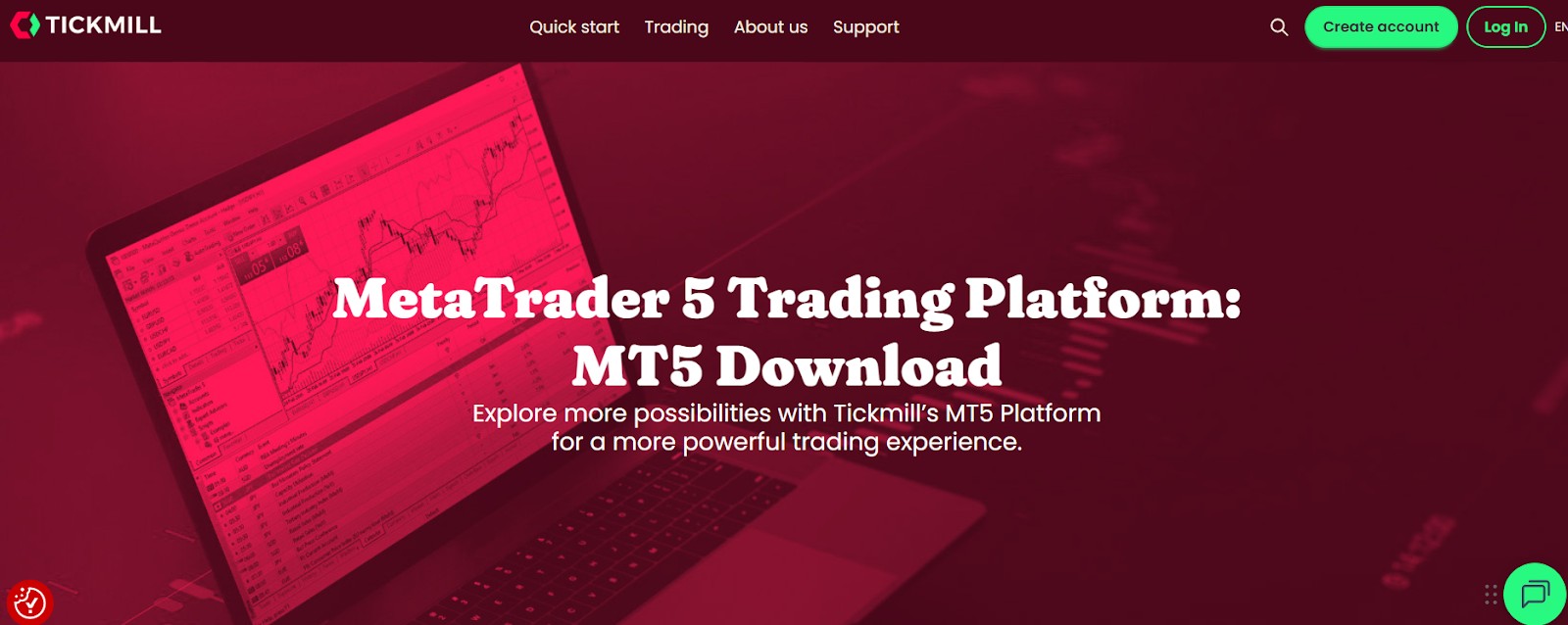
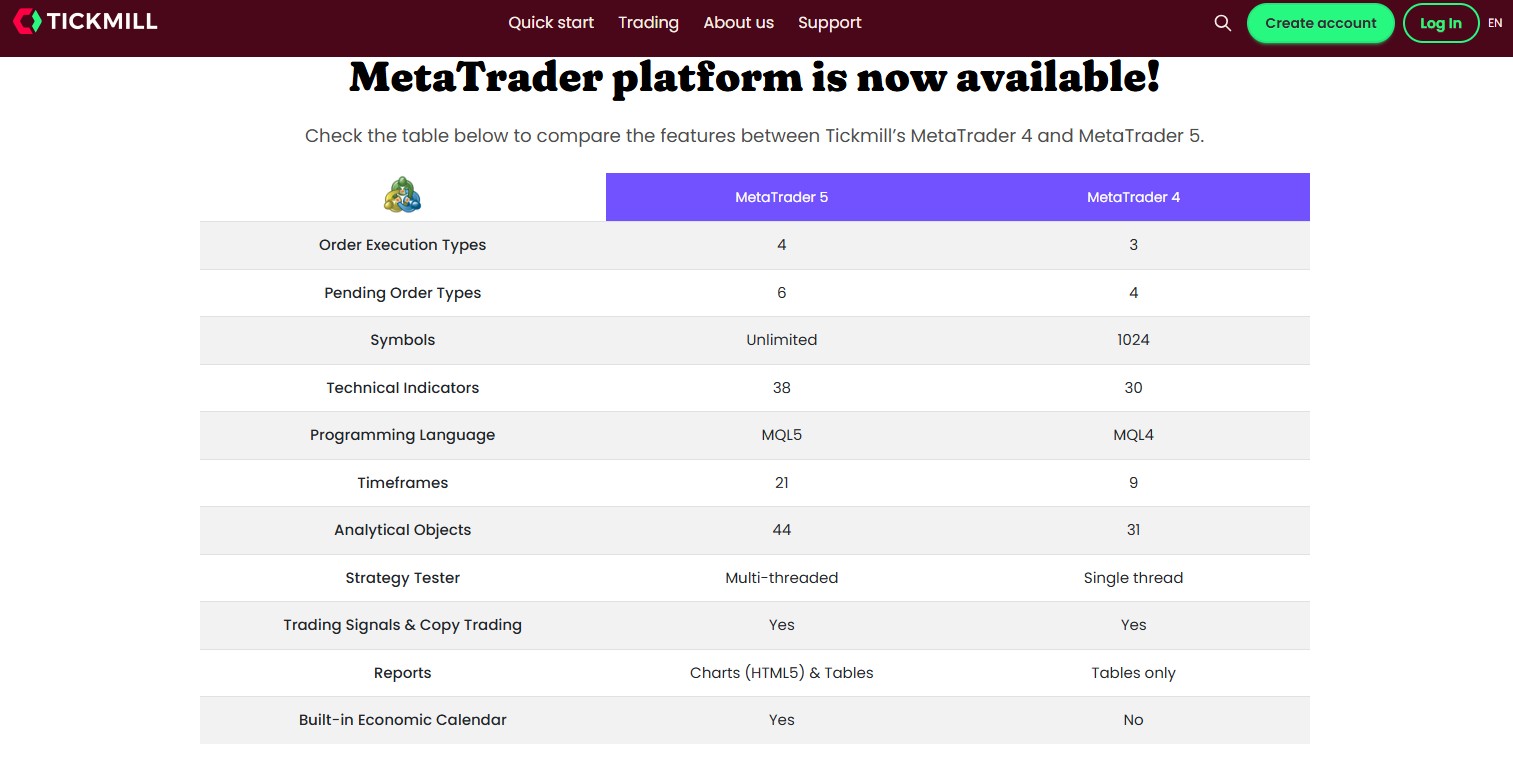
Tickmill’s MT5 setup gives traders a clean and responsive workspace with tools for technical and fundamental analysis. Users can access advanced charts, an economic calendar, depth of market, and one-click trading. The platform also includes a fast strategy tester and up to 21 timeframes, which helps both new traders and experienced analysts.
Installing and setting up Tickmill’s MT5
To begin using Tickmill’s MT5, you only need to complete a quick download from the Tickmill client area. The platform is available for Windows, macOS, Android, and iOS, so you can trade from any device. Installation is simple and requires no extra plugins. Whether you choose mobile or desktop, Tickmill’s MT5 offers an easy and fast setup.
Capabilities of Tickmill’s MetaTrader 5 for professional use
Tickmill’s MT5 platform supports algorithmic trading with Expert Advisors, hedging, and custom strategy coding through MQL5. Traders can backtest ideas with a fast strategy tester that uses conditions similar to live markets. The platform also gives access to CFDs, Forex pairs, indices, and commodities in one place, which helps traders manage different strategies more efficiently.
Comparing the Tickmill MT5 platform with alternatives
Tickmill’s MT5 setup stands out because of its low spreads, transparent fees, and fast execution. Many brokers widen spreads during busy market hours, but Tickmill keeps pricing stable, which helps scalpers and high-frequency traders. The platform also supports VPS hosting for smooth algorithmic trading, a feature other brokers often limit or charge extra for.
| zForex | Plus500 | Trading.com USA | OANDA | FOREX.com | |
|---|---|---|---|---|---|
|
MT5 |
Yes | No | Yes | Yes | Yes |
|
Min. deposit, $ |
10 | 100 | 50 | No | 100 |
|
Max. leverage |
1:1000 | 1:300 | 1:50 | 1:200 | 1:50 |
|
Deposit fee, % |
No | No | No | No | No |
|
Withdrawal fee, % |
No | No | No | No | No |
|
Tier-1 regulation |
No | Yes | Yes | Yes | Yes |
|
TU overall score |
7.89 | 7.52 | 6.81 | 6.8 | 6.74 |
|
Open an account |
Go to broker Your capital is at risk.
|
Go to broker 80% of retail CFD accounts lose money. |
Go to broker Your capital is at risk. |
Go to broker Your capital is at risk. |
Study review |
Tickmill’s MT5 demo account for safe testing
Many new traders start with Tickmill’s MT5 demo account, since it mirrors live market conditions without risk. It lets users test strategies, view real-time pricing, and practice order placement with virtual funds. The demo environment works exactly like the live version, so switching to real trading later feels simple and familiar.
Benefits of switching to Tickmill’s demo MT5
Traders using Tickmill’s demo MT5 can practice strategies, learn order types, and test indicators without financial pressure. All platform features are available in the demo, so users can build confidence before going live. Tickmill also keeps demo access open with no time limits, which helps traders learn at a steady pace.
How to start using Tickmill MT5: a step-by-step guide
Step 1: Open an account with Tickmill
Go to the Tickmill website and select Create Account. Enter your details, choose an account type, and upload your ID and address documents for verification.
Step 2: Choose Tickmill’s MT5 during registration
Select Tickmill’s MT5 as your trading platform so your account connects to MT5 from the start.
Step 3: Download the platform
In the Client Area, choose the version of Tickmill’s MT5 for your device and start the download.
Step 4: Install and log in
Install MT5 and log in with your Tickmill credentials. You can access both live accounts and MT5 demo accounts.
Step 5: Fund your account or practice
Add funds to begin live trading, or continue using Tickmill’s MT5 demo to practice safely.
Step 6: Customize your workspace
Set up templates, indicators, or EAs. Tickmill’s MT5 gives full customization so you can create a layout that fits your trading style.

Build skills on demo, expand tools as you grow

When I evaluate a trading setup, I look for more than just the tools on the screen. I focus on how the platform behaves over weeks of real conditions, not just during quiet hours. In my experience, Tickmill’s MT5 has been one of the more consistent environments for intraday and swing trading. The execution quality holds up during news releases, and the spreads do not widen as aggressively as they do on many competing platforms. That reliability matters to me, because even a small delay or a single unstable price feed can distort a strategy’s long-term results.
I also appreciate how Tickmill’s MT5 lets traders develop at their own pace. New users can stay on the MT5 demo account for as long as they need, which is valuable because learning to place orders confidently takes time. More advanced traders can shift into automated systems without switching platforms, and the MT5 tester gives enough data to fine-tune ideas before committing real money. In my view, the combination of steady execution and flexibility makes this setup a practical choice for traders who want a platform they can grow into, instead of one they outgrow after a few months.
Conclusion
Choosing Tickmill’s MT5 gives traders a stable and flexible platform for both simple and advanced strategies. You can analyze markets with strong charting tools, run automated systems, or trade manually with fast execution. Starting with Tickmill’s MT5 demo account helps new traders learn safely before moving to real trades. With steady practice and the right setup, Tickmill’s MT5 can support long-term growth for beginners and experienced traders alike.
FAQs
Can I use custom indicators on the Tickmill MT5 platform?
Yes, you can add custom indicators and trading scripts directly within Tickmill’s MT5 platform. These tools enhance market analysis and help personalize your trading environment.
Is a VPS necessary for running automated strategies on Tickmill MetaTrader 5?
Using a VPS is strongly recommended if you run Expert Advisors on Tickmill’s MetaTrader 5, as it ensures uninterrupted execution and faster response times during volatile conditions.
Can I switch from MT4 to Tickmill’s MT5 without closing my account?
Yes. You can request an additional MT5 account on Tickmill in the Client Area while keeping your MT4 account active.
Can I open multiple demo accounts to test different strategies?
Yes, traders often use more than one MT5 demo account on Tickmill to test various trading strategies in parallel without financial risk.
Related Articles
Team that worked on the article
Aleksandra Chaikina has been a contributor to Traders Union since 2021. With over 15 years of experience in copywriting and more than 5 years focused on financial content, she specializes in producing detailed guides, analytics, and comparative reviews across various sectors, including cryptocurrencies, Forex, investment strategies, and financial technologies.
Dan Blystone began his trading career in 1998 as an arbitrage clerk on the floor of the Chicago Mercantile Exchange (CME). He later traded bond and Eurex futures at proprietary firms such as Altea Trading, gaining valuable experience in high-frequency trading and risk management.
Chinmay Soni is a financial analyst with more than 5 years of experience in working with stocks, Forex, derivatives, and other assets. As a founder of a boutique research firm and an active researcher, he covers various industries and fields, providing insights backed by statistical data.
-
 Afghanistan
-
 Albania
-
 Algeria
-
 Angola
-
 Argentina
-
 Armenia
-
 Australia
-
 Austria
-
 Azerbaijan
-
 Bahamas
-
 Bahrain
-
 Bangladesh
-
 Belarus
-
 Belgium
-
 Bolivia
-
 Botswana
-
 Brazil
-
 Brunei
-
 Bulgaria
-
 Cambodia
-
 Cameroon
-
 Canada
-
 Chile
Chile
-
 China
China
-
 Colombia
-
 Congo
Congo
-
 Costa Rica
-
 Cote d'Ivoire
-
 Croatia
-
 Cuba
Cuba
-
 Cyprus
-
 Czechia
-
 DR Congo
-
 Denmark
-
 Dominican Republic
-
 Ecuador
-
 Egypt
Egypt
-
 El Salvador
-
 Estonia
-
 Eswatini
-
 Ethiopia
-
 Finland
-
 France
-
 Georgia
-
 Germany
-
 Ghana
Ghana
-
 Greece
-
 Haiti
Haiti
-
 Hong Kong
-
 Hungary
-
 India
India
-
 Indonesia
-
 Iran, Islamic republic
-
 Iraq
Iraq
-
 Ireland
-
 Israel
-
 Italy
Italy
-
 Jamaica
-
 Japan
Japan
-
 Jordan
-
 Kazakhstan
-
 Kenya
Kenya
-
 Korea
Korea
-
 Kuwait
-
 Kyrgyzstan
-
 Laos
Laos
-
 Latvia
-
 Lebanon
-
 Lesotho
-
 Libya
Libya
-
 Lithuania
-
 Luxembourg
-
 Madagascar
-
 Malaysia
-
 Malta
Malta
-
 Mauritius
-
 Mexico
-
 Moldova
-
 Mongolia
-
 Montenegro
-
 Morocco
-
 Mozambique
-
 Myanmar
-
 Namibia
-
 Nepal
Nepal
-
 Netherlands
-
 New Zealand
-
 Nigeria
-
 North Macedonia
-
 Norway
-
 Oman
Oman
-
 Pakistan
-
 Palestine
-
 Panama
-
 Papua New Guinea
-
 Paraguay
-
 Peru
Peru
-
 Philippines
-
 Poland
-
 Portugal
-
 Puerto Rico
-
 Qatar
Qatar
-
 Reunion
-
 Romania
-
 Rwanda
-
 Saudi Arabia
-
 Serbia
-
 Singapore
-
 Slovakia
-
 Slovenia
-
 Somalia
-
 South Africa
-
 Spain
Spain
-
 Sri Lanka
-
 Sweden
-
 Switzerland
-
 Syria
Syria
-
 Taiwan
-
 Tajikistan
-
 Tanzania
-
 Thailand
-
 Trinidad and Tobago
-
 Tunisia
-
 Turkey
-
 UAE
UAE
-
 Uganda
-
 Ukraine
-
 United Kingdom
-
United States
-
 Uruguay
-
 Uzbekistan
-
 Venezuela
-
 Vietnam
-
 Yemen
Yemen
-
 Zambia
-
 Zimbabwe
- Forex
- Crypto