KeepKey Wallet Review (2026)



Editorial Note: While we adhere to strict Editorial Integrity, this post may contain references to products from our partners. Here's an explanation for How We Make Money. None of the data and information on this webpage constitutes investment advice according to our Disclaimer.
The KeepKey wallet is a budget-friendly hardware wallet that stores your crypto assets offline. It features a large display, easy interface, and integration with the ShapeShift platform, making it ideal for users who prioritize simplicity and security.
For crypto holders, security and simplicity go hand in hand — and that’s where KeepKey has positioned itself well. Originally developed by ShapeShift, this hardware wallet is known for its large screen, clean user interface, and straightforward design for cold storage. Despite a few limitations compared to newer models, KeepKey is still considered reliable for long-term holders.
If you’re exploring your first cold wallet or looking for a backup device that won’t break the bank, KeepKey is worth checking out. In this 2026 review, we’ll explore the features of KeepKey, how it compares with its competitors, and whether it’s a good choice for your crypto security strategy.
KeepKey wallet overview

KeepKey is a hardware wallet built to store crypto assets offline. It was initially developed by ShapeShift and now works seamlessly with the ShapeShift trading platform. Many people like it because of its straightforward user experience — enhanced by its large screen and minimalist interface.
The wallet focuses on cold storage with essential features like PIN protection, offline private key generation, and seed phrase backup. It doesn’t come with high-end features like biometric scanners or mobile support, but many appreciate how simple it is.
Ideal for long-term holders, beginners, or anyone looking to avoid complex setups, KeepKey delivers a secure and low-cost way to manage digital assets while giving users confidence.
| Specification | Details |
|---|---|
| Display size | 3.12-inch OLED |
| Supported platforms | Windows, macOS, Linux |
| Connectivity (USB) | USB 2.0 (Type-A to Micro-USB) |
| Coin supported | BTC, ETH, LTC, BCH, DASH, DOGE, ERC-20 |
| Open-source status | Yes (firmware and software) |
| Security chip | No secure element chip |
| Price | ~$49 (often discounted) |
| Ideal for | Budget-conscious HODLers, beginners |
Key features of KeepKey Wallet
Large display with user-friendly interface
One of KeepKey’s most practical benefits is its large OLED screen. At 3.12 inches, it’s clearly bigger than what most other wallets offer, which makes it easier and more secure to read transaction information. Signing transactions and checking addresses is straightforward, even for people who haven’t used a hardware wallet before.
The interface is clean and simple. You don’t need any technical background to use it, and the setup steps are clearly explained for new users. This makes KeepKey a reliable option for those who value simplicity and ease of access.
Integration with ShapeShift platform
KeepKey works closely with the ShapeShift platform, letting users buy, sell, and trade crypto without leaving the wallet screen. This avoids the extra step of moving funds to an exchange and helps keep assets more secure.
ShapeShift works smoothly with KeepKey through either a desktop app or browser extension. This setup makes it easier to manage crypto, especially for users who trade occasionally but still prefer keeping their assets offline.
Open-source firmware
KeepKey’s software and firmware are open-source, which means the code is publicly available. This allows users and developers to check how the wallet works and verify its safety.
Being open-source matters to many people in crypto, particularly those who want full clarity into how their hardware functions. While it doesn’t include a secure chip like some newer models, its transparent design is a trade-off that many users find acceptable.
Pros and cons of KeepKey wallet
- Pros
- Cons
Screen size gives clarity on transaction details. Unlike many budget wallets, KeepKey’s large screen makes it nearly impossible to miss a shady address or suspicious amount.
Native ShapeShift integration helps with low-fee swaps. Instead of jumping between platforms, you can swap tokens directly within the wallet interface — saving both time and small network fees.
No touchscreen reduces tap-error risk. It sounds like a limitation, but for beginners, physical buttons reduce accidental approvals, especially under stress.
Supports long-term cold storage psychology. The chunky, no-frills build makes it less tempting to plug in frequently, encouraging “set it and forget it” behavior.
No passphrase feature limits security layers. If someone gets your seed, there's no extra decoy layer — something Trezor and Ledger offer.
Limited native asset support slows advanced use. If you're into newer altcoins or NFT storage, you'll often find yourself relying on third-party tools.
ShapeShift dependency creates friction. You’ll need to create a ShapeShift account and rely on its ecosystem, which some users might find restrictive or unnecessary.
Firmware updates can feel slow. Compared to competitors, firmware releases and feature rollouts lag behind — so don’t expect rapid innovation here.
How to use KeepKey Wallet: A step-by-step guide
Step 1: Unbox and connect

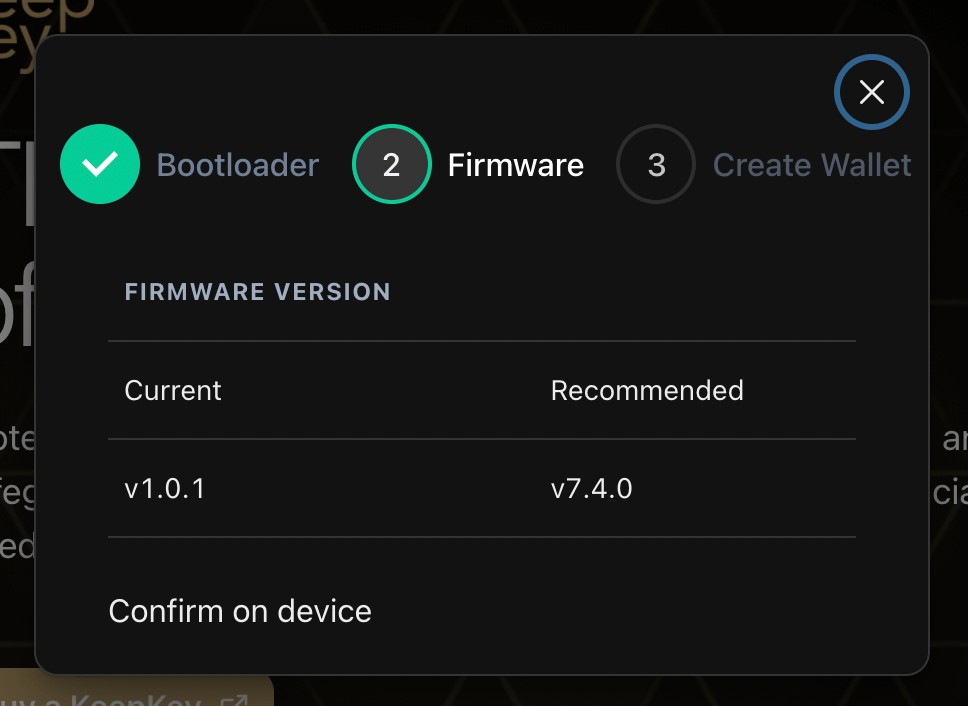
Open the box and connect KeepKey to your computer using the provided USB cable. Download the ShapeShift KeepKey client or connect via the Chrome extension.
Once plugged in, the wallet will guide you through the initial setup steps, including firmware updates and security checks.

Step 2: Create your wallet
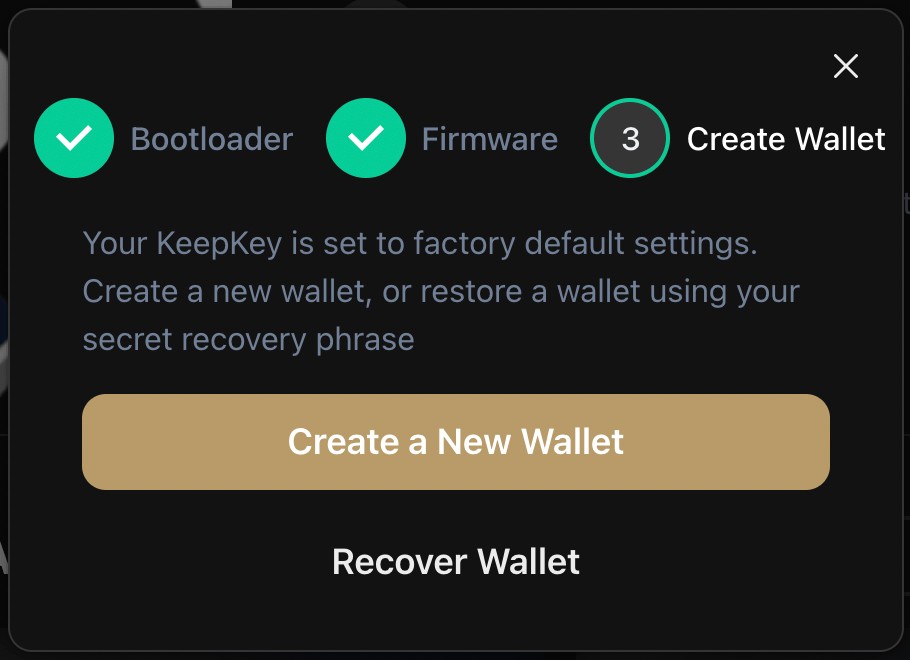
You’ll be prompted to create a new wallet. This step generates your private keys offline and sets up a 12-word recovery seed phrase. Write it down and store it securely.
You’ll also set a custom PIN to access the wallet each time it’s connected.
Step 3: Add your assets
After setup, use the ShapeShift interface to add supported cryptocurrencies. You can send coins to your wallet addresses and track balances in real time.
The interface will show transaction confirmations and allow you to manage multiple assets easily.
Step 4: Send and receive crypto
To receive crypto, copy your wallet address or scan the QR code from the dashboard. To send, select the asset, enter the recipient address, and confirm the transaction on your KeepKey device.
Each outgoing transaction must be confirmed using the hardware device, preventing unauthorized transfers.
Alternatives to KeepKey Wallet
Trezor Model T
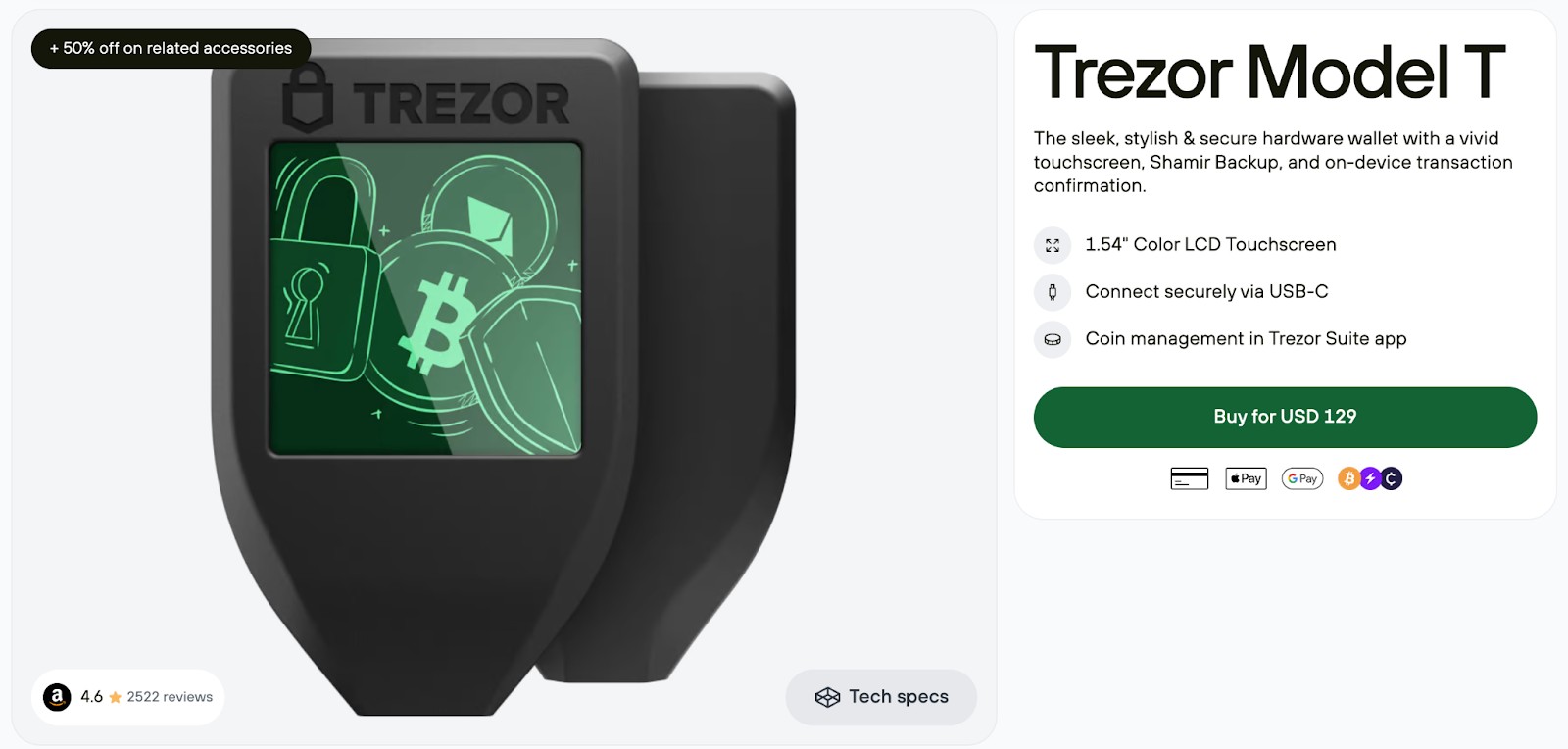
The Trezor Model T includes a color touchscreen, supports a wide range of coins, and features tools like Shamir backups and password storage. It’s a great match for those managing a broader portfolio or needing extra protection.
That said, it does come with a steeper price tag — typically around $129. If cost isn’t a limiting factor, it’s a reliable and feature-rich alternative to KeepKey.
LedgerNano S Plus
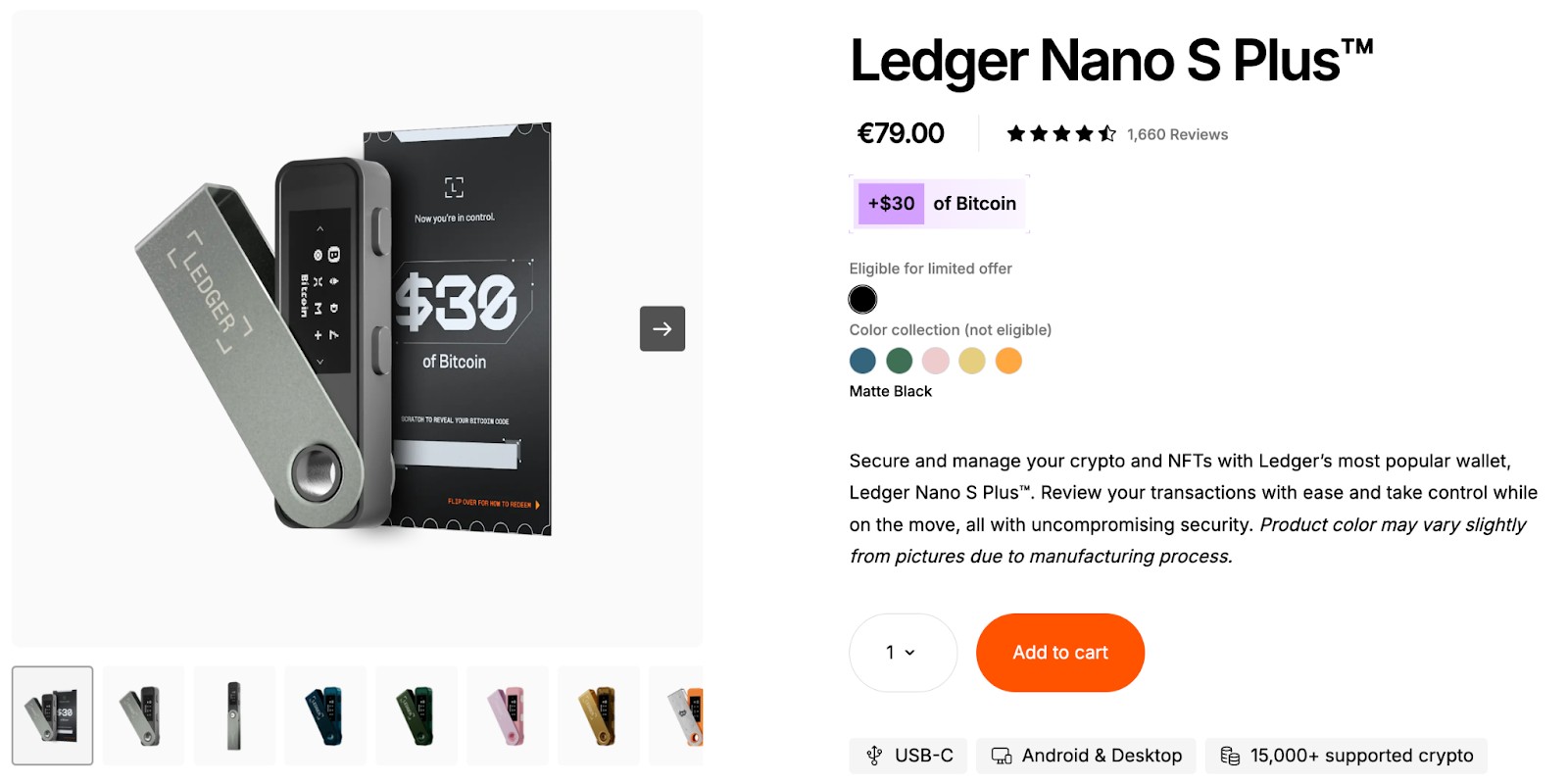
Ledger Nano S Plus strikes a nice middle ground between price and functionality. It handles over 5,000 cryptocurrencies and connects with Ledger Live for smooth asset control.
With its built-in secure chip and consistent firmware updates, it’s a dependable choice for anyone looking for added protection under a $100 budget.
ELLIPAL Titan
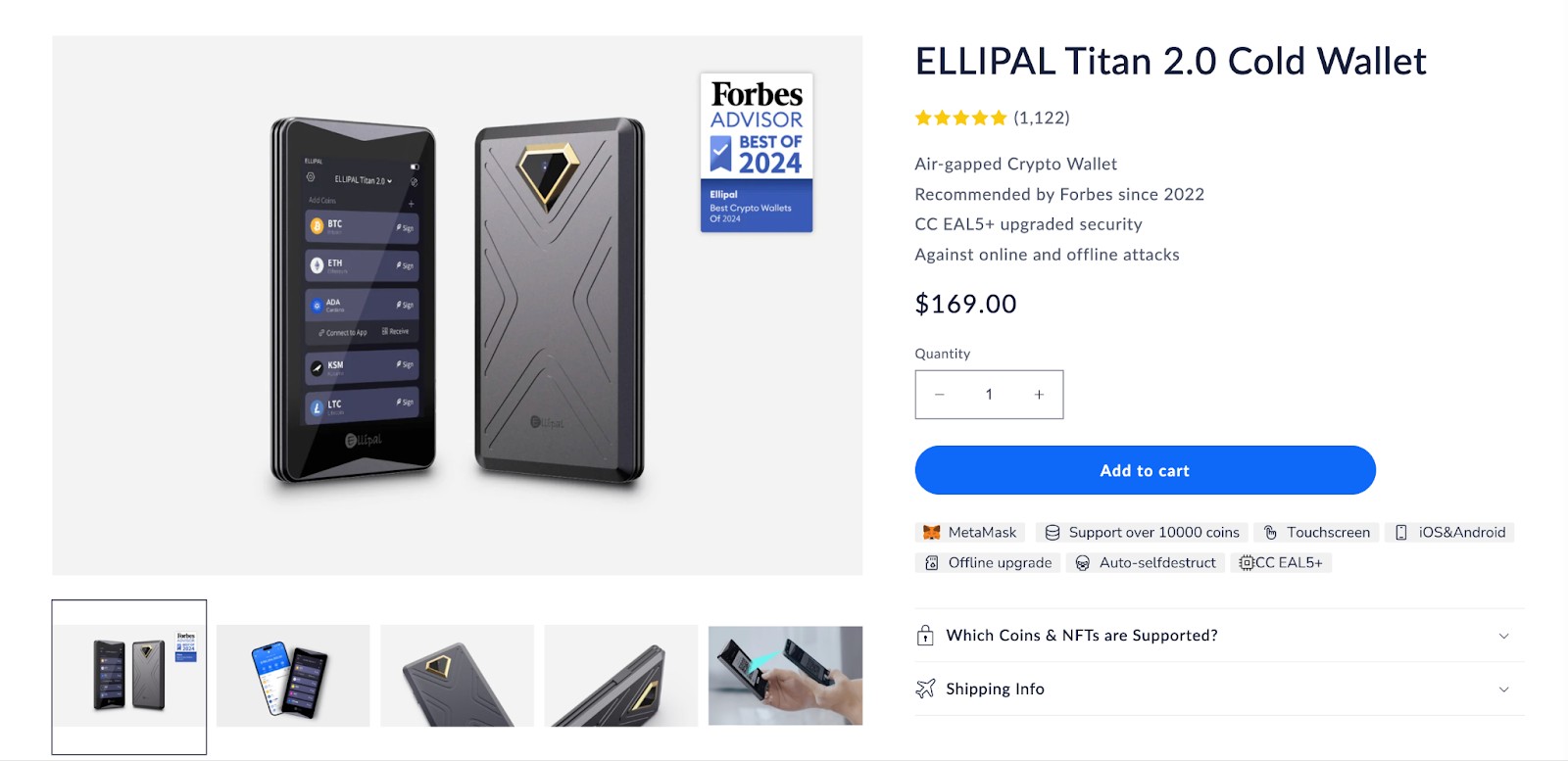
The ELLIPAL Titan keeps your crypto offline with air-gapped storage using QR code scanning. It stays fully disconnected from online networks, giving strong defense against remote threats.
Its tough build and tamper-proof design appeal to those who take security very seriously. However, it’s more expensive and less beginner-friendly compared to KeepKey.
Storing crypto on exchanges: An alternative to hardware wallets
Many users still keep their assets on centralized exchanges like Binance or Coinbase. It’s convenient, quick, and requires no extra devices. But it also carries risks like hacks, account freezes, and custodial failure. Regulation is one of the key parameters to judge the security of any exchange. In line with the same, the top exchanges known for their reliable security (and strict regulatory oversight) are listed in the table below:
| Crypto | Foundation year | Min. Deposit, $ | Coins Supported | Spot Taker fee, % | Spot Maker Fee, % | Alerts | Copy trading | Tier-1 regulation | TU overall score | Open an account | |
|---|---|---|---|---|---|---|---|---|---|---|---|
| Yes | 2012 | 10 | 249 | 0.5 | 0.5 | Yes | No | Yes | 8.6 | Go to broker Your capital is at risk. |
|
| Yes | 2016 | 1 | 250 | 0.5 | 0.25 | Yes | No | Yes | 8.44 | Go to broker Your capital is at risk. |
|
| Yes | 2011 | 10 | 278 | 0.4 | 0.25 | Yes | Yes | Yes | 8.32 | Go to broker Your capital is at risk. |
|
| Yes | 2011 | 10 | 399 | 0.3 | 0.2 | No | Yes | Yes | 7.68 | Go to broker Your capital is at risk.
|
|
| Yes | 2018 | No | 100 | 0.04 | 0.07 | Yes | No | Yes | 7.58 | Go to broker Your capital is at risk.
|
Why trust us
15+ years of independent market analysis
140+ evaluation criteria, reviewed by 50+ experts
Data-driven reviews of 200+ platforms, updated regularly
20+ industry awards & a wide network of global media partners
Learn more about our methodology and editorial policies.


But remember, that with exchanges, you don’t own your private keys, which means you don’t fully own your crypto. As the saying goes, “Not your keys, not your coins.”
KeepKey trains users to double-check every transaction and avoid giving up their ID

For beginners who aren’t interested in chasing every trending altcoin or yield farm, the KeepKey wallet quietly nails the basics in a way that’s oddly refreshing in 2026. What sets it apart isn’t just its affordability — it’s the entire experience it forces on you.
Unlike touchscreen wallets or mobile apps, KeepKey's physical button confirmation system builds a tactile habit that makes you stop and think before signing. That “click to approve” step slows you down just enough to avoid costly mistakes, especially for newcomers who tend to speed through crypto tasks without double-checking addresses or amounts.
Another lowkey power move? The wallet’s integration with ShapeShift isn’t just about swapping tokens — it also helps you sidestep centralized KYC exchanges entirely. As of early 2026, ShapeShift’s system supports native swaps for 70+ assets without needing an account, letting users stay non-custodial from day one. For beginners who want to avoid handing over ID documents or dealing with withdrawal limits, that’s a massive perk. You’re not just saving money — you’re skipping a surveillance trap most new users don’t even realize they’re walking into.
Conclusion
KeepKey remains a strong contender in the hardware wallet space, especially for those seeking a straightforward and low-cost option. Its integration with ShapeShift and beginner-friendly design make it accessible to a wide range of users. Though it doesn’t have all the bells and whistles of high-end wallets, it nails the basics — secure offline storage, ease of use, and essential features — making it a worthy pick for 2026.
FAQs
Can I store NFTs on KeepKey?
No, KeepKey does not support NFTs natively. It’s mainly focused on major cryptocurrencies and basic ERC-20 tokens. If you're into NFT collecting or trading, you’ll need a more advanced wallet like Ledger or Trezor that supports NFT interfaces through platforms like MetaMask or WalletConnect.
Does KeepKey work without ShapeShift?
Technically yes, but its full functionality is tied to ShapeShift. You can use KeepKey with other third-party tools, but you’ll miss out on the smooth integration and trading features that ShapeShift provides. It’s best used as part of that ecosystem.
Can I reset KeepKey if I forget my PIN?
Yes, but you'll need your 12-word recovery phrase to reset and restore your wallet. Without that phrase, your funds are permanently lost. KeepKey doesn’t offer cloud backups — so it’s essential to store your recovery phrase safely offline.
How often should I update my KeepKey firmware?
Whenever a new version is released. Updates often include bug fixes, security patches, and sometimes expanded coin support. The process is simple via ShapeShift’s interface, and skipping updates can leave your device vulnerable to known issues.
Editors' Top Picks and Insights

Brent nears $100: Why oil prices are rising

Gram Wallet launch: Can Telegram bring crypto to the masses?

AI without limits: How dangerous are neural networks?

Worldcoin on Wall Street: From iris scans to ETF

Mark Cuban's wealth philosophy: Why stocks matter more than salary or crypto

Dangerous but indispensable: Why the crypto market needs bridges
Related Articles
Team that worked on the article
Alamin Morshed is a contributor at Traders Union. He specializes in writing articles for businesses that want to improve their Google search rankings to compete with their competition.
Chinmay Soni is a financial analyst with more than 5 years of experience in working with stocks, Forex, derivatives, and other assets. As a founder of a boutique research firm and an active researcher, he covers various industries and fields, providing insights backed by statistical data.
Mirjan Hipolito is a journalist and news editor at Traders Union. She is an expert crypto writer with five years of experience in the financial markets.
Copy trading is an investing tactic where traders replicate the trading strategies of more experienced traders, automatically mirroring their trades in their own accounts to potentially achieve similar results.
Yield refers to the earnings or income derived from an investment. It mirrors the returns generated by owning assets such as stocks, bonds, or other financial instruments.
Index in trading is the measure of the performance of a group of stocks, which can include the assets and securities in it.
Xetra is a German Stock Exchange trading system that the Frankfurt Stock Exchange operates. Deutsche Börse is the parent company of the Frankfurt Stock Exchange.
CFD is a contract between an investor/trader and seller that demonstrates that the trader will need to pay the price difference between the current value of the asset and its value at the time of contract to the seller.

-
 Afghanistan
-
 Albania
-
 Algeria
-
 Angola
-
 Argentina
-
 Armenia
-
 Australia
-
 Austria
-
 Azerbaijan
-
 Bahamas
-
 Bahrain
-
 Bangladesh
-
 Belarus
-
 Belgium
-
 Bolivia
-
 Botswana
-
 Brazil
-
 Brunei
-
 Bulgaria
-
 Cambodia
-
 Cameroon
-
 Canada
-
 Chile
Chile
-
 China
China
-
 Colombia
-
 Congo
Congo
-
 Costa Rica
-
 Cote d'Ivoire
-
 Croatia
-
 Cuba
Cuba
-
 Cyprus
-
 Czechia
-
 DR Congo
-
 Denmark
-
 Dominican Republic
-
 Ecuador
-
 Egypt
Egypt
-
 El Salvador
-
 Estonia
-
 Eswatini
-
 Ethiopia
-
 Finland
-
 France
-
 Georgia
-
 Germany
-
 Ghana
Ghana
-
 Greece
-
 Haiti
Haiti
-
 Hong Kong
-
 Hungary
-
 India
India
-
 Indonesia
-
 Iran, Islamic republic
-
 Iraq
Iraq
-
 Ireland
-
 Israel
-
 Italy
Italy
-
 Jamaica
-
 Japan
Japan
-
 Jordan
-
 Kazakhstan
-
 Kenya
Kenya
-
 Korea
Korea
-
 Kuwait
-
 Kyrgyzstan
-
 Laos
Laos
-
 Latvia
-
 Lebanon
-
 Lesotho
-
 Libya
Libya
-
 Lithuania
-
 Luxembourg
-
 Madagascar
-
 Malaysia
-
 Malta
Malta
-
 Mauritius
-
 Mexico
-
 Moldova
-
 Mongolia
-
 Montenegro
-
 Morocco
-
 Mozambique
-
 Myanmar
-
 Namibia
-
 Nepal
Nepal
-
 Netherlands
-
 New Zealand
-
 Nigeria
-
 North Macedonia
-
 Norway
-
 Oman
Oman
-
 Pakistan
-
 Palestine
-
 Panama
-
 Papua New Guinea
-
 Paraguay
-
 Peru
Peru
-
 Philippines
-
 Poland
-
 Portugal
-
 Puerto Rico
-
 Qatar
Qatar
-
 Reunion
-
 Romania
-
 Rwanda
-
 Saudi Arabia
-
 Serbia
-
 Singapore
-
 Slovakia
-
 Slovenia
-
 Somalia
-
 South Africa
-
 Spain
Spain
-
 Sri Lanka
-
 Sweden
-
 Switzerland
-
 Syria
Syria
-
 Taiwan
-
 Tajikistan
-
 Tanzania
-
 Thailand
-
 Trinidad and Tobago
-
 Tunisia
-
 Turkey
-
 UAE
UAE
-
 Uganda
-
 Ukraine
-
 United Kingdom
-
United States
-
 Uruguay
-
 Uzbekistan
-
 Venezuela
-
 Vietnam
-
 Yemen
Yemen
-
 Zambia
-
 Zimbabwe
- Forex
- Crypto