Best TON Wallets In 2026 | Full Guide


Editorial Note: While we adhere to strict Editorial Integrity, this post may contain references to products from our partners. Here's an explanation for How We Make Money. None of the data and information on this webpage constitutes investment advice according to our Disclaimer.
The best TON wallets in 2026:
Tonkeeper. Best all-around TON wallet app with staking and dApps.
MyTonWallet. Flexible non-custodial Toncoin wallet.
TONhub. Simple and secure for beginners.
OpenMask. Browser extension for TON dApps.
Trust Wallet. Multi-chain support with Toncoin.
The TON ecosystem is growing quickly, and with it comes a wide selection of wallets to store and manage Toncoin. Choosing the right one depends on your priorities: security, daily convenience, staking, or advanced dApp use. Some wallets work best as mobile apps, while others are available as desktop clients, web wallets, or browser extensions. To help you decide, here is a carefully curated TON wallets list with the top options for 2026.
Risk warning: Cryptocurrency markets are highly volatile, with sharp price swings and regulatory uncertainties. Research indicates that 75-90% of traders face losses. Only invest discretionary funds and consult an experienced financial advisor.
Which TON wallet is the best?
While options are plenty, there are a select few TON wallets that top the list. We have presented them below with key details for you to make a choice:
Tonkeeper
Tonkeeper remains the most popular TON wallet, used by over 10 million people. It’s a non-custodial wallet available on mobile, web, and as a browser extension, ideal for both everyday users and DeFi participants. It supports Toncoin transfers, staking, jettons, NFTs, and even dApp interactions through TON Connect.
Tonkeeper’s user-friendly design makes it suitable for beginners, while advanced users appreciate features like subscriptions, built-in DEX, and fast transactions. The wallet stores keys locally for maximum control and privacy. Recent updates in late 2026 improved security and stability and added smoother performance for staking and fragment domain management.
- Pros
- Cons
non-custodial, cross-platform (mobile, web, extension);
supports staking, jettons, NFTs, and built-in swaps;
smooth interface with strong security standards;
large global user base and regular feature updates.
third-party smart contracts handle staking;
frequent updates may overwhelm some users.

MyTonWallet
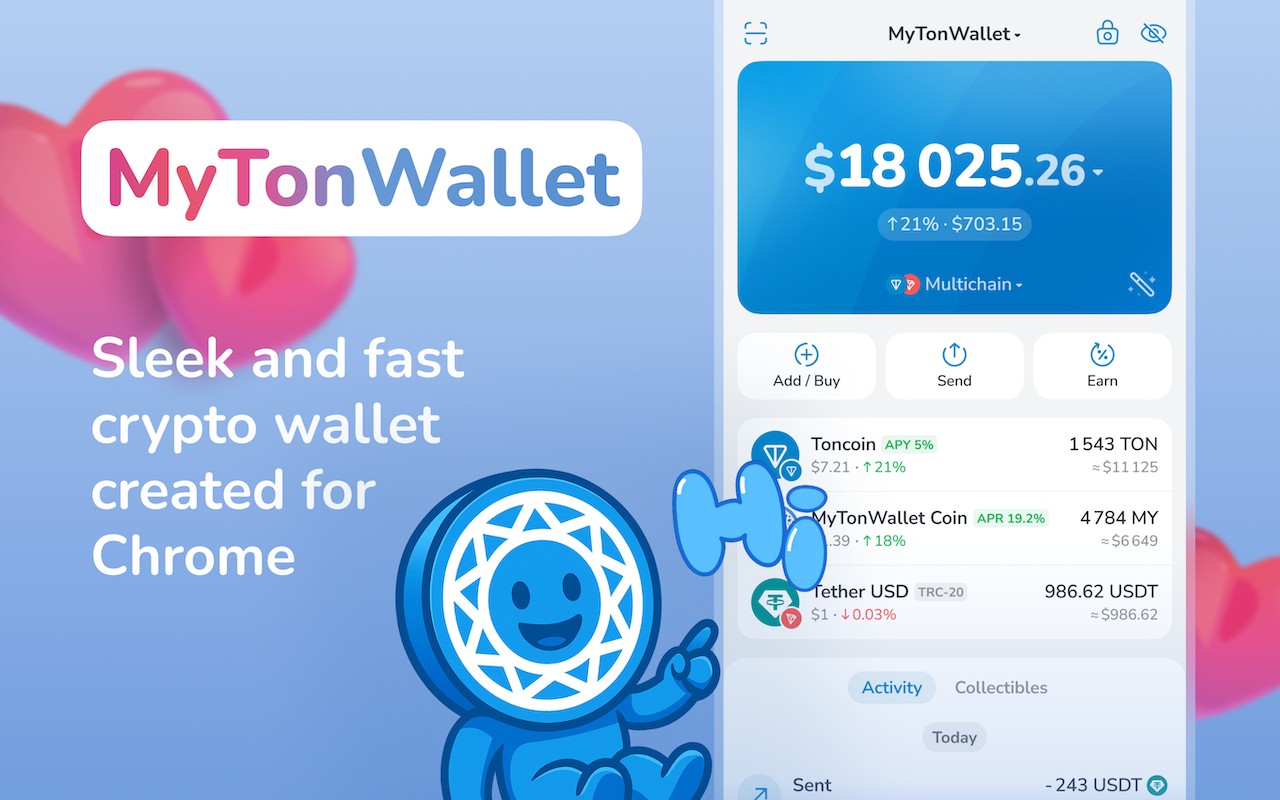
MyTonWallet is an open-source, non-custodial wallet with growing traction in the TON community, now used by over a million active users. Updated in October 2025, it supports multi-accounts, TON and TRON networks, NFTs, TON DNS, and advanced features like TON Magic for Telegram-based transfers.
The wallet supports gasless transfers and includes an integrated address book, anti-spam filters, and interactive token charts. It also offers browser extension, Android, iOS, and desktop options. MyTonWallet’s source code is public on GitHub, ensuring transparency and community trust.
- Pros
- Cons
self-custodial with full private key control;
advanced tools like multi-send, staking, and gasless transfers;
integrates well with dApps, TON DNS, and Telegram;
transparent and open-source with strong ratings.
the interface can feel complex for new users;
minor integration issues with some third-party dApps.
TONhub
TONhub is known for simplicity and fast onboarding, appealing especially to newcomers. It’s designed as a private and secure non-custodial wallet, enabling staking, transfers, and dApp connections. With over 500,000 active wallets as of mid-2025, TONhub has continued to expand steadily.
Its standout features include biometric login, PIN protection, and instant notifications for transactions and staking activities. The app integrates seamlessly with TON Connect, allowing easy access to TON-based DeFi services and NFT platforms. While extremely easy to use, its simplicity means fewer power-user tools compared to Tonkeeper.
- Pros
- Cons
clean design with simple setup;
biometric and PIN-based security;
in-app staking and real-time transaction alerts;
popular among beginners in the TON community.
fewer customization options for advanced traders;
occasional minor update issues.
OpenMask (TON Wallet Extension)
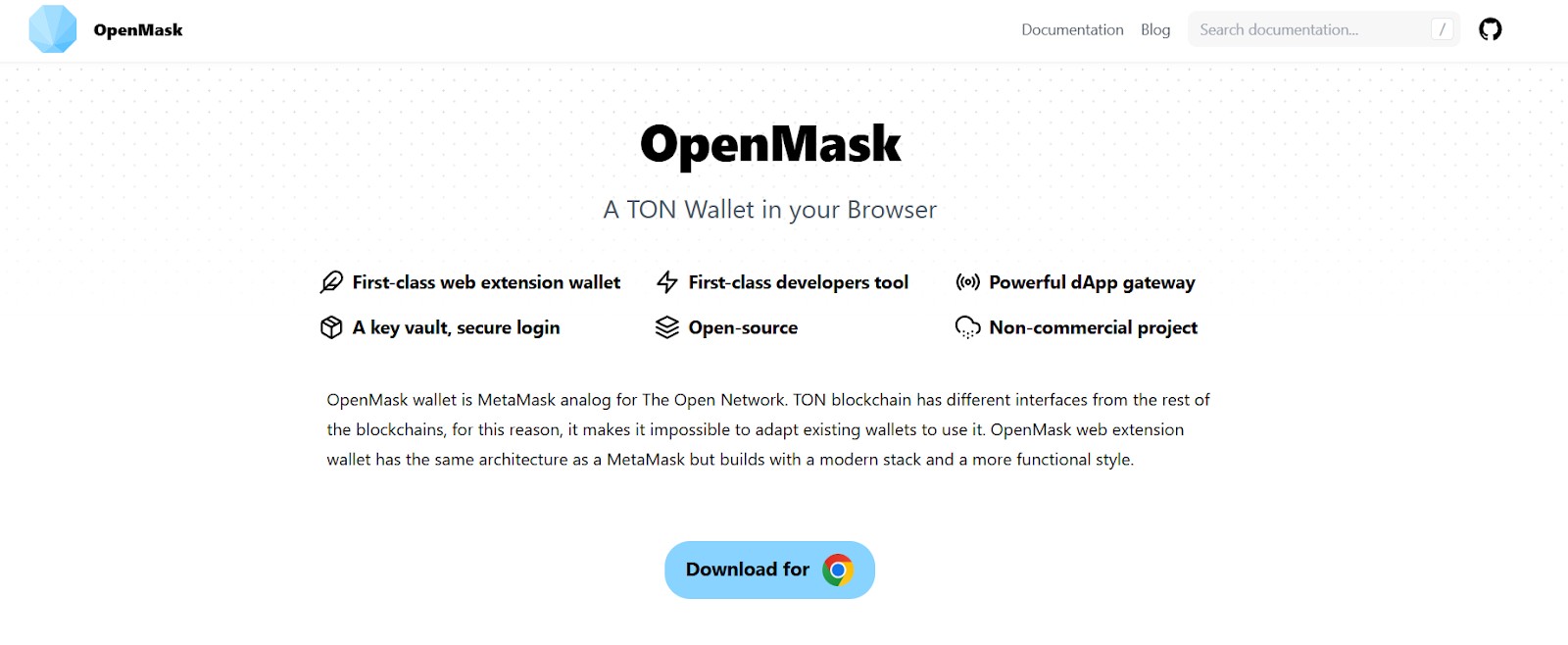
OpenMask serves as a MetaMask-style browser extension for The Open Network. It allows direct interaction with TON dApps, smart contracts, and domains without installing separate applications. Built to integrate the TON web3 API into browsers, it offers a smooth experience for developers and DeFi participants.
It supports Jettons, NFTs, TON DNS, and biometric security, and links seamlessly with hardware wallets like Ledger. Being open-source and lightweight, it is valued for transparency and developer control. However, since it runs inside browsers, it inherits the same potential risks present in web environments.
- Pros
- Cons
non-custodial and open-source;
perfect for developers and dApp users;
supports Ledger integration and biometric login;
ideal browser-based TON gateway.
works only as a browser extension;
occasional bugs and smaller user base.
Trust Wallet
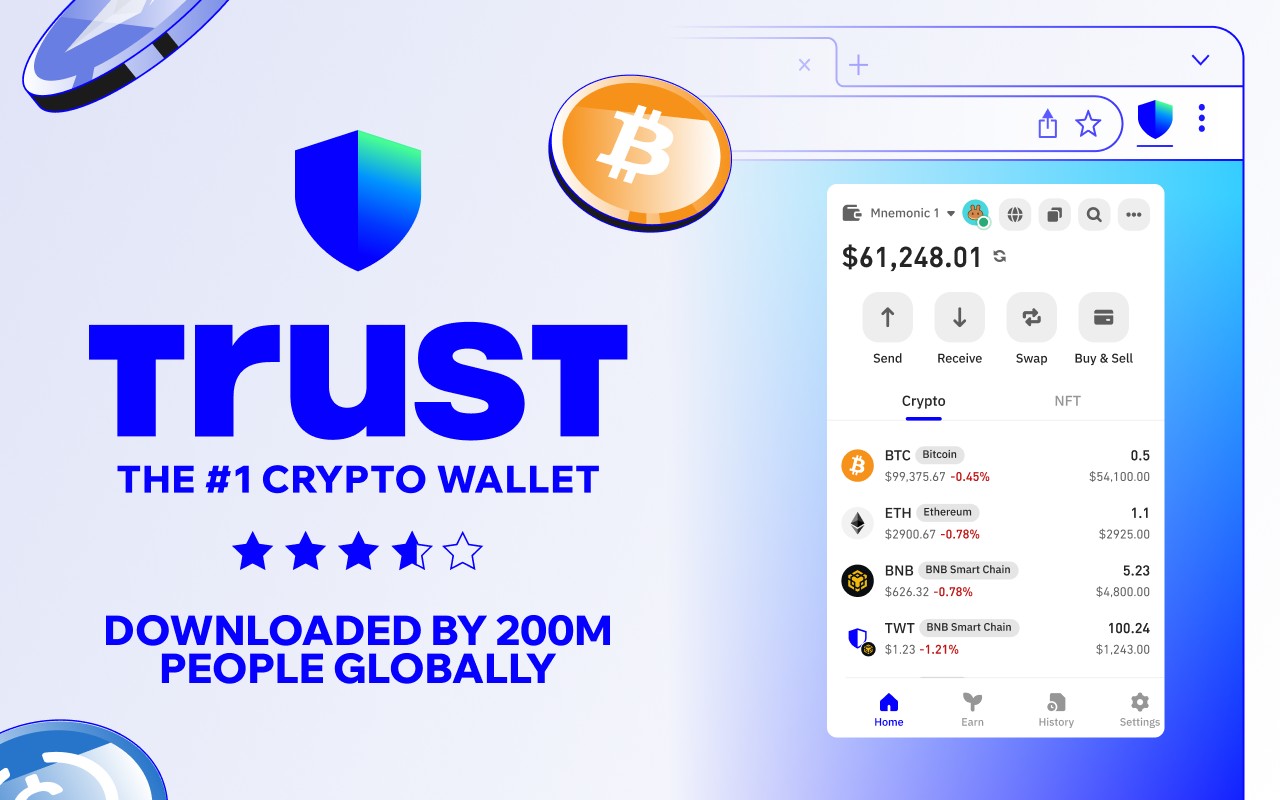
Trust Wallet, backed by Binance, remains one of the world’s largest non-custodial wallets, surpassing 210 million total installs by mid-2025. It supports more than 100 blockchains including TON and manages over $30 billion in user assets. Trust Wallet recently launched a new roadmap aiming to onboard 1 billion users through its TWT-powered ecosystem.
This wallet combines a clean interface with broad functionality including trading, staking, and in-app token swaps. It also incorporates cutting-edge features such as FlexGas (improved gas management), Trust Card for spending, and advanced trading tools. However, TON-specific features lag behind those in native TON wallets.
- Pros
- Cons
supports 100+ blockchains and cross-chain swaps;
backed by Binance; widely trusted and ISO-certified;
excellent for multi-chain portfolio holders;
includes TWT token-based rewards and pro trading tools.
TON functionality is basic compared to native wallets;
interface can be busy for TON-only users.
| Wallet | Type / Format | Staking / NFT | Security / Key Features | Platforms | Notes |
|---|---|---|---|---|---|
| Tonkeeper | Native hot wallet | Yes / Yes | Non-custodial, open-source, audited | iOS, Android, browser extensions | Best all-around: staking, dApps, built-in swaps |
| MyTonWallet | Native hot / browser wallet | Yes / Yes | Open-source, frequent updates, non-custodial | Chrome, Firefox, other browsers | Great for dApp and Jetton interaction |
| TONhub | Native hot wallet | Yes / Yes | Privacy-focused, minimal data collection | iOS, Android | Simple and secure for beginners |
| OpenMask | Browser extension | Limited / Yes | Local key storage, non-custodial | Chrome-compatible browsers | MetaMask-style wallet for TONDeFi and dApps |
| Trust Wallet | Multi-chain hot wallet | Partial / Limited | Standard non-custodial security | iOS, Android | Supports Toncoin; ideal for multi-chain users |
Choosing a wallet that supports TON is a balance between security and speed of accessing funds. Beginners should start with a simple mobile solution, such as Tonkeeper. Experienced traders will benefit from browser-based or multi-chain wallets, which offer flexibility and integration with DeFi platforms.
Your crypto wallet protects your assets, but exchanges provide the pathway to buy, sell, and move funds, making them essential partners in daily transactions. After finalizing a trusted wallet, the best step is to choose a regulated exchange with a wide range of features for effortless trading.
| Crypto | Foundation year | Min. Deposit, $ | Coins Supported | Spot Taker fee, % | Spot Maker Fee, % | Alerts | Copy trading | Tier-1 regulation | TU overall score | Open an account | |
|---|---|---|---|---|---|---|---|---|---|---|---|
| Yes | 2012 | 10 | 400+ | 0.5 | 0.5 | Yes | No | Yes | 8.5 | Go to broker Your capital is at risk. |
|
| Yes | 2011 | 10 | 399 | 0.3 | 0.2 | No | Yes | Yes | 8.08 | Go to broker Your capital is at risk.
|
|
| Yes | 2016 | 1 | 400+ | 0.5 | 0.25 | Yes | No | Yes | 7.76 | Go to broker Your capital is at risk. |
|
| Yes | 2011 | 10 | 400+ | 0.4 | 0.25 | Yes | Yes | Yes | 7.68 | Go to broker Your capital is at risk. |
|
| Yes | 2018 | No | 100 | 0.07 | 0.04 | Yes | No | Yes | 6.57 | Go to broker Your capital is at risk.
|
What is a TON wallet?
A TON wallet (also called a Toncoin wallet, wallet for TON, or TON crypto wallet) is a digital tool that allows you to store, send, and receive Toncoin, the native currency of The Open Network (TON). Beyond basic transfers, a modern TON wallet app also enables you to stake TON, interact with decentralized applications (dApps), and manage assets such as NFTs or TON-based tokens.
Since the TON ecosystem is expanding rapidly, choosing the best TON wallet depends on your goals whether it is long-term storage, everyday transactions, or advanced DeFi interactions.
Types of TON wallets
When reviewing the list of TON wallets, you will find several categories:
Hot wallet TON (software wallets)
Mobile apps, desktop clients, or browser extensions connected to the internet. Examples include Tonkeeper and MyTonWallet. They are convenient but require strong security practices.
TON wallet web (web wallets)
Also known as TON web wallets, they can be accessed directly through a browser without installing an app. They are lightweight but depend on web security.
TON wallet extension
Browser-based wallets like OpenMask work as a TON wallet extension, ideal for interacting with dApps and Web3 services.
TON wallet desktop / TON wallet for PC
Desktop clients provide full functionality on Windows, macOS, or Linux. Good for those who prefer managing assets from a PC.
Cold / hardware wallets
Devices like Ledger offer offline storage for Toncoin. This is the safest wallet for TON if you plan to hold assets long term.
How to choose the best TON wallet
Choosing the best TON wallet comes down to understanding your needs and the most important features.
Start by checking who controls your private keys. Non-custodial wallets put you in charge, giving you the best security and privacy since no company or app can move your funds without your consent. If you want extra protection, look for wallets with biometric logins, PIN codes, or support for hardware wallets for offline storage.
Consider where and how you want to use your wallet. The best wallets let you manage your TON coins on your phone, computer, or directly in your browser, making it easy to switch between devices. Look for wallets that work smoothly across all platforms you use.
Make sure your wallet can do more than just store coins. Leading TON wallets allow you to stake TON, manage NFTs, connect to decentralized apps, and even try out new DeFi features directly in the app. This saves time and helps you explore everything the TON ecosystem has to offer.
A good wallet is easy to use. Check that the setup process is simple and the app is updated regularly, as this helps keep your funds safe. Clear navigation, quick support, and simple recovery options can really make a difference, whether you’re a beginner or an advanced user.
Finally, choose a wallet that’s trusted by the community and shows signs of active development. Open-source code, positive reviews, and regular updates mean the wallet is more likely to be secure and reliable in the long term.

Which TON wallet is best for different types of traders?
Every trader and investor uses TON differently: some make dozens of transactions a day, while others simply hold their Toncoin long-term. There’s no one-size-fits-all solution – the best wallet is the one that matches your goals, trading style, and experience level.
Choosing the right TON wallet by user type:
Beginners. If you’re new to TON, Tonkeeper is the ideal choice – simple, secure, and intuitive. It doesn’t require registration and connects easily to Telegram.
Active traders. For those frequently trading or using DeFi apps, MyTonWallet is perfect. It runs in your browser, supports dApps and Jettons, and updates regularly.
Telegram users. If you often send TON in chats, try TON Wallet – a built-in Telegram solution that allows quick transfers without leaving the app.
Multi-chain investors. If you manage assets across different blockchains (Ethereum, BNB Chain, Polygon, etc.), Trust Wallet lets you handle your entire portfolio in one place.
Analytical traders. Those tracking token movements and Jettons will find MyTonWallet convenient when paired with analytics dashboards like TonViewer or TonScan.
Each TON wallet has its strengths. Beginners value simplicity and guided interfaces; active traders prioritize speed and dApp integration; long-term investors seek maximum security and independence. Ultimately, the best wallet is the one that ensures full control over your assets and minimizes reliance on third-party infrastructure.
Risks and best practices
Using a TON coin wallet comes with responsibility. Follow these tips to safeguard your interests:
Never share your seed phrase or private keys.
Backup securely stores recovery phrases offline.
Use official downloads from verified sources.
Test with small transfers before sending large amounts.
Update regularly to protect against security flaws.
I learned that one wallet never fits every purpose

I have used TON wallets since the early beta of Tonkeeper, and my experience taught me that the right choice depends on how you actually hold and move funds. When I started, I stored Toncoin only in a mobile wallet because it was convenient, but I quickly realized it was risky to keep a large balance there. Later I moved part of my holdings to a hardware wallet, and that shift gave me peace of mind. For everyday use I still rely on Tonkeeper and occasionally on OpenMask for web dApps. My advice is to split usage: a hot wallet for activity, a cold wallet for reserves. This simple balance has saved me stress more than once.
Conclusion
Choosing the right TON wallet in 2026 is crucial for safeguarding your assets and ensuring seamless crypto management. Our review highlights that security features and user experience should be your top priorities—wallets like Tonkeeper and MyTonWallet stand out for their balance of robust protection and intuitive design. Remember, the ideal wallet aligns with your unique usage patterns, whether you're trading frequently or holding long term. Ultimately, staying informed about wallet innovations empowers you to make decisions that secure both your funds and your future in the ever-evolving crypto landscape.
FAQs
Can you use multiple TON wallets simultaneously for increased security and flexibility?
What are the main differences between custodial and non-custodial TON wallets?
How can beginners ensure a smooth onboarding experience with TON wallets?
What factors should long-term TON investors prioritize when selecting a wallet?
Editors' Top Picks and Insights



Related Articles
Team that worked on the article
Oleg Tkachenko is an economic analyst and risk manager having more than 14 years of experience in working with systemically important banks, investment companies, and analytical platforms. He has been a Traders Union analyst since 2018.
Dan Blystone began his trading career in 1998 as an arbitrage clerk on the floor of the Chicago Mercantile Exchange (CME). He later traded bond and Eurex futures at proprietary firms such as Altea Trading, gaining valuable experience in high-frequency trading and risk management.
Chinmay Soni is a financial analyst with more than 5 years of experience in working with stocks, Forex, derivatives, and other assets. As a founder of a boutique research firm and an active researcher, he covers various industries and fields, providing insights backed by statistical data.
Copy trading is an investing tactic where traders replicate the trading strategies of more experienced traders, automatically mirroring their trades in their own accounts to potentially achieve similar results.
Index in trading is the measure of the performance of a group of stocks, which can include the assets and securities in it.
Risk management is a risk management model that involves controlling potential losses while maximizing profits. The main risk management tools are stop loss, take profit, calculation of position volume taking into account leverage and pip value.
Ethereum is a decentralized blockchain platform and cryptocurrency that was proposed by Vitalik Buterin in late 2013 and development began in early 2014. It was designed as a versatile platform for creating decentralized applications (DApps) and smart contracts.
Xetra is a German Stock Exchange trading system that the Frankfurt Stock Exchange operates. Deutsche Börse is the parent company of the Frankfurt Stock Exchange.

-
 Afghanistan
-
 Albania
-
 Algeria
-
 Angola
-
 Argentina
-
 Armenia
-
 Australia
-
 Austria
-
 Azerbaijan
-
 Bahamas
-
 Bahrain
-
 Bangladesh
-
 Belarus
-
 Belgium
-
 Bolivia
-
 Botswana
-
 Brazil
-
 Brunei
-
 Bulgaria
-
 Cambodia
-
 Cameroon
-
 Canada
-
 Chile
Chile
-
 China
China
-
 Colombia
-
 Congo
Congo
-
 Costa Rica
-
 Cote d'Ivoire
-
 Croatia
-
 Cuba
Cuba
-
 Cyprus
-
 Czechia
-
 DR Congo
-
 Denmark
-
 Dominican Republic
-
 Ecuador
-
 Egypt
Egypt
-
 El Salvador
-
 Estonia
-
 Eswatini
-
 Ethiopia
-
 Finland
-
 France
-
 Georgia
-
 Germany
-
 Ghana
Ghana
-
 Greece
-
 Haiti
Haiti
-
 Hong Kong
-
 Hungary
-
 India
India
-
 Indonesia
-
 Iran, Islamic republic
-
 Iraq
Iraq
-
 Ireland
-
 Israel
-
 Italy
Italy
-
 Jamaica
-
 Japan
Japan
-
 Jordan
-
 Kazakhstan
-
 Kenya
Kenya
-
 Korea
Korea
-
 Kuwait
-
 Kyrgyzstan
-
 Laos
Laos
-
 Latvia
-
 Lebanon
-
 Lesotho
-
 Libya
Libya
-
 Lithuania
-
 Luxembourg
-
 Madagascar
-
 Malaysia
-
 Malta
Malta
-
 Mauritius
-
 Mexico
-
 Moldova
-
 Mongolia
-
 Montenegro
-
 Morocco
-
 Mozambique
-
 Myanmar
-
 Namibia
-
 Nepal
Nepal
-
 Netherlands
-
 New Zealand
-
 Nigeria
-
 North Macedonia
-
 Norway
-
 Oman
Oman
-
 Pakistan
-
 Palestine
-
 Panama
-
 Papua New Guinea
-
 Paraguay
-
 Peru
Peru
-
 Philippines
-
 Poland
-
 Portugal
-
 Puerto Rico
-
 Qatar
Qatar
-
 Reunion
-
 Romania
-
 Rwanda
-
 Saudi Arabia
-
 Serbia
-
 Singapore
-
 Slovakia
-
 Slovenia
-
 Somalia
-
 South Africa
-
 Spain
Spain
-
 Sri Lanka
-
 Sweden
-
 Switzerland
-
 Syria
Syria
-
 Taiwan
-
 Tajikistan
-
 Tanzania
-
 Thailand
-
 Trinidad and Tobago
-
 Tunisia
-
 Turkey
-
 UAE
UAE
-
 Uganda
-
 Ukraine
-
 United Kingdom
-
United States
-
 Uruguay
-
 Uzbekistan
-
 Venezuela
-
 Vietnam
-
 Yemen
Yemen
-
 Zambia
-
 Zimbabwe
- Forex
- Crypto