Trust Wallet Review 2026



Editorial Note: While we adhere to strict Editorial Integrity, this post may contain references to products from our partners. Here's an explanation for How We Make Money. None of the data and information on this webpage constitutes investment advice according to our Disclaimer.
Trust Wallet is a free, non-custodial mobile wallet that allows users to securely store, send, receive, and manage thousands of cryptocurrencies, NFTs, and Web3 assets from a single application. For those wondering what Trust Wallet is, it is one of the most popular self-custody solutions in the crypto market, available for both Android and iOS devices.
In this Trust Wallet review, we examine the wallet's key features, supported assets, security measures, fees, and overall user experience. We also evaluate Trust Wallet security, discuss its advantages and limitations, and compare it with alternatives such as MetaMask and Coinbase Wallet to help determine whether it is the right choice for your needs.
Risk warning: Cryptocurrency markets are highly volatile, with sharp price swings and regulatory uncertainties. Research indicates that 75-90% of traders face losses. Only invest discretionary funds and consult an experienced financial advisor.
Trust Wallet overview
Trust Wallet is a popular self-custody crypto wallet designed for mobile users. It supports more than 100 blockchains and millions of digital assets, including cryptocurrencies, tokens, and NFTs across networks such as Bitcoin, Ethereum, BNB Chain, Solana, and others. As a non-custodial wallet, it gives users full control over their private keys and funds.
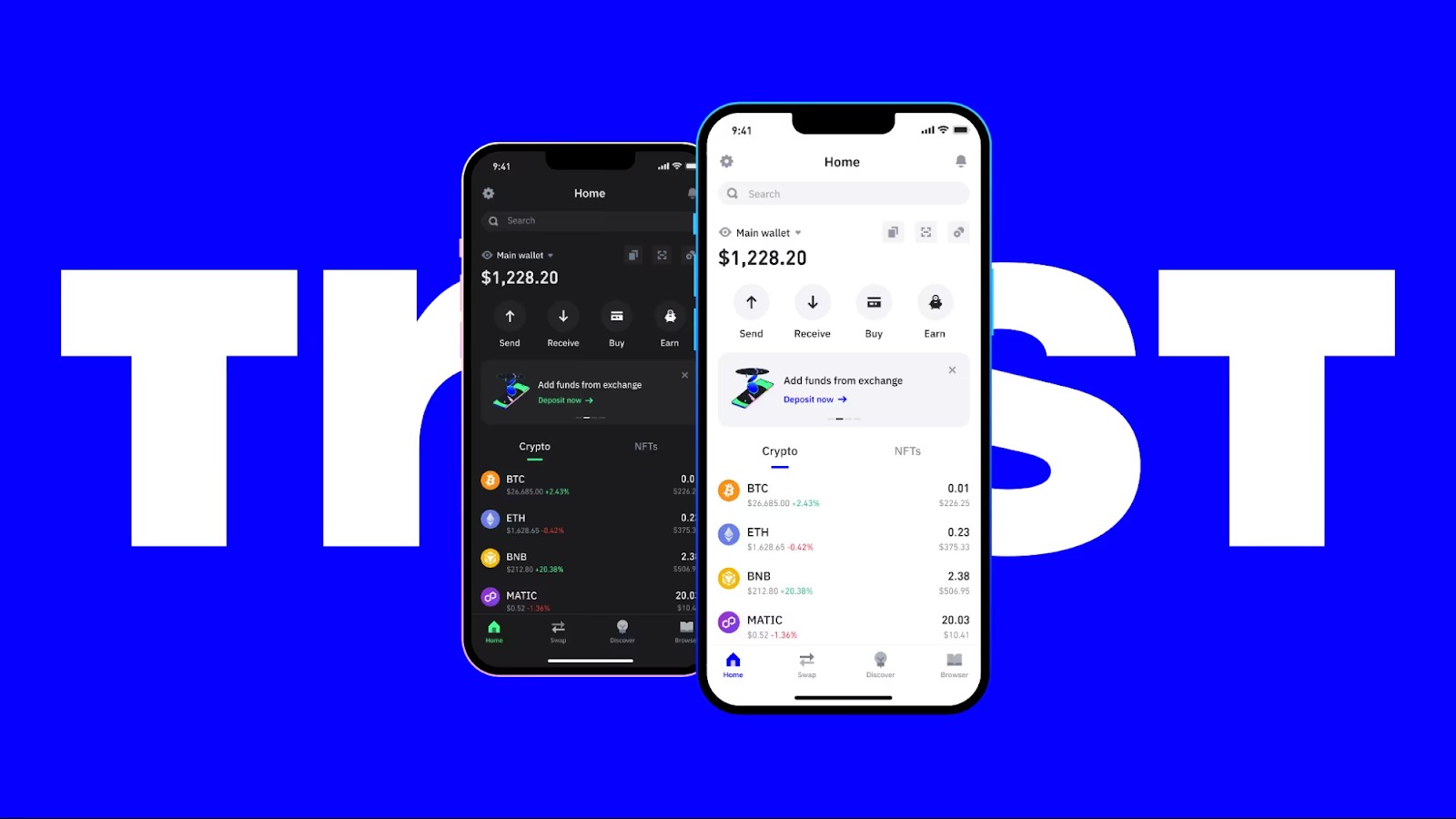
Although Trust Wallet is associated with Binance, it operates as a separate wallet app. It includes features such as staking, token swaps, a built-in DApp browser, NFT support, and access to Web3 services. Many Trust Wallet reviews highlight its broad asset support and mobile-first design, making it suitable for DeFi users, NFT collectors, and traders who want flexible wallet access from their phone.
Trust Wallet is available on iOS and Android and does not charge fees for basic wallet use. Users only pay blockchain network fees when sending transactions, while in-app crypto purchases through third-party providers may include additional charges.
| Feature | Details |
|---|---|
| Wallet type | Hot wallet, mobile |
| Supported platforms | iOS, Android |
| Supported coins & tokens | 4.5M+ including BTC, ETH, BNB, SOL, etc. |
| NFT support | Yes (Ethereum, BNB Chain, Solana NFTs) |
| Built-in staking & DApps | Yes (DApp browser and staking options) |
| Backup method | Recovery phrase |
| Price | Free |
| Ideal for | DeFi users, NFT collectors, mobile traders |
Key features of Trust Wallet
The Trust Wallet crypto ecosystem is designed to provide users with a single platform for storing, staking, swapping, and managing digital assets while accessing decentralized applications. Below are some of the wallet's core features.

Multi-chain support
Trust Wallet supports more than 100 blockchain networks, allowing users to manage a wide range of cryptocurrencies from a single application. Supported assets include major coins such as Bitcoin (BTC), Ethereum (ETH), BNB, and Solana (SOL), along with thousands of tokens across multiple blockchain standards.
NFT support
Trust Wallet includes built-in NFT functionality, enabling users to store, send, receive, and view NFT collections directly within the app. It supports NFTs on several popular networks, including Ethereum, BNB Chain, and Solana, making it a convenient option for collectors who prefer managing digital assets from a mobile device.
DApp browser
The wallet features Web3 connectivity that allows users to interact with decentralized applications, NFT marketplaces, blockchain games, and DeFi protocols. Popular platforms such as Uniswap, PancakeSwap, and OpenSea can be accessed directly through the wallet, eliminating the need to switch between multiple applications.
Built-in staking
Trust Wallet offers staking for a range of supported cryptocurrencies, including assets such as BNB, ATOM, and DOT. Users can delegate tokens to validators and earn staking rewards directly within the app, making it easy to participate in blockchain networks without relying on external services.
In-app crypto purchases
The wallet integrates with third-party payment providers such as MoonPay, Ramp, and Simplex, allowing users to purchase cryptocurrencies using bank cards and other payment methods. For those exploring what the Trust Wallet app offers, this feature provides a convenient way to acquire digital assets and begin using them immediately within the wallet ecosystem.
Pros and cons of Trust Wallet
Pros
Supports a wide range of cryptocurrencies, tokens, and NFTs across more than 100 blockchain networks.
Gives users full control over their private keys and digital assets through its non-custodial structure.
Includes built-in staking for selected cryptocurrencies, allowing users to earn rewards directly within the app.
Provides access to decentralized applications, DeFi platforms, NFT marketplaces, and blockchain games through Web3 integration.
Supports multiple wallet accounts, making it easier to separate portfolios for investing, trading, NFTs, or other activities.
Available on both iOS and Android with a user-friendly interface suitable for beginners and experienced users alike.
Cons
Does not offer direct fiat withdrawals to a bank account, requiring users to use an exchange or third-party service when converting crypto to cash.
Recovery depends entirely on the wallet's recovery phrase. If it is lost, access to funds cannot be restored.
As a hot wallet, it remains more exposed to phishing attempts, malware, and device-related security risks than hardware wallets.
Transaction costs depend on blockchain network fees, which can become expensive during periods of high congestion.
Staking rewards may vary and are not always as competitive as those offered by specialized staking platforms.
Trust Wallet security
Security is one of the main factors investors consider when choosing a cryptocurrency wallet. Trust Wallet uses a self-custody model, meaning users retain control of their private keys and digital assets rather than relying on a third party to hold funds.
Private key control
Trust Wallet stores private keys locally on the user's device, giving the wallet owner exclusive control over account access and transactions. This self-custody approach is one of the key reasons many investors researching how secure Trust Wallet is consider it a safer alternative to keeping assets on an exchange.
Recovery method
The wallet relies on a recovery phrase as its primary backup mechanism. If a device is lost or replaced, users can restore access using this phrase. However, if the recovery phrase is lost, access to the wallet cannot be recovered, making secure storage essential.
App security features
Trust Wallet supports PIN protection, biometric authentication, and password-based security measures on compatible devices. These features add an extra layer of protection against unauthorized access during everyday use.
Transparency and decentralization
A common question among users is whether Trust Wallet is decentralized. Because it is a non-custodial wallet, users maintain direct control over their assets and private keys. Parts of the project are open source, allowing developers and security researchers to review portions of the codebase.
Security limitations
Although Trust Wallet provides strong security for a mobile wallet, it does not offer the same level of protection as dedicated hardware wallets. As a hot wallet connected to the internet, it remains more vulnerable to phishing attacks, malicious applications, and device-level security threats.
User responsibility
Ultimately, Trust Wallet security depends not only on the application itself but also on user behavior. Protecting recovery phrases, avoiding suspicious links, verifying DApps before connecting, and maintaining device security are all critical steps for safeguarding digital assets. This is why the question “Is Trust Wallet safe?” depends as much on the user as it does on the wallet's built-in security features.
How to use Trust Wallet: A step-by-step guide
After downloading the wallet, follow these steps to set it up and start using it safely.
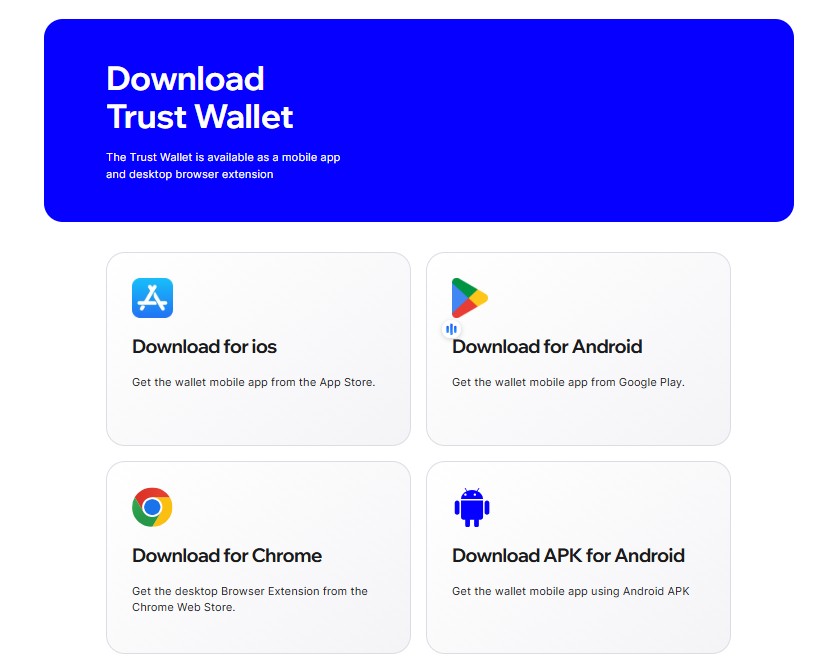
Step 1: Download the app
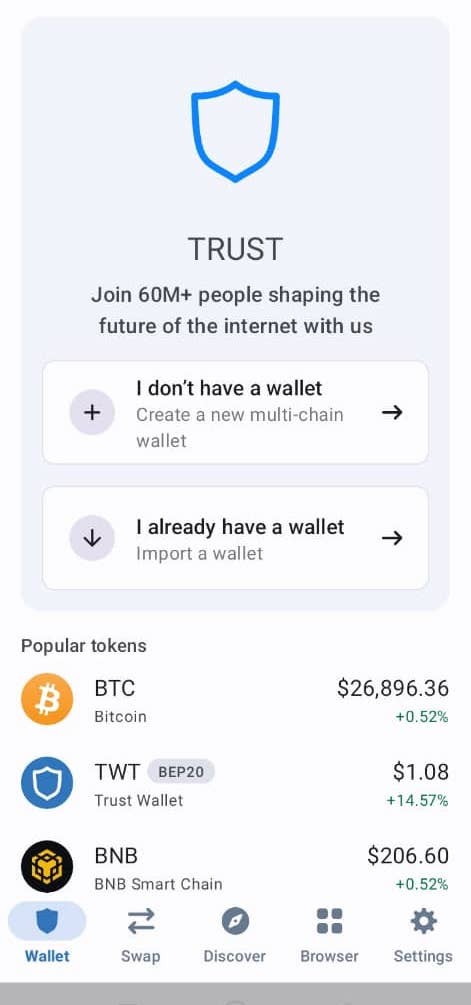
Go to the App Store or Google Play and search for “Trust Wallet.” Download only the official Trust Wallet app to avoid fake applications and phishing risks.
Step 2: Create a new wallet
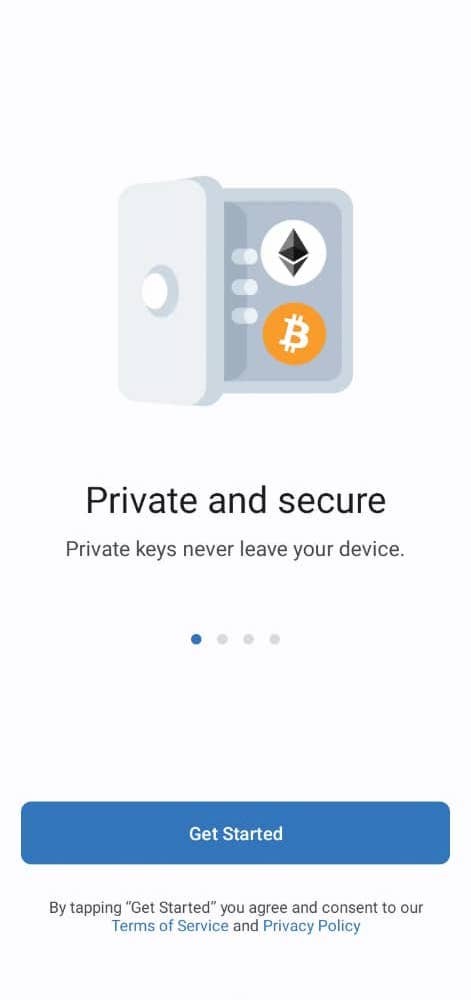
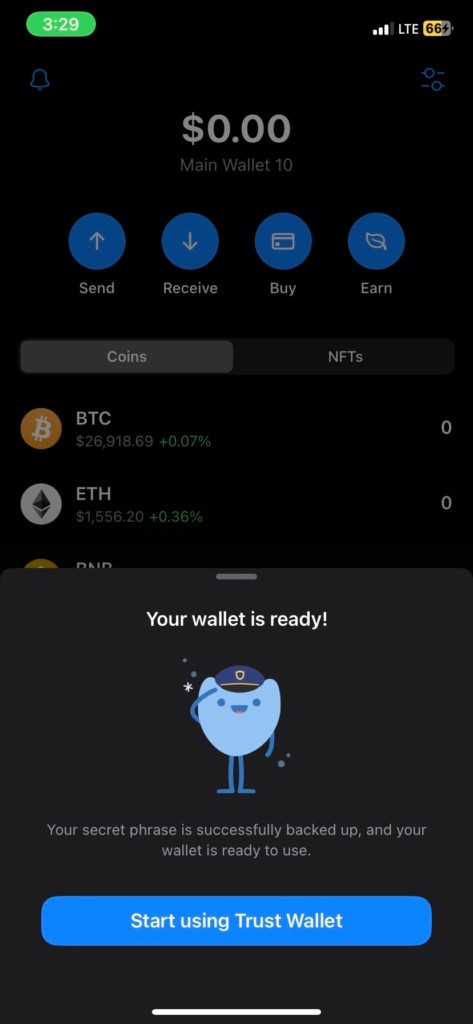
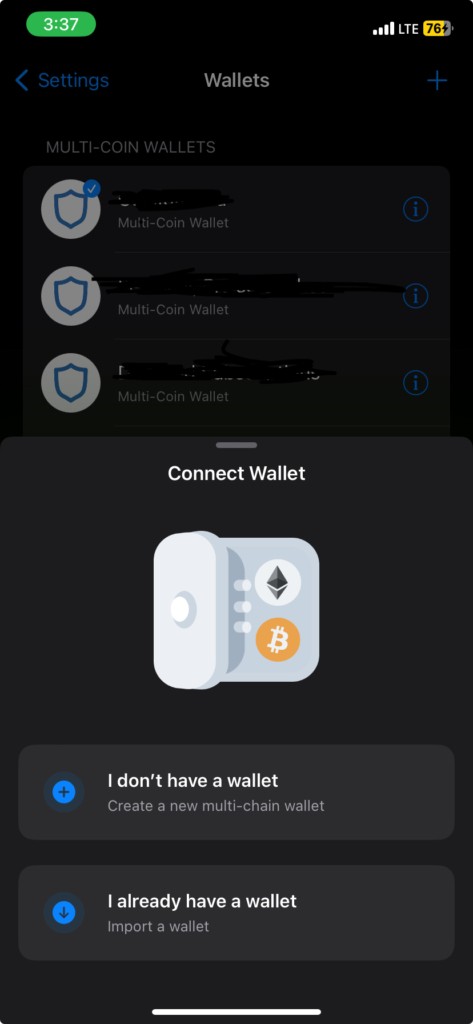
Open the app and select “Create a new wallet.” Accept the terms and write down your recovery phrase. This phrase is the only way to restore access if your device is lost or replaced, so store it offline and never share it.
Confirm the recovery phrase by entering the words in the correct order to complete the setup.
Step 3: Add crypto assets
Once the wallet is ready, tap “Receive” to generate an address for the asset you want to deposit. You can transfer crypto from an exchange or another wallet. Use the asset search or token management option to add coins and tokens you want to display.
Step 4: Swap or stake crypto
Use the swap feature to exchange supported tokens directly in the app. You can also open the staking or “Earn” section to view available staking options and potential rewards for supported assets.

Step 5: Explore DApps or connect via WalletConnect
Use the Web3 browser or WalletConnect to interact with decentralized exchanges, NFT marketplaces, blockchain games, and other decentralized applications. Before approving any transaction, review the website, permissions, wallet address, and network carefully.
Alternatives to Trust Wallet
Trust Wallet is one of the most popular self-custody wallets, but it is not the only option available. Depending on your preferred blockchain ecosystem, security requirements, and trading habits, several alternatives may be worth considering.
MetaMask Wallet
MetaMask is one of the leading wallets for Ethereum and other EVM-compatible networks. It offers strong integration with decentralized applications and DeFi protocols through both mobile and browser-based interfaces. However, support for non-EVM networks remains more limited than in Trust Wallet.
Coinbase Wallet
Coinbase Wallet is simple and works well for new users. It supports NFTs and DApps and connects easily with the Coinbase exchange. But it leans more centralized and has fewer options for managing custom tokens. Even so, it provides solid security and a design that suits casual users.
SafePal App
SafePal combines mobile wallet functionality with optional hardware wallet support, making it attractive to users who prioritize security. The platform supports a broad range of cryptocurrencies and blockchain networks and includes additional security features such as phishing protection and secure asset management tools.
Storing crypto on exchanges: An alternative to mobile wallets
While many investors prefer self-custody solutions such as Trust Wallet or Edge Wallet, others choose to store their assets directly on cryptocurrency exchanges. This approach offers convenience, allowing users to buy, sell, stake, and manage digital assets from a single platform without handling private keys or recovery phrases.
The trade-off is that exchanges control access to the funds. If a platform experiences technical issues, security breaches, or regulatory restrictions, users may temporarily lose access to their assets.
For investors who prioritize convenience and active trading, exchange storage can be a practical option. Those seeking greater control and independence often prefer self-custody wallets, particularly for long-term holdings and participation in DeFi applications.
The table below highlights some of the leading cryptocurrency exchanges for buying, selling, and managing digital assets.
| Foundation year | Min. Deposit, $ | Coins Supported | Spot Taker fee, % | Spot Maker Fee, % | Alerts | TU overall score | Open an account | |
|---|---|---|---|---|---|---|---|---|
| 2011 | 10 | 278 | 0.4 | 0.25 | Yes | 9.2 | Go to broker Your capital is at risk. |
|
| 2017 | 10 | 329 | 0.1 | 0.08 | Yes | 8.9 | Go to broker Your capital is at risk. |
|
| 2011 | 10 | 399 | 0.3 | 0.2 | No | 7.84 | Go to broker Your capital is at risk.
|
|
| 2012 | 10 | 249 | 0.5 | 0.5 | Yes | 7.68 | Go to broker Your capital is at risk. |
|
| 2014 | 5 | 30 | Not available | Not available | No | 7.6 | Go to broker Your capital is at risk.
|
Look beyond storage when evaluating crypto wallets

One of the advantages of Trust Wallet is that it combines several functions that crypto users often need in a single application. Beyond storing digital assets, the wallet allows users to stake supported cryptocurrencies, manage NFTs, and connect directly to decentralized applications without relying on additional software.
For beginners, staking is often one of the most attractive features. Trust Wallet simplifies the process by allowing users to delegate supported assets directly through the app, making it easier to earn rewards while maintaining control of their funds. This removes much of the complexity that new users typically encounter when interacting with blockchain validators and staking platforms.
Another strength of the wallet is its broad blockchain support. Investors can manage assets across multiple networks, interact with DeFi protocols, and explore emerging blockchain ecosystems without switching between several applications.
In my view, Trust Wallet is best suited for users seeking a balance between convenience and self-custody. It offers significantly more functionality than a basic storage wallet while remaining accessible enough for newcomers to the crypto market.
Conclusion
Trust Wallet stands out as a comprehensive self-custody mobile wallet, bringing together asset storage, staking, NFT management, and seamless DApp access under one user-friendly interface. Its support for over 100 blockchains and millions of tokens makes it a versatile tool for both DeFi enthusiasts and casual crypto holders. While users must take responsibility for safeguarding their recovery phrases and device security, Trust Wallet offers strong privacy and autonomy compared to storing assets on centralized exchanges. Features like in-app crypto purchases and built-in staking illustrate the wallet’s commitment to a full-service experience. Ultimately, Trust Wallet empowers users to control their digital assets confidently and conveniently, making it an excellent choice for those who value both flexibility and self-sovereignty in the crypto world.
FAQs
Does Trust Wallet support direct fiat withdrawals or conversions to cash?
How does Trust Wallet handle backup and recovery in the event of a lost device?
What types of fees can users expect when transacting with Trust Wallet?
What are the differences in security between Trust Wallet and hardware wallets?
Editors' Top Picks and Insights

Crypto test drive: How automakers are exploring digital assets

Lindsey Graham death: U.S. senator’s crypto legacy

Tether under pressure: USDT in Europe, audit questions, and the fight for trust

Lean Ethereum: Why Buterin wants to rebuild the network

SK Hynix debuts on Nasdaq: Largest U.S. offering by foreign company

SpaceX falls out of orbit: Does anyone still want Musk’s stock?
Related Articles
Team that worked on the article
Aleksandra Chaikina has been a contributor to Traders Union since 2021. With over 15 years of experience in copywriting and more than 5 years focused on financial content, she specializes in producing detailed guides, analytics, and comparative reviews across various sectors, including cryptocurrencies, Forex, investment strategies, and financial technologies.
Dan Blystone began his trading career in 1998 as an arbitrage clerk on the floor of the Chicago Mercantile Exchange (CME). He later traded bond and Eurex futures at proprietary firms such as Altea Trading, gaining valuable experience in high-frequency trading and risk management.
Chinmay Soni is a financial analyst with more than 5 years of experience in working with stocks, Forex, derivatives, and other assets. As a founder of a boutique research firm and an active researcher, he covers various industries and fields, providing insights backed by statistical data.
Index in trading is the measure of the performance of a group of stocks, which can include the assets and securities in it.
Xetra is a German Stock Exchange trading system that the Frankfurt Stock Exchange operates. Deutsche Börse is the parent company of the Frankfurt Stock Exchange.
An investor is an individual, who invests money in an asset with the expectation that its value would appreciate in the future. The asset can be anything, including a bond, debenture, mutual fund, equity, gold, silver, exchange-traded funds (ETFs), and real-estate property.
Crypto trading involves the buying and selling of cryptocurrencies, such as Bitcoin, Ethereum, or other digital assets, with the aim of making a profit from price fluctuations.
CFD is a contract between an investor/trader and seller that demonstrates that the trader will need to pay the price difference between the current value of the asset and its value at the time of contract to the seller.

-
 Afghanistan
-
 Albania
-
 Algeria
-
 Angola
-
 Argentina
-
 Armenia
-
 Australia
-
 Austria
-
 Azerbaijan
-
 Bahamas
-
 Bahrain
-
 Bangladesh
-
 Belarus
-
 Belgium
-
 Bolivia
-
 Botswana
-
 Brazil
-
 Brunei
-
 Bulgaria
-
 Cambodia
-
 Cameroon
-
 Canada
-
 Chile
Chile
-
 China
China
-
 Colombia
-
 Congo
Congo
-
 Costa Rica
-
 Cote d'Ivoire
-
 Croatia
-
 Cuba
Cuba
-
 Cyprus
-
 Czechia
-
 DR Congo
-
 Denmark
-
 Dominican Republic
-
 Ecuador
-
 Egypt
Egypt
-
 El Salvador
-
 Estonia
-
 Eswatini
-
 Ethiopia
-
 Finland
-
 France
-
 Georgia
-
 Germany
-
 Ghana
Ghana
-
 Greece
-
 Haiti
Haiti
-
 Hong Kong
-
 Hungary
-
 India
India
-
 Indonesia
-
 Iran, Islamic republic
-
 Iraq
Iraq
-
 Ireland
-
 Israel
-
 Italy
Italy
-
 Jamaica
-
 Japan
Japan
-
 Jordan
-
 Kazakhstan
-
 Kenya
Kenya
-
 Korea
Korea
-
 Kuwait
-
 Kyrgyzstan
-
 Laos
Laos
-
 Latvia
-
 Lebanon
-
 Lesotho
-
 Libya
Libya
-
 Lithuania
-
 Luxembourg
-
 Madagascar
-
 Malaysia
-
 Malta
Malta
-
 Mauritius
-
 Mexico
-
 Moldova
-
 Mongolia
-
 Montenegro
-
 Morocco
-
 Mozambique
-
 Myanmar
-
 Namibia
-
 Nepal
Nepal
-
 Netherlands
-
 New Zealand
-
 Nigeria
-
 North Macedonia
-
 Norway
-
 Oman
Oman
-
 Pakistan
-
 Palestine
-
 Panama
-
 Papua New Guinea
-
 Paraguay
-
 Peru
Peru
-
 Philippines
-
 Poland
-
 Portugal
-
 Puerto Rico
-
 Qatar
Qatar
-
 Reunion
-
 Romania
-
 Rwanda
-
 Saudi Arabia
-
 Serbia
-
 Singapore
-
 Slovakia
-
 Slovenia
-
 Somalia
-
 South Africa
-
 Spain
Spain
-
 Sri Lanka
-
 Sweden
-
 Switzerland
-
 Syria
Syria
-
 Taiwan
-
 Tajikistan
-
 Tanzania
-
 Thailand
-
 Trinidad and Tobago
-
 Tunisia
-
 Turkey
-
 UAE
UAE
-
 Uganda
-
 Ukraine
-
 United Kingdom
-
United States
-
 Uruguay
-
 Uzbekistan
-
 Venezuela
-
 Vietnam
-
 Yemen
Yemen
-
 Zambia
-
 Zimbabwe
- Forex
- Crypto