
SafePal Wallet Review (2026)


Editorial Note: While we adhere to strict Editorial Integrity, this post may contain references to products from our partners. Here's an explanation for How We Make Money. None of the data and information on this webpage constitutes investment advice according to our Disclaimer.
SafePal Wallets (X1, S1, and S1 Pro) are still a reliable and budget-friendly option for securing your crypto assets offline in 2026. With support for over 10,000 tokens, mobile-first tools, and strong security features like air-gapped QR code signing and EAL5+ secure chips, SafePal offers a solid mix of safety, convenience, and cost-effectiveness.
SafePal has become known for delivering secure wallets that are easy to use at an affordable cost. In this review, we’ll examine closely SafePal’s full hardware wallet lineup, including the X1, S1, and S1Pro. We’ll review essential features, how they compare, pricing, supported coins, mobile app functions, as well as comparable alternatives.
Risk warning: Cryptocurrency markets are highly volatile, with sharp price swings and regulatory uncertainties. Research indicates that 75-90% of traders face losses. Only invest discretionary funds and consult an experienced financial advisor.
SafePal Wallet overview
SafePal makes three hardware wallets that prioritize security, convenience, and affordability:
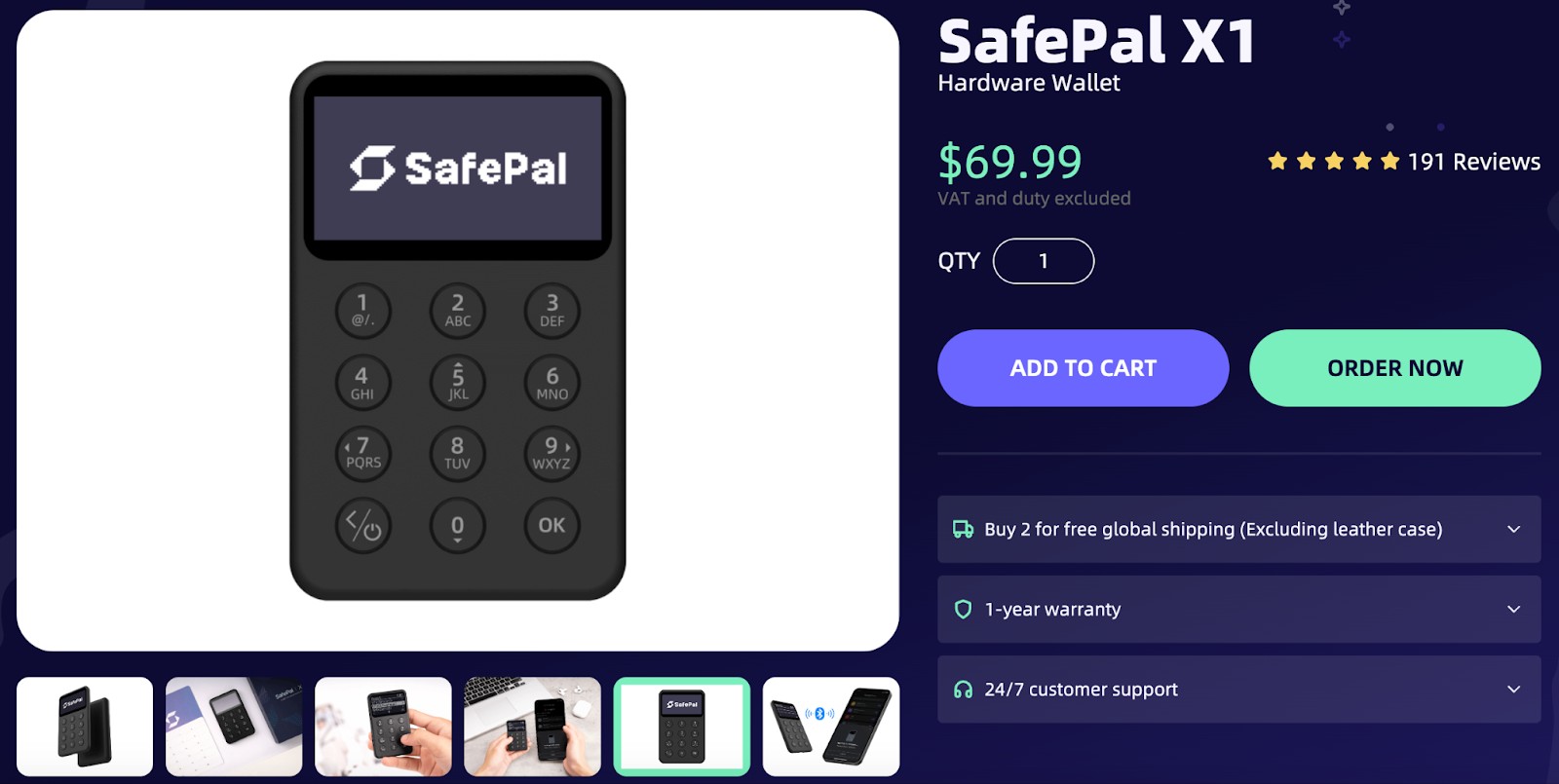
SafePal X1 is SafePal’s newest Bluetooth-enabled hardware wallet.
It connects to the SafePal mobile app via Bluetooth Low Energy (BLE) for managing assets and signing transactions.
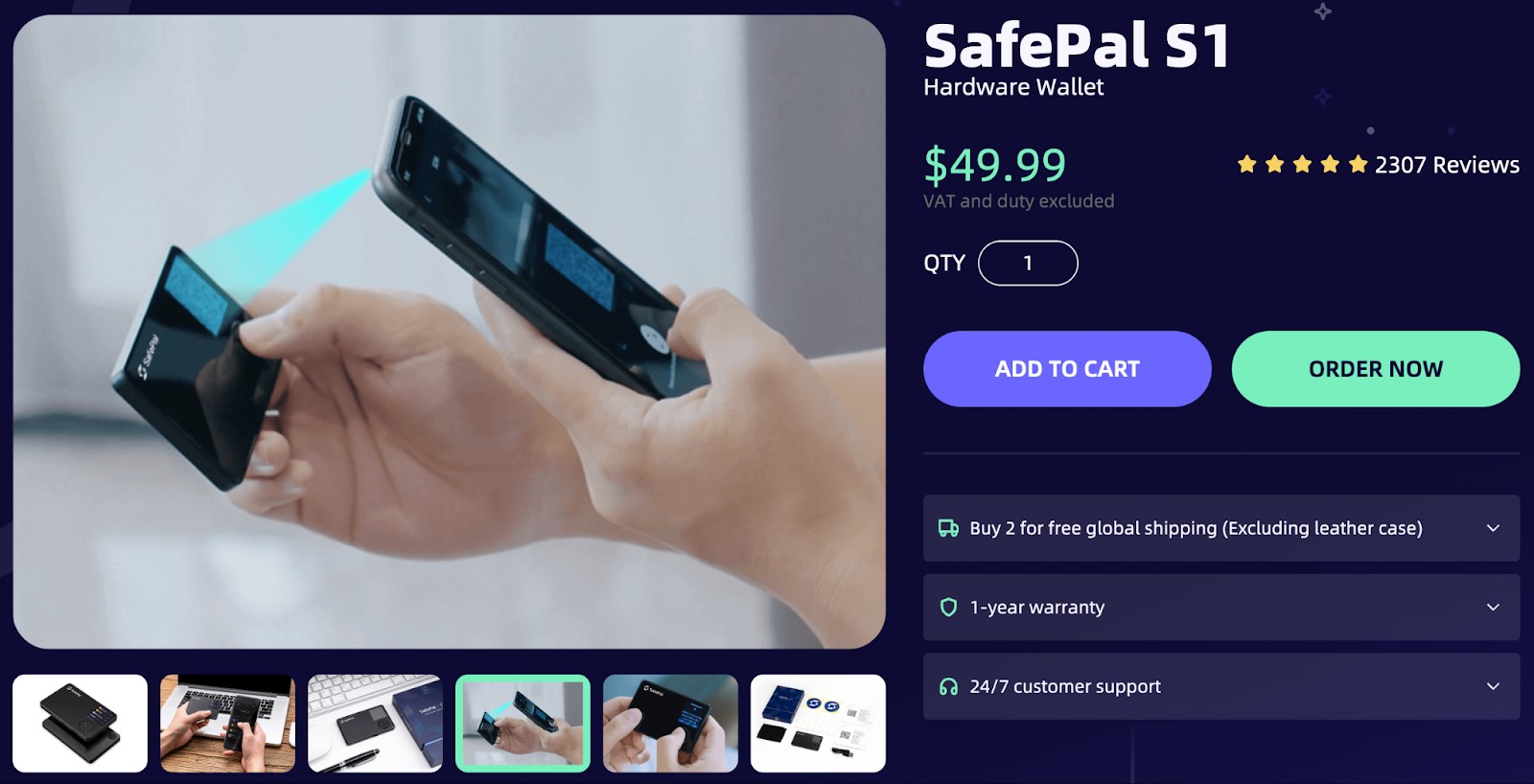
SafePal S1 keeps things completely offline by using QR codes to sign transactions — no Bluetooth, no cables.
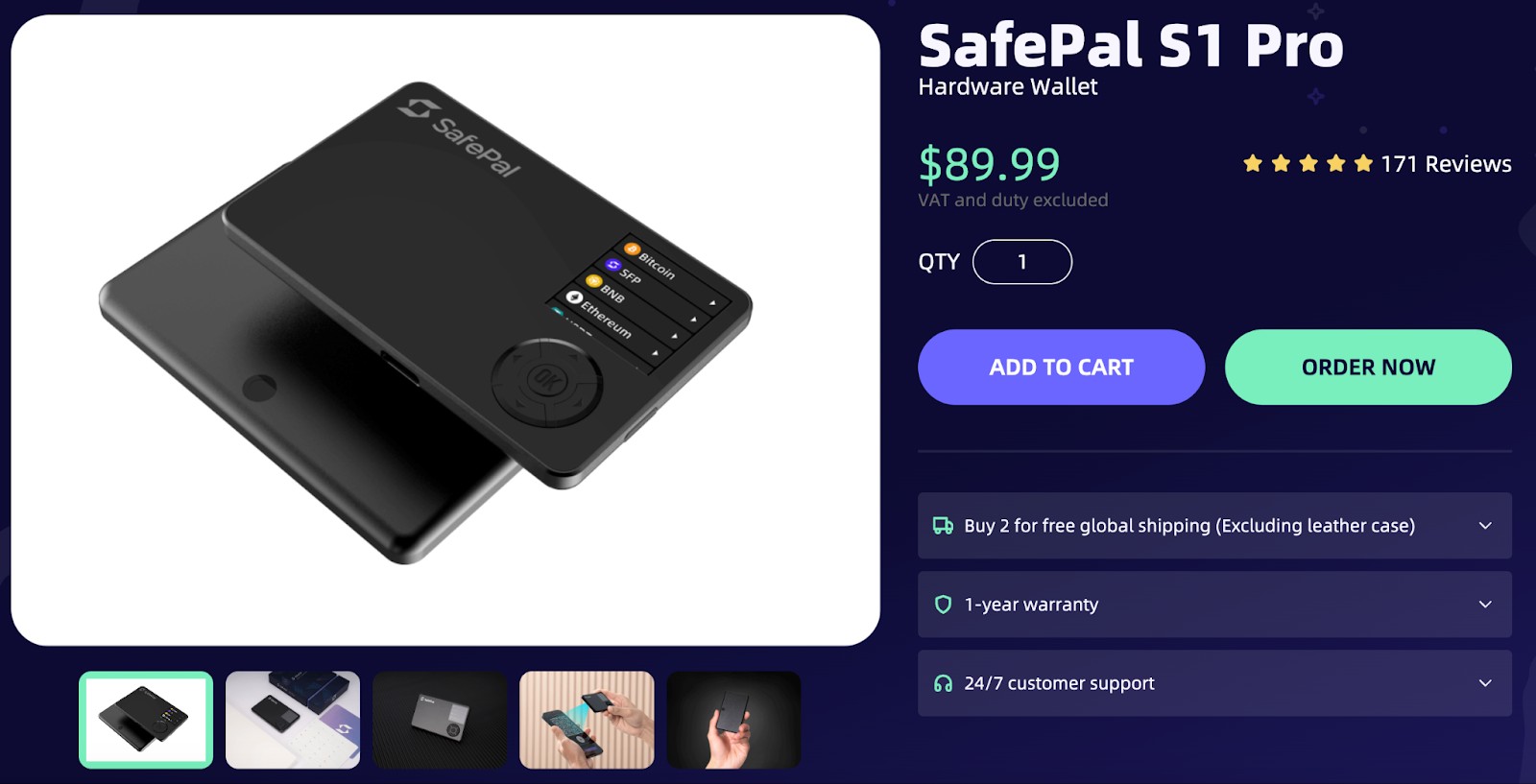
SafePal S1 Pro builds on the original with faster speed, a clearer screen, and better battery life.
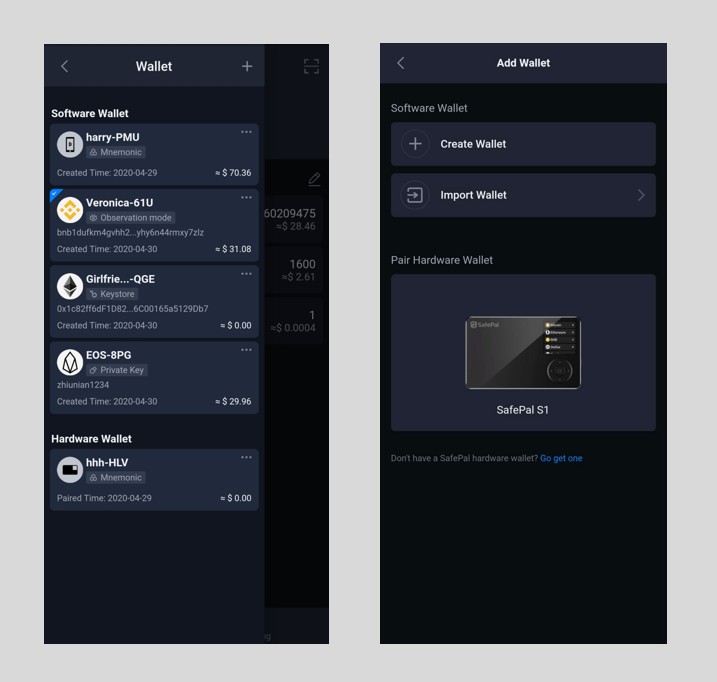
All three are built for mobile-first users who want a simple, secure way to manage their crypto. They pair easily with the SafePal app and give you full control over your assets — no subscriptions or hidden fees.
Air-gapped vs USB
The S1 and S1Pro never connect to the internet, either physically or wirelessly. They sign transactions using QR codes, which keeps them safe from most remote attacks. This setup is perfect for users who want complete offline protection.
The USB-C port is used only for charging the device and performing firmware updates, not for day-to-day transaction signing. It’s not fully offline, but it stays secure with encrypted transfers and a built-in security chip. If you care more about speed and ease than staying offline, the X1 might be a better fit.
Connectivity
SafePal X1 connects to the SafePal app wirelessly via Bluetooth. The USB-C cable is used only for charging and firmware updates, not for transaction signing or wallet management. S1 and S1 Pro use the camera to scan QR codes—no Bluetooth, WiFi, or cables involved.
Because there’s no wireless connection on the S1 models, there are fewer ways for someone to try to break in. The X1, meanwhile, offers a faster plug-and-go experience.
Battery
Both the S1 and S1Pro have built-in batteries, but the Pro lasts longer, which is handy for frequent use or travel.
SafePal X1 has a built-in rechargeable battery, which is charged via USB-C.
This allows the device to operate wirelessly when connected to the SafePal app over Bluetooth.
Supported coins
SafePal lets you manage popular assets such as BTC, ETH, BNB, SOL, TRX, MATIC, DOT, and more. It works seamlessly with both mainnets and token standards like ERC-20, BEP-20, TRC-20, and SPL.
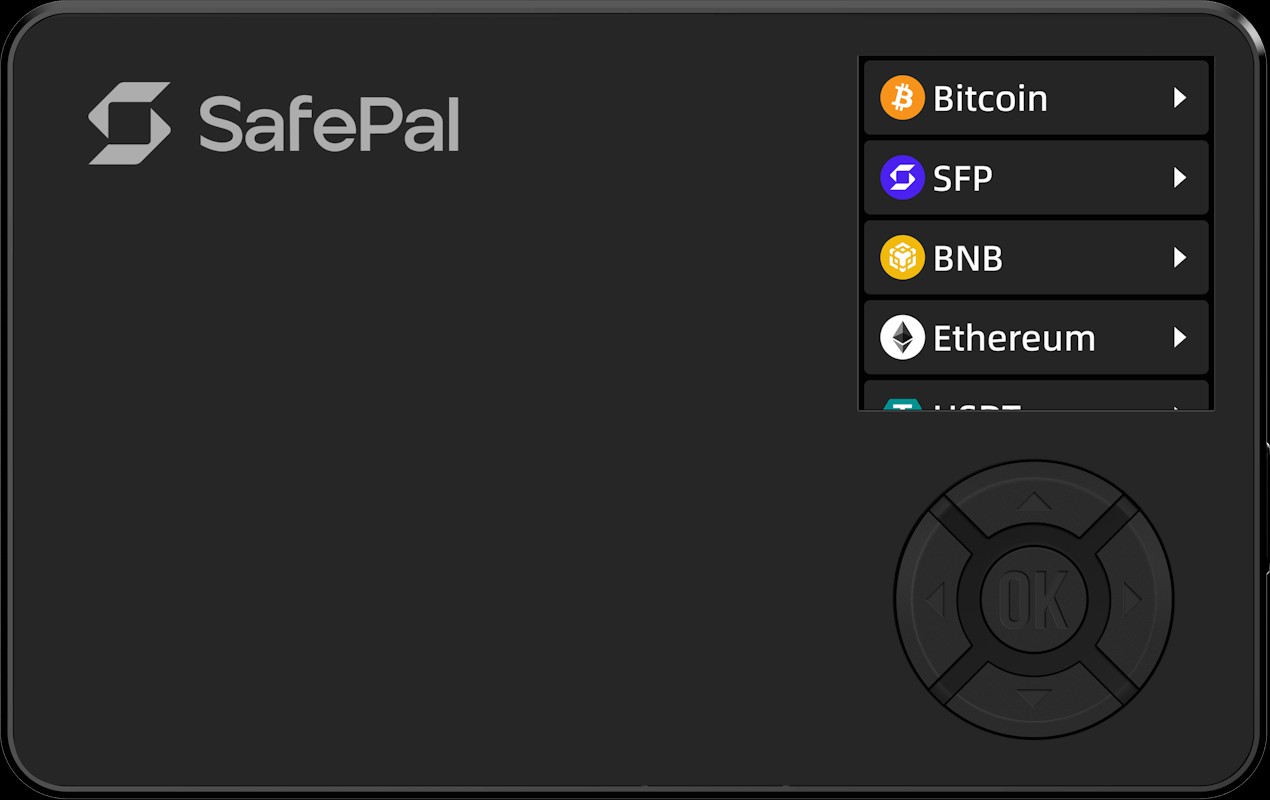
SafePal integrates with built-in DEX aggregators and Web3 services inside the SafePal app, allowing users to swap tokens without exposing private keys.
While some services are Binance-affiliated, SafePal does not require users to custody assets with Binance itself.
Open-source status
While SafePal hasn't made all of its code open-source, they've shared some parts of the firmware and app with the public. Tech-savvy users might lean towards completely open-source options, yet SafePal's security measures have earned positive feedback from the community. For those prioritizing full transparency, this could be a drawback when compared to wallets like Keystone or Ledger, which offer open-source UI components.
Security chip
Every SafePal model incorporates an EAL5+ Secure Element chip, matching the security standards found in banking hardware. This chip keeps your private keys encrypted and safely isolated. It also guards against physical attacks, tampering, and efforts to extract sensitive data — even if someone gets hold of your device.
SafePal wallets price
When evaluating SafePal's hardware wallets, it's intriguing to note that the SafePalX1, priced at $69.99, offers features comparable to the Ledger Nano X, which is listed at €149. Both devices support USB-C connectivity and Bluetooth, and are equipped with a CC EAL5+ secure element chip. However, the SafePal X1 provides these functionalities at less than half the cost, presenting a compelling value proposition for users seeking advanced security without the premium price tag.
Additionally, SafePal's commitment to affordability is evident across its product range. The SafePal S1 hardware wallet is available for $49.99, offering a cost-effective solution without compromising on security features. For those seeking enhanced specifications, the SafePalS1Pro is priced at $89.99, still remaining competitively priced compared to other market alternatives. This strategic pricing underscores SafePal's dedication to making secure crypto storage accessible to a broader audience.
Who is SafePal wallet best for?
| Feature | SafePal X1 | SafePal S1 | SafePal S1 Pro |
|---|---|---|---|
| Build & Design | Compact, Bluetooth-enabled, rechargeable battery | Larger screen, physical buttons, uses QR scanning | Bigger screen, faster performance, improved battery |
| User Type | Ideal for plug-and-play users, beginners | Balanced choice for general users | Best for active traders and long-term holders |
| Convenience | Wireless mobile use via Bluetooth | Requires phone + device + camera, slower process | Same as S1 but with smoother performance |
| Security Level | Secure for daily use, but not fully air-gapped due to Bluetooth connectivity | High security, fully air-gapped QR communication | Higher performance cold wallet with top-tier security |
X1 is ideal for beginners and plug-and-play users.
S1 suits privacy-conscious users who want maximum offline security.
S1 Pro is best for power users who frequently transact and need better battery, display, and performance.
Pros and cons of SafePal wallets
- Pros
- Cons
No live connection even during QR scanning. Unlike most wallets that go briefly online during QR code scanning, SafePal keeps the private key environment completely air-gapped, even while executing transactions — this eliminates exposure during those crucial seconds.
Burn-proof asset recovery. If your SafePal device is physically damaged (burnt, broken, etc.), the recovery using mnemonic phrases is fully optimized for even non-techies via their guided offline recovery flow, which feels more like restoring a phone than a wallet.
Integrated swap avoids KYC traps. Built-in DEX access inside the wallet means you can swap tokens without touching centralized exchanges — this is gold for users avoiding KYC flags or jurisdictional exposure.
Offline ≠ invisible to supply chain backdoors. Just because it's offline doesn’t mean it’s immune — if you bought SafePal from unofficial sources, the firmware could be tampered with. Always verify signatures via their GitHub before first use.
Can't mix UTXOs manually. If you’re using Bitcoin, SafePal lacks advanced coin control for UTXO management, which can leak your privacy in multi-input transactions — privacy nerds, beware.
Firmware upgrades can trap you. Missing a firmware update for too long? Some token standards (like new ERCs or BRC updates) might not be supported retroactively. You could get locked out of interacting with newer assets.
SafePal X1 setup via Bluetooth
Setting up the SafePal X1 is designed to be quick and fully mobile-first. Unlike traditional USB-based hardware wallets, the X1 relies on encrypted Bluetooth connectivity to communicate with the SafePal mobile app.
Step 1: Turn on the SafePal X1 device
Press and hold the power button to turn on the SafePal X1. Make sure the device has sufficient battery charge before starting the setup. If needed, charge it using the USB-C cable before proceeding.
Step 2: Install and open the SafePal mobile app
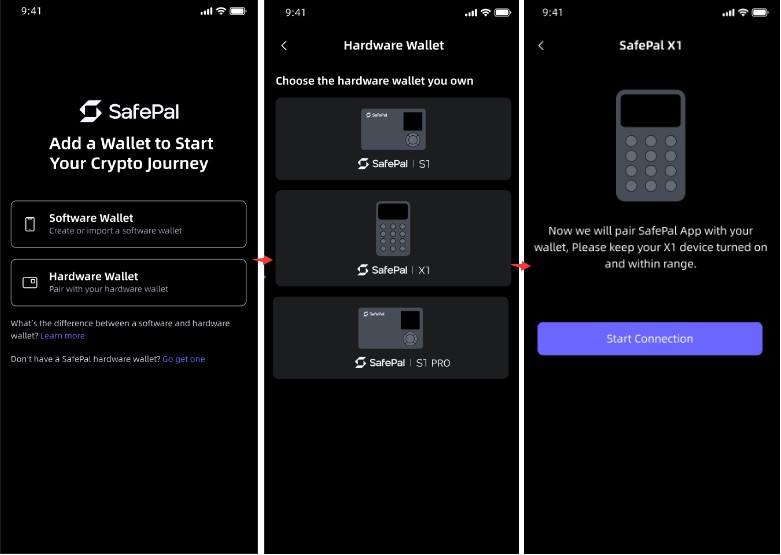
Download the official SafePal app from the App Store or Google Play. Once installed, open the app and choose the option to add a new hardware wallet.
Always verify that you’re using the official SafePal app to avoid phishing or counterfeit software.
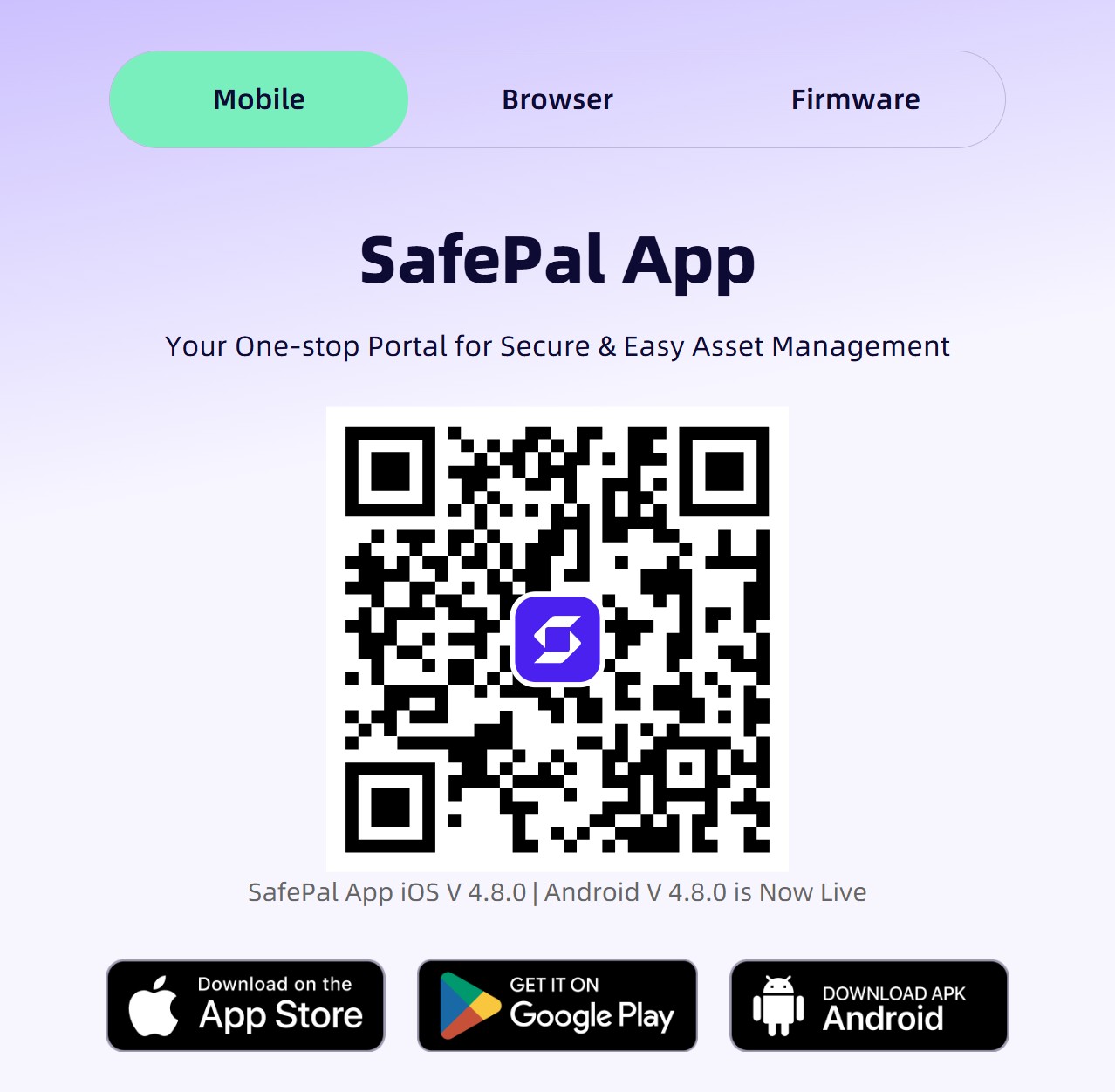
Step 3: Enable Bluetooth on your smartphone
Turn on Bluetooth in your phone’s system settings. SafePal X1 uses Bluetooth Low Energy (BLE), which is optimized for secure, low-power communication.
Step 4: Pair the X1 with the SafePal app
Follow the on-screen instructions in the SafePal app to pair the device.
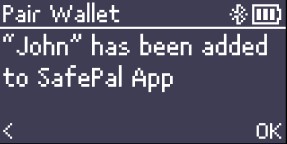
The app will search for nearby SafePal X1 devices – confirm the pairing request directly on the hardware wallet to ensure you’re connecting to the correct device.
This step establishes an encrypted connection between the X1 and your phone.
Step 5: Create or import a wallet
Once paired, you can either:
Create a new wallet, generating a fresh recovery phrase on the device, or
Import an existing wallet using your recovery phrase.
Carefully write down your recovery phrase and store it offline in a secure location. This phrase is the only way to recover your assets if the device is lost or damaged.
Step 6: Confirm and manage transactions
After setup is complete, you can send, receive, and manage crypto assets through the SafePal app.
All sensitive actions – such as transaction signing – must be physically confirmed on the SafePal X1 device, ensuring that private keys never leave the hardware wallet.
This Bluetooth-based workflow balances convenience and security, making the X1 suitable for users who want fast mobile access without relying on USB connections.
SafePal S1 & S1 Pro setup via QR scanning
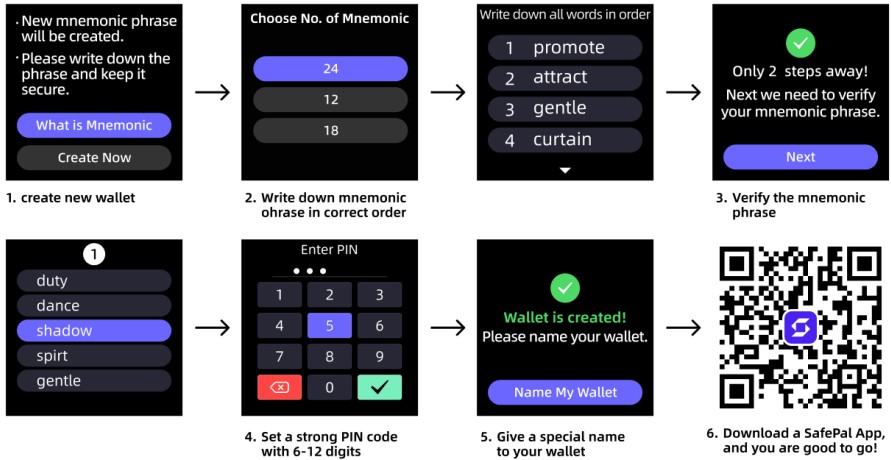
Step 1: Power on the device and begin pairing
Turn on your SafePal hardware wallet and open the SafePal app on your phone. Scan the QR code shown in the app to start the pairing process between the device and the app.

Step 2: Create or import your wallet
After pairing, follow the prompts to create a new wallet or import an existing one. You’ll need to securely back up your recovery phrase during this step.
Step 3: Send transactions securely
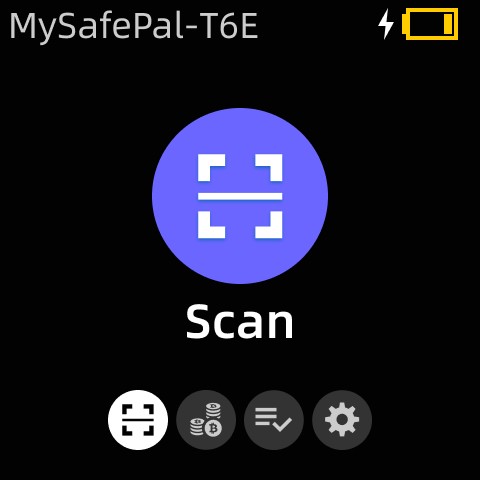
When sending crypto, the app generates a QR code with the transaction details. Use the device camera to scan it, then sign the transaction and display a response QR code.
Step 4: Finalize the transaction in the app
Scan the signed QR code back into the SafePal app to complete the transaction. This process keeps your private keys offline, ensuring maximum security.
Alternatives to SafePal wallets
ELLIPAL Titan
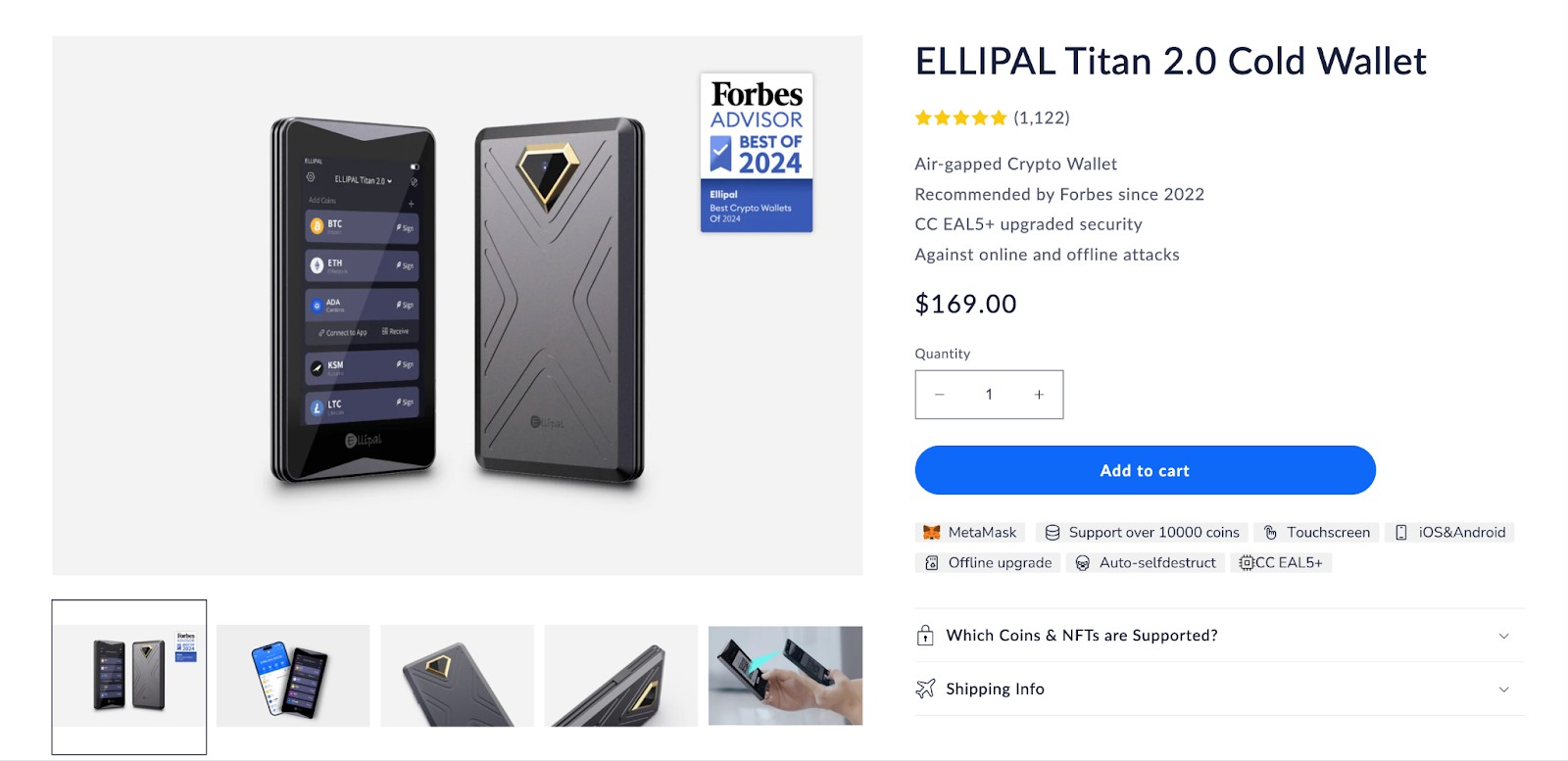
ELLIPAL comes with complete air-gap protection and a sturdy metal build, making it well-suited for those who prioritize physical safety alongside digital security. It’s priced higher but includes a touchscreen, which adds ease of use. Ideal for users who are ready to invest more for full cold storage confidence.
Keystone Pro
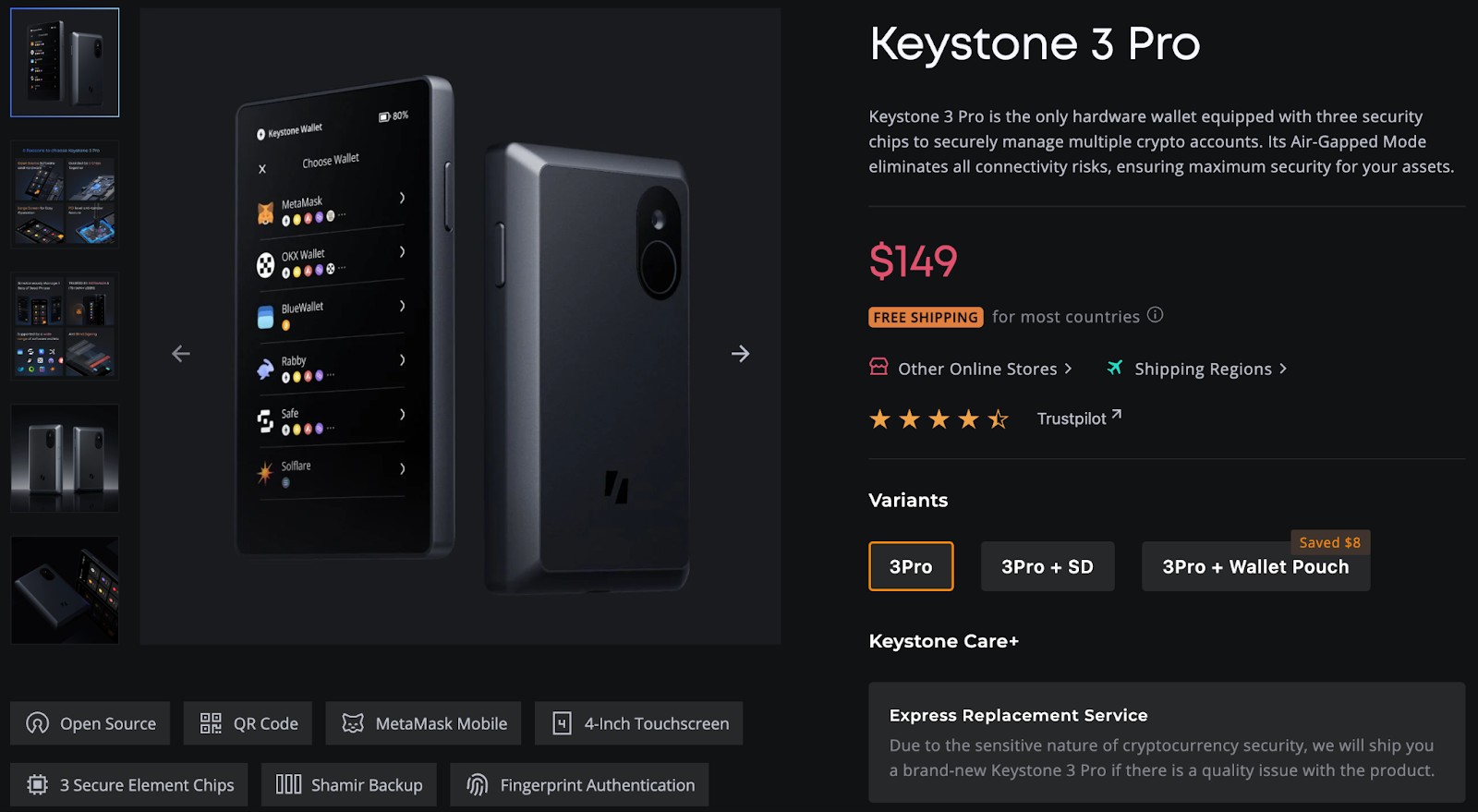
Keystone relies on QR-based signing and runs on open-source firmware, appealing to users who value transparency. It combines strong security features with a polished touchscreen design.
Ledger Nano S Plus
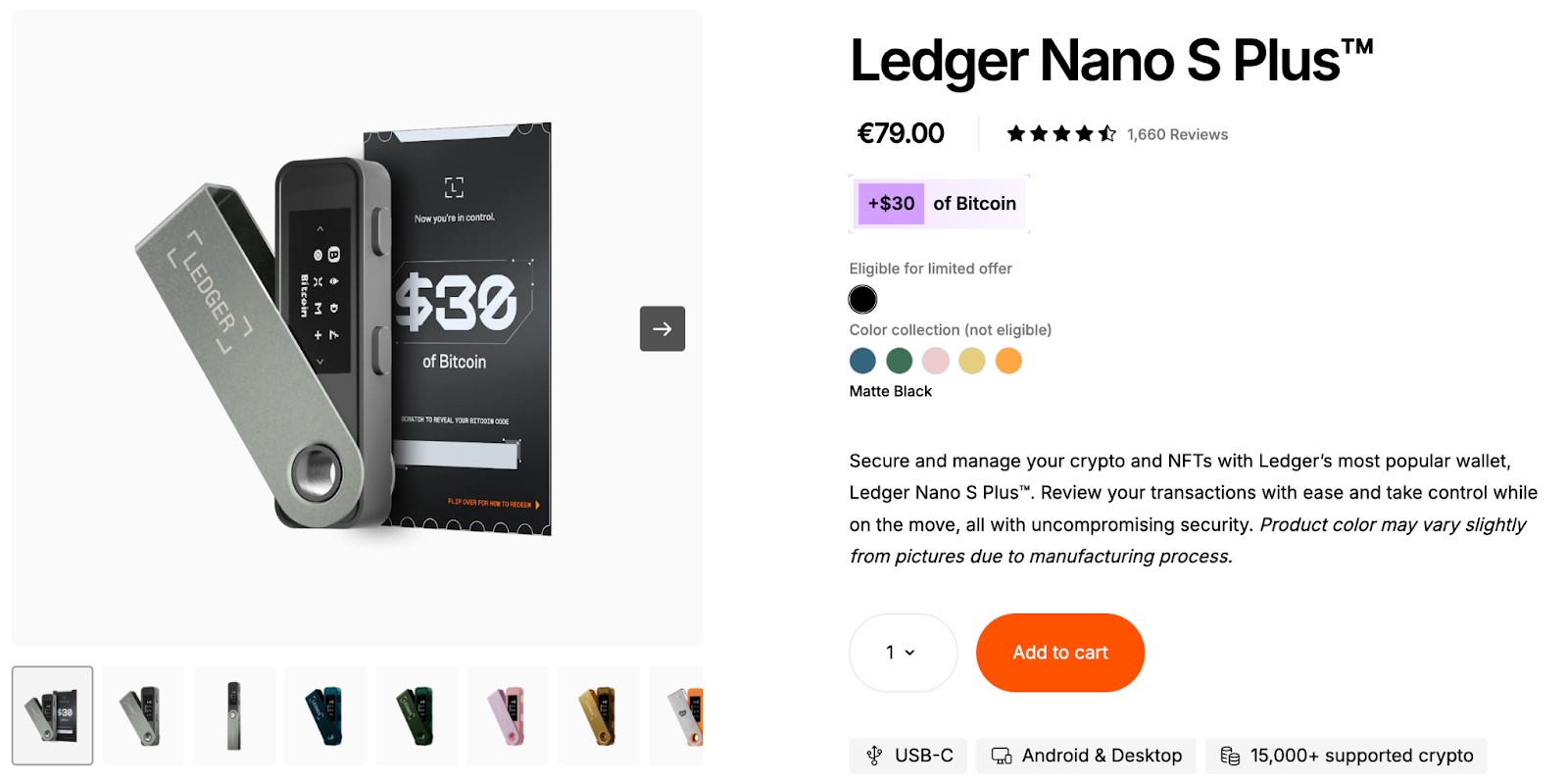
The Nano S Plus is a straightforward and budget-friendly hardware wallet that connects via USB and works seamlessly with Ledger Live. While it lacks air-gapping, it’s easy to operate and supports a wide range of assets. Suitable for users who prefer desktop-based wallets and trust Ledger’s overall platform.
Storing crypto on exchanges: An alternative to hardware wallets
While leaving crypto on exchanges may seem convenient, it's not the safest method. You're trusting a third party with your private keys, making them a target for hacks or policy changes. Regulation is one of the key parameters to judge the security of any exchange. In line with the same, the top exchanges known for their reliable security (and strict regulatory oversight) are listed in the table below:
| Coinbase | Crypto.com | BTCC | Kraken | Nexo | |
|---|---|---|---|---|---|
|
Crypto |
Yes | Yes | Yes | Yes | Yes |
|
Foundation year |
2012 | 2016 | 2011 | 2011 | 2018 |
|
Min. Deposit, $ |
10 | 1 | 10 | 10 | No |
|
Coins Supported |
400+ | 400+ | 399 | 400+ | 100 |
|
Spot Taker fee, % |
0.5 | 0.5 | 0.3 | 0.4 | 0.07 |
|
Spot Maker Fee, % |
0.5 | 0.25 | 0.2 | 0.25 | 0.04 |
|
Alerts |
Yes | Yes | No | Yes | Yes |
|
Copy trading |
No | No | Yes | Yes | No |
|
Tier-1 regulation |
Yes | Yes | Yes | Yes | Yes |
|
TU overall score |
7.84 | 7.8 | 7.6 | 7.58 | 6.57 |
|
Open an account |
Go to broker Your capital is at risk. |
Go to broker Your capital is at risk. |
Go to broker Your capital is at risk.
|
Go to broker Your capital is at risk. |
Go to broker Your capital is at risk.
|
Why trust us
15+ years of independent market analysis
140+ evaluation criteria, reviewed by 50+ experts
Data-driven reviews of 200+ platforms, updated regularly
20+ industry awards & a wide network of global media partners
Learn more about our methodology and editorial policies.


However, it's best to know that a hardware wallet like SafePal ensures you own your keys, giving you full control and access at all times, even if the internet disappears.
SafePal quietly ties you to Binance and why seed generation matters more than you think

If you’re eyeing the SafePal S1 in 2026, don’t just look at its specs — look at the ecosystem it silently locks you into. SafePal isn’t just a wallet, it’s a gateway to Binance's broader infrastructure. From token swaps to staking and bridging, most in-app functions are routed through Binance-affiliated services. That means if you’re someone who wants to stay decentralized or anonymous, you're still technically dancing on centralized rails.
Another overlooked point? SafePal's offline signing feature feels bulletproof — but its security comes down to how you generate and store your seed. The wallet doesn’t force entropy checks or hardware-based randomness, so if you’re generating your seed using a weak RNG tool or printing your seed phrase from a website, you’re putting everything at risk before even loading your first token.
Conclusion
SafePal wallets continue to set the benchmark for budget-friendly and secure crypto storage, making them a strong choice for both beginners and experienced users seeking control over their assets. With options like the air-gapped S1 Pro for maximum offline security and the Bluetooth-enabled X1 for mobile convenience, SafePal offers flexibility without inflating costs. However, users should be mindful of the wallet’s close ties to Binance's infrastructure and the importance of strong seed phrase generation to truly guarantee security. Ultimately, owning your keys with a SafePal wallet empowers you to be the true custodian of your digital wealth, marking a critical step toward financial independence in the evolving crypto landscape.
FAQs
What security measures does SafePal Wallet implement to protect against physical tampering and key extraction?
How does SafePal Wallet handle asset recovery if the device is lost or damaged?
Are firmware updates essential for maintaining support for new tokens on SafePal Wallets?
Can users swap tokens within SafePal Wallet without exposing their private keys or using centralized exchanges?
Editors' Top Picks and Insights






Related Articles
Team that worked on the article
Alamin Morshed is a contributor at Traders Union. He specializes in writing articles for businesses that want to improve their Google search rankings to compete with their competition.
Dan Blystone began his trading career in 1998 as an arbitrage clerk on the floor of the Chicago Mercantile Exchange (CME). He later traded bond and Eurex futures at proprietary firms such as Altea Trading, gaining valuable experience in high-frequency trading and risk management.
Chinmay Soni is a financial analyst with more than 5 years of experience in working with stocks, Forex, derivatives, and other assets. As a founder of a boutique research firm and an active researcher, he covers various industries and fields, providing insights backed by statistical data.
Bitcoin is a decentralized digital cryptocurrency that was created in 2009 by an anonymous individual or group using the pseudonym Satoshi Nakamoto. It operates on a technology called blockchain, which is a distributed ledger that records all transactions across a network of computers.
Cryptocurrency is a type of digital or virtual currency that relies on cryptography for security. Unlike traditional currencies issued by governments (fiat currencies), cryptocurrencies operate on decentralized networks, typically based on blockchain technology.
Copy trading is an investing tactic where traders replicate the trading strategies of more experienced traders, automatically mirroring their trades in their own accounts to potentially achieve similar results.
Risk management is a risk management model that involves controlling potential losses while maximizing profits. The main risk management tools are stop loss, take profit, calculation of position volume taking into account leverage and pip value.
Index in trading is the measure of the performance of a group of stocks, which can include the assets and securities in it.

-
 Afghanistan
-
 Albania
-
 Algeria
-
 Angola
-
 Argentina
-
 Armenia
-
 Australia
-
 Austria
-
 Azerbaijan
-
 Bahamas
-
 Bahrain
-
 Bangladesh
-
 Belarus
-
 Belgium
-
 Bolivia
-
 Botswana
-
 Brazil
-
 Brunei
-
 Bulgaria
-
 Cambodia
-
 Cameroon
-
 Canada
-
 Chile
Chile
-
 China
China
-
 Colombia
-
 Congo
Congo
-
 Costa Rica
-
 Cote d'Ivoire
-
 Croatia
-
 Cuba
Cuba
-
 Cyprus
-
 Czechia
-
 DR Congo
-
 Denmark
-
 Dominican Republic
-
 Ecuador
-
 Egypt
Egypt
-
 El Salvador
-
 Estonia
-
 Eswatini
-
 Ethiopia
-
 Finland
-
 France
-
 Georgia
-
 Germany
-
 Ghana
Ghana
-
 Greece
-
 Haiti
Haiti
-
 Hong Kong
-
 Hungary
-
 India
India
-
 Indonesia
-
 Iran, Islamic republic
-
 Iraq
Iraq
-
 Ireland
-
 Israel
-
 Italy
Italy
-
 Jamaica
-
 Japan
Japan
-
 Jordan
-
 Kazakhstan
-
 Kenya
Kenya
-
 Korea
Korea
-
 Kuwait
-
 Kyrgyzstan
-
 Laos
Laos
-
 Latvia
-
 Lebanon
-
 Lesotho
-
 Libya
Libya
-
 Lithuania
-
 Luxembourg
-
 Madagascar
-
 Malaysia
-
 Malta
Malta
-
 Mauritius
-
 Mexico
-
 Moldova
-
 Mongolia
-
 Montenegro
-
 Morocco
-
 Mozambique
-
 Myanmar
-
 Namibia
-
 Nepal
Nepal
-
 Netherlands
-
 New Zealand
-
 Nigeria
-
 North Macedonia
-
 Norway
-
 Oman
Oman
-
 Pakistan
-
 Palestine
-
 Panama
-
 Papua New Guinea
-
 Paraguay
-
 Peru
Peru
-
 Philippines
-
 Poland
-
 Portugal
-
 Puerto Rico
-
 Qatar
Qatar
-
 Reunion
-
 Romania
-
 Rwanda
-
 Saudi Arabia
-
 Serbia
-
 Singapore
-
 Slovakia
-
 Slovenia
-
 Somalia
-
 South Africa
-
 Spain
Spain
-
 Sri Lanka
-
 Sweden
-
 Switzerland
-
 Syria
Syria
-
 Taiwan
-
 Tajikistan
-
 Tanzania
-
 Thailand
-
 Trinidad and Tobago
-
 Tunisia
-
 Turkey
-
 UAE
UAE
-
 Uganda
-
 Ukraine
-
 United Kingdom
-
United States
-
 Uruguay
-
 Uzbekistan
-
 Venezuela
-
 Vietnam
-
 Yemen
Yemen
-
 Zambia
-
 Zimbabwe
- Forex
- Crypto












