Best Trading Journal Software In 2026



Editorial Note: While we adhere to strict Editorial Integrity, this post may contain references to products from our partners. Here's an explanation for How We Make Money. None of the data and information on this webpage constitutes investment advice according to our Disclaimer.
Best trading journal software are:
TraderVue - best for intraday trading.
TraderSync - best for online trading performance analysis.
Trademetria - best for risk management.
Edgewonk - best for monitoring cryptocurrency transactions.
TradeBench - best for comprehensive trade planning and journaling.
An effective trading journal is a vital tool for traders aiming to analyze their trades and enhance profitability. Modern trading journal software streamlines data collection, simplifies analytics, and helps traders minimize errors. Below are six top trading journal solutions for stock and Forex traders. The comparison covers key features, usability, and costs to help you select the best option for achieving your financial objectives.
Best trading journals compared
A trading journal is a tool for recording trades and their results, helping to analyze trading experience. Unlike brokerage reports, it records the reasons for choosing or abandoning strategies and allows you to study their effectiveness.
With the help of a journal, you can track successes and analyze the potential of trades regardless of market dynamics. Creating a trading journal requires minimal investment - an Excel spreadsheet or Google Sheets is enough. By regularly recording your actions, you will be able to identify mistakes and prevent their repetition, which contributes to disciplined trading.
| App name | Supported markets | Costs | Free option |
|---|---|---|---|
| TraderVue | Stocks, futures, and Forex. | Starting at $29.95/month | Yes, 30 trades per month |
| TraderSync | Stocks, Forex, options, and futures. | Starting at $29.95/month | 7-day free trial |
| Trademetria | Stocks, futures, options, and Forex. | $39.95/month or $29,95 on annual plan | Yes, 30 free trades per month |
| Edgewonk | Stocks, Forex, futures, contract for difference (CFDs), cryptocurrency, and commodities. | $169/year | No |
| TradeBench | Stocks, Forex, CFDs, futures, and cryptocurrencies | No paid plans | 100% free |
TraderVue

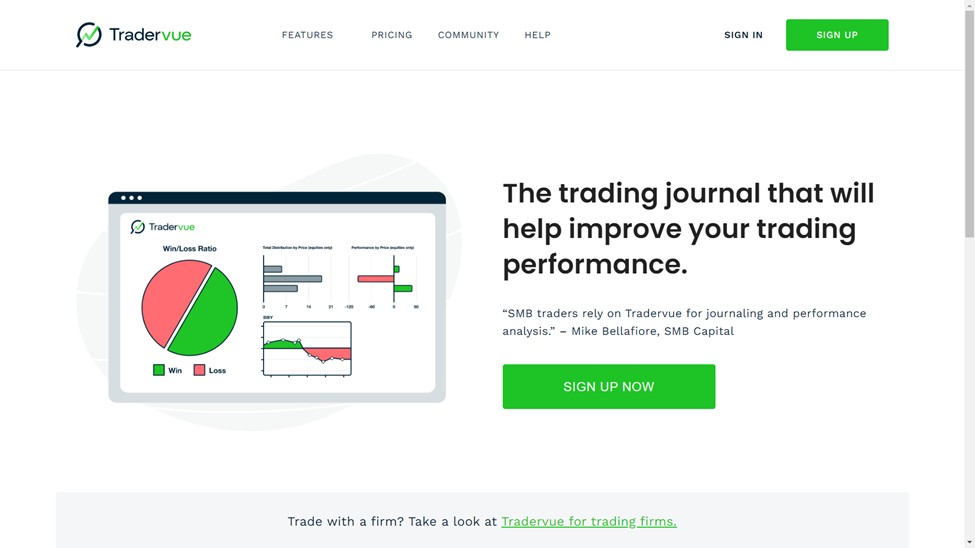
TraderVue is a widely used online trading journal designed for day traders. It facilitates the automatic import of trading data from over 80 platforms and brokers, including Excel, streamlining the tracking process. The platform offers robust analytical tools and detailed statistics to enhance trading performance, with a strong emphasis on risk management. Built-in features assist in analyzing risks and identifying strategies to mitigate them.
The free version of TraderVue permits tracking up to 30 trades per month. For those requiring more comprehensive features, a subscription at $29 per month provides unlimited trade entries and advanced reporting capabilities. The $49 per month plan includes all features of the Silver plan, plus exclusive features such as risk analysis, over 300 advanced reports, and a higher image storage capacity.
- Pros
- Cons
- User-friendly trade journal and social platform
- Advanced tools for analyzing trading history
- Flexible pricing options, including a free plan for up to 30 trades per month
- Subscription costs can accumulate over time
TraderSync

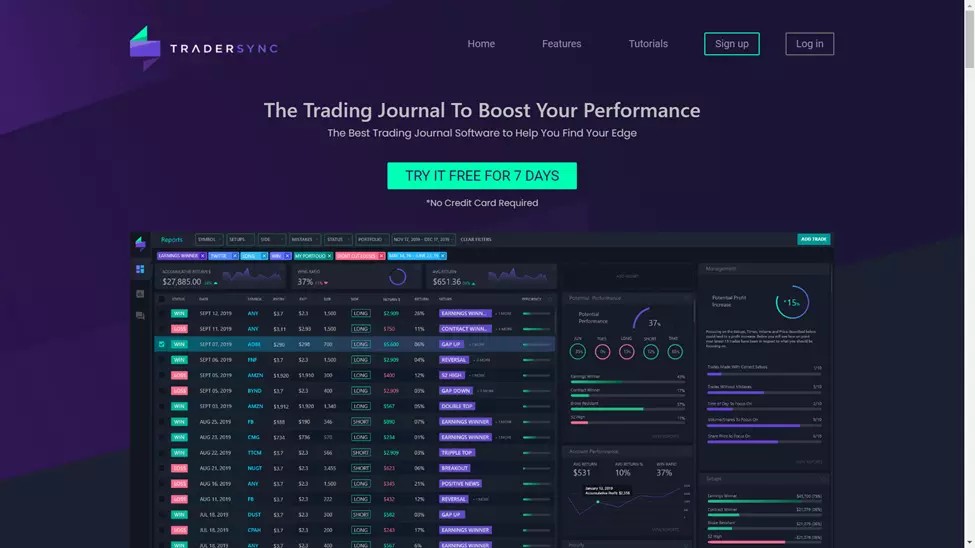
TraderSync offers tools for automatic or manual import of trades and their display in a convenient format. The platform allows you to track trading performance in real time, providing intraday data and analytical functions.
Additionally, a mobile application is available for managing trades and assessing risks, as well as an error tracker that helps identify and eliminate shortcomings in strategies.
Subscription prices range from $29.95 to $79.95 per month with an annual discount of 13%. A 7-day free trial is provided, with no credit card required.
- Pros
- Cons
- 7-day free trial available for all plans
- Supports options, futures, Forex, and stocks
- Offers interactive charts and artificial intelligence features
- The Elite subscription comes at a higher price than other trading journals
Trademetria

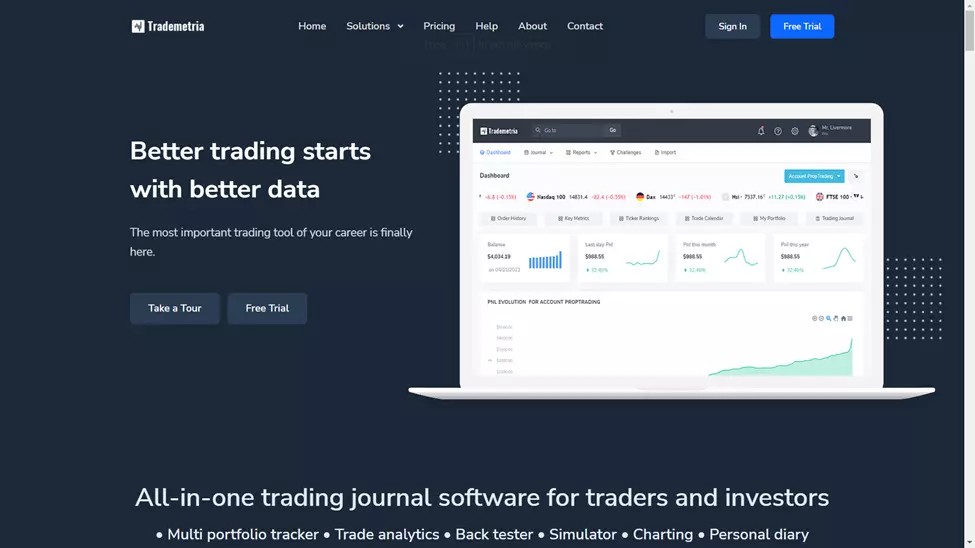
Trademetria is a convenient trading journal that tracks trading performance and provides tools for strategy analysis. The platform includes risk management features that show the risk/reward ratio at all stages of the trade.
A separate feature of the platform is the creation of personalized challenges based on your results with progress tracking. This helps to identify weaknesses and improve skills.
The free version allows you to record up to 30 trades per month. Paid plans cost from $29.95 to $39.95 per month, and an annual subscription gives a 40% discount.
- Pros
- Cons
- Comprehensive performance tracking
- Advanced data analytics
- Strategy testing across various scenarios
- One-time payment option at an affordable price
- Supports multiple asset classes
- Subscription costs can accumulate over time
- Some advanced features may require higher-tier plans
Edgewonk
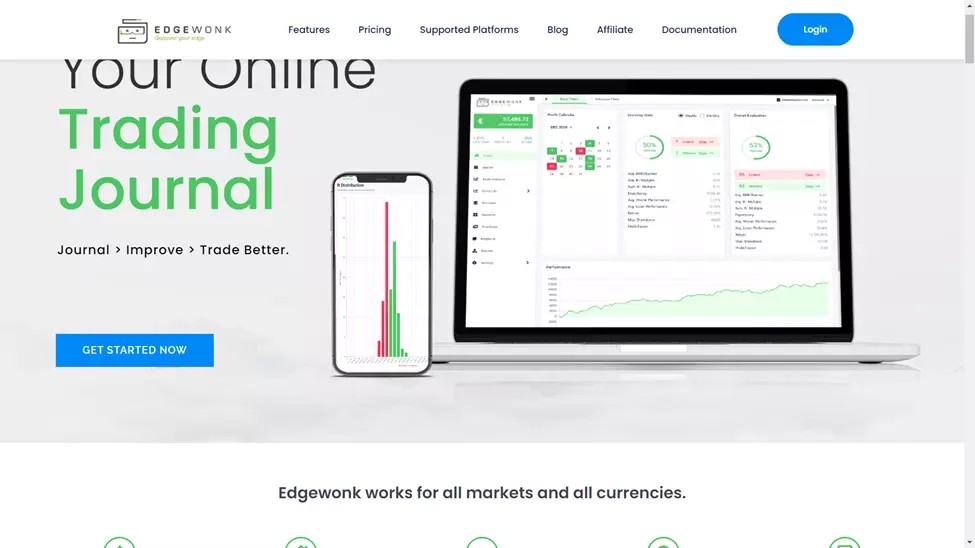
Edgewonk is a comprehensive trading journal designed to support traders across various markets, including Forex, futures, options, stocks, and cryptocurrencies. The platform facilitates seamless data import from numerous brokers and allows direct uploads from Excel spreadsheets, ensuring flexibility in data management. A notable feature is the ability to attach chart screenshots and personal notes to individual trades, enhancing the depth of analysis and review.
Edgewonk offers a single annual subscription plan priced at $169, averaging approximately $14.08 per month. This subscription grants users full access to all features, including advanced analytics and performance tracking tools. While Edgewonk excels in providing detailed insights for active traders, it may be less suited for long-term investors due to its focus on short to medium-term trading activities.
- Pros
- Cons
- Tracks performance across multiple markets, including Forex, futures, options, and cryptocurrencies.
- Advanced tools like emotional analytics, trade tagging, and decision tracking.
- Offers backtesting capabilities to evaluate and improve trading strategies.
- Allows detailed trade annotations with screenshots and personal notes.
- User-friendly interface with streamlined data import options.
- One-time payment solution at an affordable price.
- Limited to short-to-medium-term trading; not ideal for long-term investors.
- Requires a comprehensive dataset for effective analysis, which can be challenging for new traders.
- Higher upfront cost compared to some competitors.
- Lacks a free trial or monthly payment option.
TradeBench

TradeBench is a free trading journal that helps traders with tools for trade planning, risk assessment, and performance analysis across various markets like stocks, Forex, cryptocurrencies, and CFDs. It features an easy-to-use interface with color-coded charts and graphs for clear data visualization. Users can import trade data from any broker or platform, making it accessible for all types of traders. The platform is supported by advertising revenue and does not require any subscriptions.
- Pros
- Cons
- Comprehensive tracking for various asset classes, including stocks, Forex, cryptocurrencies, and CFDs.
- User-friendly interface with intuitive data visualization through color-coded charts and graphs.
- Seamless integration with any online brokerage for importing trading activity.
- Completely free to use, with no subscription fees.
- Limited advanced features may not meet the needs of experienced traders.
How to choose a trading journal software
Choosing the right trading journal software is essential for any trader aiming to improve their performance:
Start by identifying your needs. Ensure the software supports the markets you trade, like stocks, Forex, or cryptocurrencies, and fits your trading style, whether it's day trading or long-term investing.
Look for features like automatic trade data import, performance analytics, and risk assessment tools. Customization options for reports and dashboards can also enhance usability.
Consider the user experience. A clean, intuitive interface and mobile accessibility are vital if you trade on the go.
Check the pricing structure to ensure it fits your budget, and take advantage of free trials to test the software before committing.
Integration with your broker or other tools like charting software can be a big plus. Prioritize security by ensuring the platform has strong data protection and backup options.
Lastly, choose software with active community support or responsive customer service to address any concerns.
Trade journal integration with platform
Traders use journal integrations such as TraderVue, TraderSync, Edgewonk and Trademetria with MT4, MT5, cTrader and TradingView platforms to easily track trades. This is possible through direct sync, CSV import or manual entry. This integration helps analyze trading performance and manage data in a single interface.
| Software | MT4/MT5 Integration | cTrader Integration | TradingView | Interactive Brokers | TD Ameritrade | E*TRADE | Robinhood |
|---|---|---|---|---|---|---|---|
| TraderVue | Yes (CSV Import) | Yes (CSV Import) | Manual entry or export/import | Yes (Direct Sync) | Yes (Direct Sync) | Yes (CSV Import) | Yes (CSV Import) |
| TraderSync | Yes (Direct Sync) | Manual Import (CSV) | Manual entry or export/import | Yes (Direct Sync) | Yes (Direct Sync) | Yes (CSV Import) | Yes (CSV Import) |
| Edgewonk | Yes (CSV Import) | Yes (CSV Import) | Manual entry or export/import | Yes (CSV Import) | Yes (CSV Import) | Yes (CSV Import) | Yes (CSV Import) |
| Trademetria | Yes (CSV Import) | Yes (CSV Import) | Manual entry or export/import | Yes (Direct Sync) | Yes (Direct Sync) | Yes (CSV Import) | Yes (CSV Import) |
Best brokers for active traders
We also compared several regulated brokers with low spreads that offer a significant choice of trading platforms for integration with trading journals.
| Min. deposit, $ | TradingView | MT5 | MT4 | cTrader | ECN Spread EUR/USD | Open an account | |
|---|---|---|---|---|---|---|---|
| 10 | No | Yes | No | No | 0.1 | Go to broker Your capital is at risk.
|
|
| 100 | Yes | No | No | No | No | Go to broker 80% of retail CFD accounts lose money. |
|
| 50 | Yes | Yes | No | No | No | Go to broker Your capital is at risk. |
|
| No | Yes | Yes | Yes | No | 0.15 | Go to broker Your capital is at risk. |
|
| 100 | Yes | Yes | Yes | No | 0.2 | Study review |
Why keep a trade journal?
Keeping a trade journal is an essential practice for traders who want to improve their performance and achieve consistent success. By recording details of each trade, such as entry and exit points, strategies, and reasons behind decisions, traders can gain a clear understanding of their trading patterns and outcomes.
Benefits of keeping a trade journal
Performance evaluation
A trade journal helps traders evaluate their performance over time. Reviewing past trades allows them to identify effective strategies and recognize areas that need improvement.Pattern recognition
Recording trades helps traders identify recurring setups or mistakes. Recognizing these patterns can lead to refining strategies and avoiding repeated errors.Emotional awareness
Noting emotions during trades, such as fear or overconfidence, helps traders understand how their mindset affects decision-making. This awareness fosters discipline and objectivity.Risk management
A journal enables traders to evaluate their risk management practices. It shows whether risk parameters were followed and whether stop-loss and take-profit levels were effective.Accountability and discipline
Maintaining a journal creates accountability. Knowing that every trade will be documented encourages traders to stick to their trading plans and remain disciplined.
How to use a trading journal effectively
Keeping a trading journal can transform the way you approach trading, helping you grow as a trader and achieve consistent results. Here’s how to make it work for you:
1. Log every detail
Capture the specifics of each trade:
When: note the date and time.
What: record the asset you traded—stocks, Forex, or crypto.
How Much: mention your position size.
Entry and exit points: document the prices at which you entered and exited.
Why: write down the strategy or reasoning behind your trade.
By doing this, you create a clear picture of your trading journey and make reviewing your decisions much easier.
2. Track your thoughts and the market
Go beyond numbers and include what was happening during the trade:
Market mood: what were the trends and volatility levels?
Your mood: were you confident, anxious, or unsure?
Your plan: did you stick to it, or did emotions sway your decisions?
This extra layer of detail helps uncover how external conditions and emotions affect your performance.
3. Make reviewing a ritual
Take time regularly to analyze your journal:
Spot patterns: look for trades that consistently work or fail.
Measure success: track your profit/loss ratios and risk management practices.
Adapt strategies: use the insights to refine how you trade.
This reflection builds discipline and gives you the tools to trade smarter.
4. Use technology to your advantage
Let tools simplify your journaling:
Automatic imports: choose platforms that pull trade data directly from brokers.
Advanced analytics: use software that provides charts, performance metrics, and risk evaluations.
These tools save time and make analyzing trades more efficient.
5. Stay consistent
A journal is only as good as the effort you put in:
Be honest: accurately record wins, losses, and mistakes.
Stick with it: commit to maintaining your journal, even when it feels tedious.
Pay attention to the ability to integrate with your platform and customize analytical metrics

Choosing the right trading journal directly affects the effectiveness of your trade analysis. One aspect that is often overlooked is integration with the platforms you are already using. For example, if you trade via MT4 or MT5, choose a journal that supports automatic data import to minimize manual entry errors and save time.
I recommend paying attention to the ability to customize analytical metrics. Most standard journals have basic metrics such as profit and loss. However, if your strategy includes more complex parameters, such as correlation between assets or dynamics on different time frames, choose software with the ability to add custom fields. This will allow you to get deeper analytics.
And the last piece of advice - use the journal not only to record trades, but also to work with the emotional component. Write down your thoughts before and after a trade to track the influence of emotions on your decisions. This is especially useful in highly volatile markets. In this way, your trading journal will become a tool not only for analysis, but also for developing discipline and control.
Conclusion
A trading journal is a tool for improving your trading skills and achieving consistent results. The right software for you depends on your goals, trading style, and preferences. Automation, analytical tools, and ease of use make modern journals indispensable for professional growth. Regularly keeping records helps not only analyze mistakes, but also formulate successful strategies. Choose a journal that suits your needs and make it part of your trading routine. It is an investment in your development as a trader.
FAQs
How often should I update my trading journal?
Enter your journal entries immediately after you complete a trade to maintain accuracy. Reviewing your entries regularly, such as weekly, can help you identify patterns and make adjustments to your strategy.
What additional metrics can I add to my trading journal?
In addition to standard metrics like profit and loss, I can add holding time, market volatility, risk/reward, and asset correlation for more in-depth analysis.
How can I use my trading journal to learn?
Review past trades to identify winning strategies and mistakes. Analyze charts and comments to understand how the market has changed and apply this knowledge in the future.
How do I keep a journal if I trade multiple markets?
Separate your entries by asset type or strategy. Use separate categories for Forex, stocks, cryptocurrencies, and other instruments to maintain structure and make each market easier to analyze.
Editors' Top Picks and Insights

Global fintech in 2026: Three trends that matter

From Jesus Christ to aliens: Polymarket's most absurd prediction markets

Hunting crypto owners: Why criminals have gone offline

BitMEX is shutting down: Why Trump could not save the exchange

Do governments need crypto workers?

Brent nears $100: Why oil prices are rising
Related Articles
Team that worked on the article
Maxim Nechiporenko has been a contributor to Traders Union since 2023. He started his professional career in the media in 2006.
Chinmay Soni is a financial analyst with more than 5 years of experience in working with stocks, Forex, derivatives, and other assets. As a founder of a boutique research firm and an active researcher, he covers various industries and fields, providing insights backed by statistical data.
Mirjan Hipolito is a journalist and news editor at Traders Union. She is an expert crypto writer with five years of experience in the financial markets.
An ECN, or Electronic Communication Network, is a technology that connects traders directly to market participants, facilitating transparent and direct access to financial markets.
Index in trading is the measure of the performance of a group of stocks, which can include the assets and securities in it.
CFD is a contract between an investor/trader and seller that demonstrates that the trader will need to pay the price difference between the current value of the asset and its value at the time of contract to the seller.
Copy trading is an investing tactic where traders replicate the trading strategies of more experienced traders, automatically mirroring their trades in their own accounts to potentially achieve similar results.
Risk management is a risk management model that involves controlling potential losses while maximizing profits. The main risk management tools are stop loss, take profit, calculation of position volume taking into account leverage and pip value.

-
 Afghanistan
-
 Albania
-
 Algeria
-
 Angola
-
 Argentina
-
 Armenia
-
 Australia
-
 Austria
-
 Azerbaijan
-
 Bahamas
-
 Bahrain
-
 Bangladesh
-
 Belarus
-
 Belgium
-
 Bolivia
-
 Botswana
-
 Brazil
-
 Brunei
-
 Bulgaria
-
 Cambodia
-
 Cameroon
-
 Canada
-
 Chile
Chile
-
 China
China
-
 Colombia
-
 Congo
Congo
-
 Costa Rica
-
 Cote d'Ivoire
-
 Croatia
-
 Cuba
Cuba
-
 Cyprus
-
 Czechia
-
 DR Congo
-
 Denmark
-
 Dominican Republic
-
 Ecuador
-
 Egypt
Egypt
-
 El Salvador
-
 Estonia
-
 Eswatini
-
 Ethiopia
-
 Finland
-
 France
-
 Georgia
-
 Germany
-
 Ghana
Ghana
-
 Greece
-
 Haiti
Haiti
-
 Hong Kong
-
 Hungary
-
 India
India
-
 Indonesia
-
 Iran, Islamic republic
-
 Iraq
Iraq
-
 Ireland
-
 Israel
-
 Italy
Italy
-
 Jamaica
-
 Japan
Japan
-
 Jordan
-
 Kazakhstan
-
 Kenya
Kenya
-
 Korea
Korea
-
 Kuwait
-
 Kyrgyzstan
-
 Laos
Laos
-
 Latvia
-
 Lebanon
-
 Lesotho
-
 Libya
Libya
-
 Lithuania
-
 Luxembourg
-
 Madagascar
-
 Malaysia
-
 Malta
Malta
-
 Mauritius
-
 Mexico
-
 Moldova
-
 Mongolia
-
 Montenegro
-
 Morocco
-
 Mozambique
-
 Myanmar
-
 Namibia
-
 Nepal
Nepal
-
 Netherlands
-
 New Zealand
-
 Nigeria
-
 North Macedonia
-
 Norway
-
 Oman
Oman
-
 Pakistan
-
 Palestine
-
 Panama
-
 Papua New Guinea
-
 Paraguay
-
 Peru
Peru
-
 Philippines
-
 Poland
-
 Portugal
-
 Puerto Rico
-
 Qatar
Qatar
-
 Reunion
-
 Romania
-
 Rwanda
-
 Saudi Arabia
-
 Serbia
-
 Singapore
-
 Slovakia
-
 Slovenia
-
 Somalia
-
 South Africa
-
 Spain
Spain
-
 Sri Lanka
-
 Sweden
-
 Switzerland
-
 Syria
Syria
-
 Taiwan
-
 Tajikistan
-
 Tanzania
-
 Thailand
-
 Trinidad and Tobago
-
 Tunisia
-
 Turkey
-
 UAE
UAE
-
 Uganda
-
 Ukraine
-
 United Kingdom
-
United States
-
 Uruguay
-
 Uzbekistan
-
 Venezuela
-
 Vietnam
-
 Yemen
Yemen
-
 Zambia
-
 Zimbabwe
- Forex
- Crypto